A tutor recently shared something many will recognise. Preparing to teach calculus, they kept mixing up the x and y axes and losing track of which quadrant was positive or negative. Brain fog made it worse, and they wondered whether a maths-related learning difficulty was part of the picture. The replies filled up fast, because tutors see this constantly: bright students who understand the concept but lose it on the page, in the symbols, and in the order of the steps.
This article is about what you can do in the next lesson. Not generic "be patient" advice, but five concrete adjustments to layout, pacing, and record-keeping that help students with dyslexia or maths learning difficulties, and protect your own headspace as a tutor.
Quick answer: Tutors can support students with dyslexia or maths learning difficulties by simplifying page layout, reducing working-memory load, reusing consistent visual supports, keeping detailed lesson notes, and tracking patterns across several lessons. Teamlilit cannot diagnose learning differences, but it can help tutors keep support strategies, resources, parent updates, and progress notes organised around each student.
Important: tutors support learning, they do not diagnose
Before the strategies, one line that matters. Dyslexia is a specific learning difficulty that mainly affects reading and written language. Dyscalculia is a maths-related learning difficulty that affects numbers, quantities, estimating, and mathematical reasoning; the British Dyslexia Association describes it as difficulty understanding and working with numbers, and Understood frames it as a learning difference in maths that can affect everything from bigger-versus-smaller to more abstract work. They are not the same thing, though they can overlap in a maths lesson, and a student can have difficulties in maths without either label.
As a tutor, you can notice that a student finds certain things hard. You cannot, and should not, diagnose. If you see a consistent pattern, the right move is to describe what you have observed to the parents and suggest a professional assessment where appropriate. Everything below is about supporting learning and keeping good records, not about identifying a condition.
With that clear, here are five practical ways to help.
1. Make the page layout easier to follow
A lot of what looks like a maths error is really a layout error. When symbols crowd together, steps run into each other, and the axes are unlabelled, a student with dyslexia or a maths learning difficulty spends their working memory on decoding the page instead of solving the problem. Fix the page first.
A few changes that help many students organise written work:
- One problem per section. Give each question its own clearly bounded space instead of packing several into a dense block. A simple trick is folding a blank page into quarters so each problem sits in its own box.
- Left-to-right, top-to-bottom flow. Keep the working in a single predictable direction. Wandering layouts force the reader to re-find their place every line.
- Generous spacing. More white space between steps and between symbols reduces the chance of a plus sign reading as a minus, or an x reading as a multiplication.
- Colour-code the axes and quadrants. For coordinate work, use one consistent colour for the x axis and another for the y axis, and mark the positive and negative directions with a high-contrast pen. The confusion the original tutor described, mixing up x and y and losing the sign, is exactly what consistent colour-coding is designed to reduce. For a complete lesson on coordinates and straight-line graphs, see how to teach maths online.
- Keep symbols consistent. Use the same notation every lesson. Switching between different ways of writing the same thing adds load for a student who is already working hard to keep symbols straight.
Colour-coding is worth a specific note. It genuinely helps some students and does nothing for others, so treat it as a personal experiment. Try one change, ask the student whether it feels clearer, and keep what works.
How Teamlilit fits: make your colour key once and reuse it. Attach a colour-key PDF, or a photo of a well-organised worked example, to the student's lesson notes so the same visual aid is one tap away in every session. You are not recreating the support material each week; it lives with the student's record and stays consistent.
2. Reduce working-memory load while you explain
The second big lever is pacing. Multi-step maths asks a student to hold several things in mind at once: the current step, the previous result, the goal, and the rule being applied. For a student with a maths learning difficulty, and for a tutor dealing with their own brain fog, that load builds up quickly and mistakes creep in near the end of a long stretch.
Lower the load deliberately:
- Fewer steps at once. Break a problem into smaller chunks and confirm each one before moving on, rather than running the whole method end to end.
- Short focused bursts, then a recap. A Pomodoro-style rhythm works well here: roughly eight minutes of concentrated work, then a two-minute recap of what you just covered before the next burst. Frequent recaps move learning into memory instead of leaving it to leak away.
- Recap boxes and worked examples. Keep a visible worked example on the page as a reference so the student is not holding the entire method in their head. A short "what we just did" box at each stage does the same job.
- Protect your own pacing too. Overruns are not just a scheduling problem; they eat the focus you need for the next student. Set fixed buffer times in Teamlilit's Availability settings so bookings are never back to back. A five-minute gap after a high-focus lesson protects your cognitive load as much as the student's.
Small pacing changes compound. A student who is not exhausted by minute twenty makes far fewer of the symbol and sign slips that get mistaken for "not understanding the maths".
3. Keep support resources attached to the student record
Consistency is the quiet superpower of tutoring support. The layout that helped last week only helps this week if you reuse it. Yet most tutors scatter these things across a notebook, a camera roll, a messaging app, and a folder somewhere, then rebuild them from memory every session.
Keep the support materials with the student, not across five apps:
- The colour key or notation guide you agreed with the student.
- Scanned or photographed working pages, so you and the parents can see genuine growth over time.
- Lesson notes describing what helped and what did not.
- A private note on accommodations that work, so a cover tutor or your future self is not starting from zero.
How Teamlilit fits: attachments live on the student profile alongside notes, parent details, and progress, so the record travels with the learner. This is the difference between "digital notes" and connected support: the strategy, the resource, and the observation are in the same place, ready to reuse.
Free tool: Use the tutoring lesson notes template to record what support worked, what the student struggled with, and what to try next lesson.
4. Use AI carefully for summaries and practice drafts
AI can save real time on the admin around a lesson, as long as you treat its output as a draft, not a finished product, and review it before it reaches anyone.
Two safe, useful workflows:
- Turn a quick voice note into a draft parent update. Right after the lesson, while it is fresh, dictate a rough 30-second note. Teamlilit can generate a draft summary from your lesson notes in seconds. You then tidy it, and because you control the output, you can adjust the generated summary's font size and spacing before sending, which some readers find easier to follow.
- Draft fresh practice quickly. Use AI generated exercises to create new practice questions that mirror today's problems with different numbers. For students who find reading harder, changing the numbers rather than the wording keeps the language familiar while still giving new practice. Always review the result for readability and correctness before you assign it.
Because AI drafts anything you ask, run a quick three-point check before anything goes to a parent or student:
- Accurate? The maths, the dates, and the facts about this student are correct.
- Readable? The wording is clear and not needlessly dense, and the formatting suits the reader.
- Appropriate? Nothing implies a diagnosis or over-claims progress. You are describing lessons, not assessing a condition.
AI removes the blank-page problem. Your judgement is what makes the output safe to send.
5. Track patterns over several lessons
One lesson tells you what happened once. Several lessons tell you what is actually going on: which mistakes keep recurring, which support genuinely helps, and where the student is quietly improving. That pattern view is what lets you support a learning difficulty properly instead of reacting lesson by lesson.
Make the pattern easy to see:
- Use a custom student tag. Apply a tag such as "maths layout support" or "extra reading support" so you can filter your students and reports to that group in a couple of clicks. This is an organising label for your own workflow, not a clinical category.
- Log recurring weak areas. Note the specific slips, sign errors, axis mix-ups, dropped steps, so you can see whether they are fading or persisting.
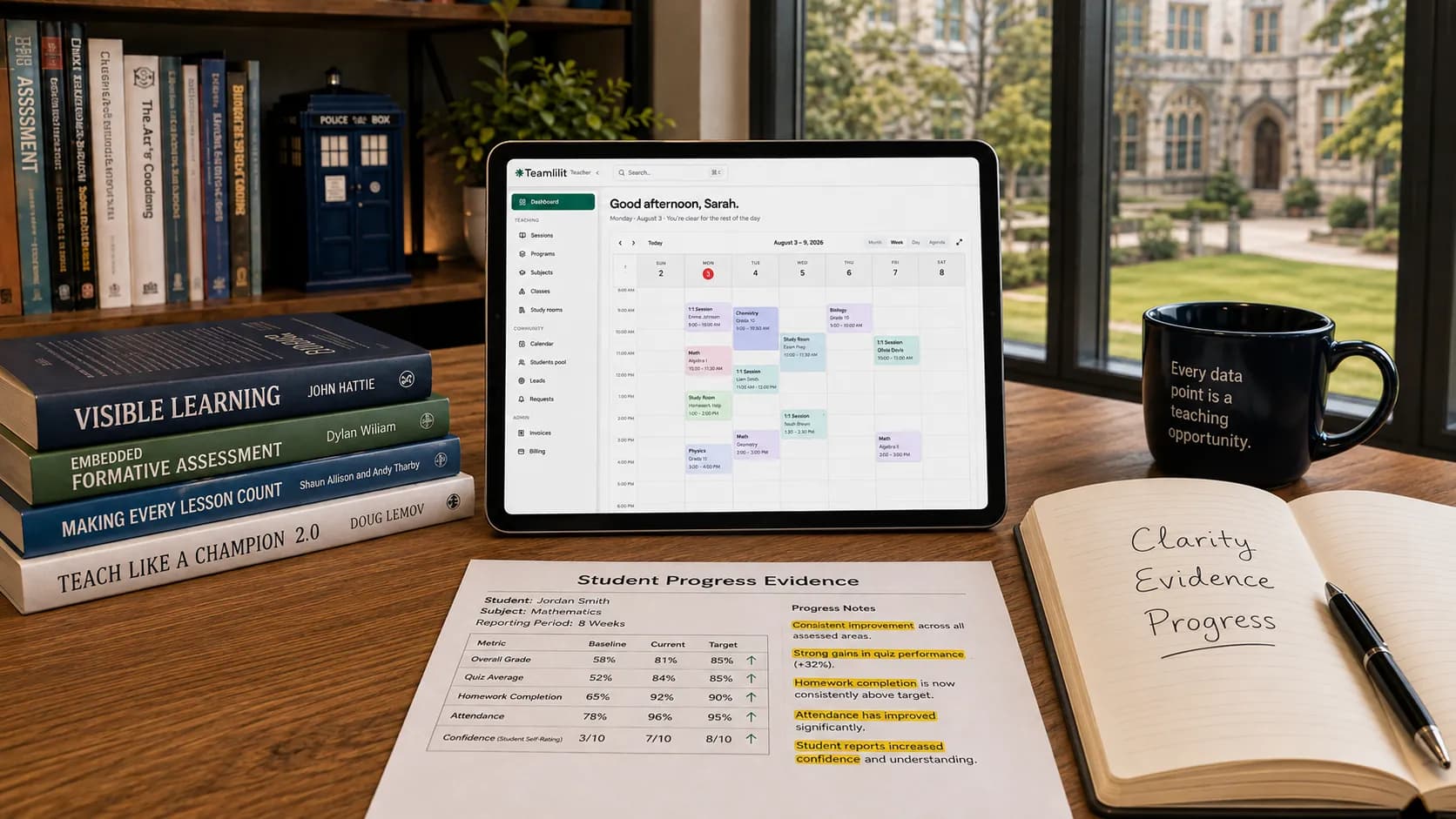
- Attach evidence of growth. Keep a few scanned working pages across the weeks. A parent worried about progress is reassured far more by a clear before-and-after than by a paragraph of reassurance.
- Keep the admin from stalling support. When invoicing is a chore, everything else slips too. Attendance-based invoicing keeps the paperwork moving so your energy stays on teaching, not chasing.
A tag plus a habit of noting weak areas turns a pile of individual notes into a progress story you can act on and share.
Putting it together: a 30-minute weekly workflow
None of this has to be heavy. Here is a light rhythm that keeps the support consistent without adding a second job.
- Start of the week: clone your colour-coded worksheet template for the students who benefit from it, and pre-schedule buffer blocks after high-focus lessons so overruns never eat the next session.
- After each lesson: dictate a short voice note, turn it into a draft summary, review it, and attach a photo of the key working page to the student's record.
- End of the week: filter by your support tag, send parents a short progress update built from the week's notes, and clear invoices in one pass so the admin never becomes the reason support drops off.
Thirty minutes, spread across the week, keeps the layout, pacing, resources, and communication all pulling in the same direction.
Frequently asked questions
Can tutors diagnose dyslexia or dyscalculia?
No. Tutors can observe learning patterns and describe what they see, but diagnosis should come from a qualified professional. Teamlilit helps tutors keep notes and evidence organised, not diagnose learning difficulties.
What is the difference between dyslexia and dyscalculia?
Dyslexia mainly affects reading and written language. Dyscalculia is more closely linked to understanding numbers, quantities, estimating, and mathematical reasoning. Some students may show overlapping difficulties during maths lessons, for example mixing up the x and y axis or losing a minus sign, and a student can struggle in maths without either label.
How can tutors help students who mix up x and y axes?
Use consistent colour-coding for each axis, label the positive and negative directions clearly, keep one problem per section, and reuse the same visual key across lessons. Treat colour-coding as a personal experiment: it helps some students a lot and others not at all, so keep whatever genuinely makes the page clearer for that student.
Does coloured paper or coloured pens really help students with dyslexia?
For some students, higher contrast or colour-coding certain elements makes written maths easier to follow; others notice no difference. It is inexpensive to test. Try one change at a time, ask the student what feels clearer, and keep whatever genuinely helps.
Can AI help with learning-difficulty support?
AI can help draft lesson summaries, parent updates, and practice questions, but the tutor should always review the output for accuracy, readability, and appropriate wording before sharing it. It removes the blank-page problem; your judgement is what makes it safe to send.
Where Teamlilit helps, and where it does not
To be completely clear about the product's role: Teamlilit cannot diagnose dyslexia, dyscalculia, or any maths learning difficulty, and it does not try to. What it can do is take the admin friction out of supporting a student well. Save lesson notes, attach the resources that work, apply custom tags, track recurring weak areas, draft parent updates, and build a clearer record of what helps each learner over time.
The teaching is yours. The layout tweak, the pacing, the reassurance to a nervous parent, none of that is something software does for you. But keeping it organised around each student, so the next lesson starts from what you already know works, is exactly the part worth handing to a tool.
To start small, use the free tutoring lesson notes template to keep notes, parent updates, and next-lesson plans in one place. When you are ready to connect notes, tags, resources, and progress across every student, that is what student management software for tutors is for, and it sits alongside the rest of your workflow, like a public booking page. Once the page and pacing are sorted, these online classroom tactics pair well with everything above.
Ready to turn these strategies into a repeatable system? You can draft parent updates from your lesson notes with AI summaries and keep every student's support organised in one place. Teamlilit will not diagnose a learning difficulty, but it will help you document what works, reuse it, and communicate it clearly.