If you tutor, you know this thread by heart.
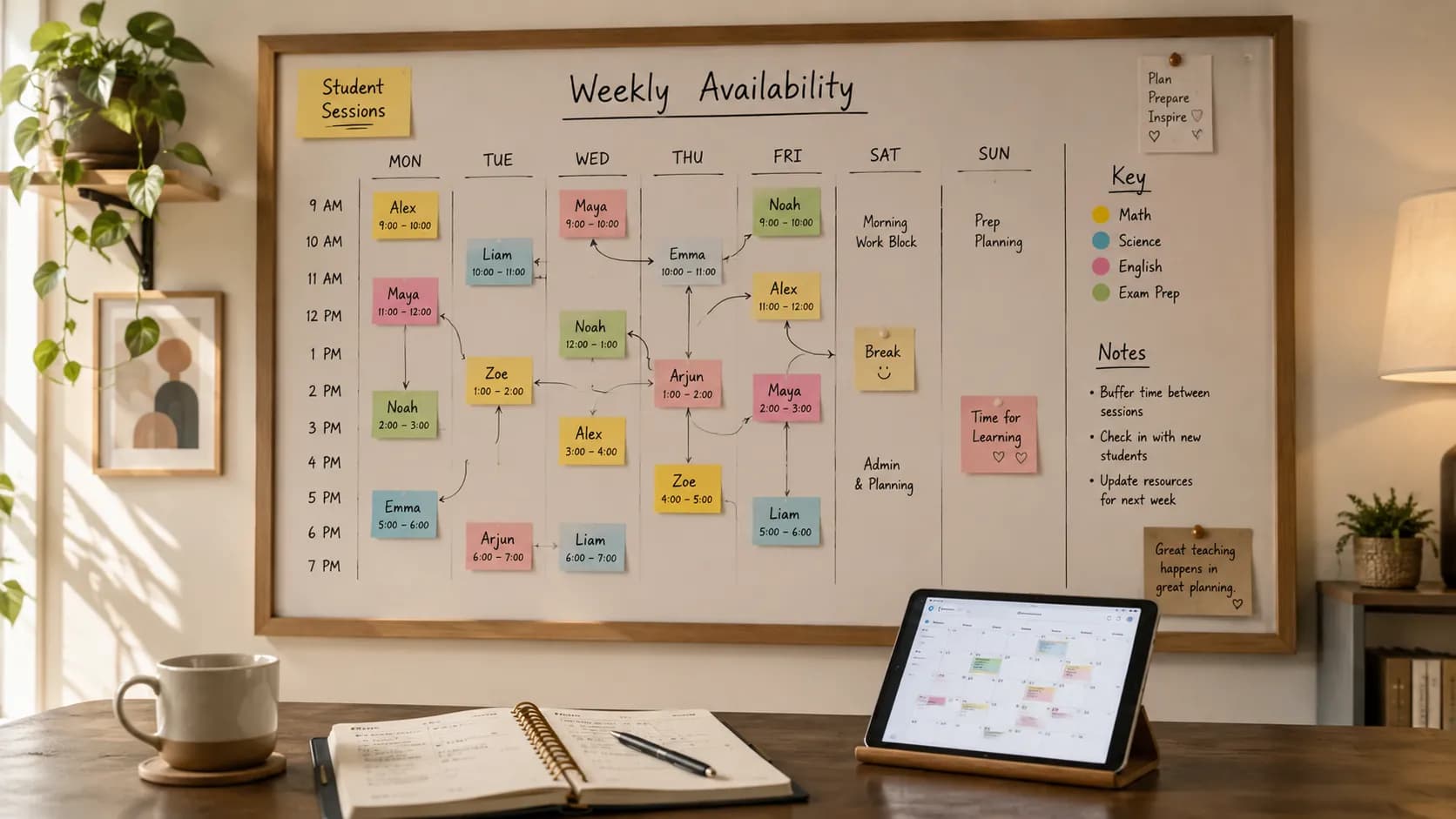
"Are you free Thursday?" "Not Thursday, how about Friday?" "Friday we have football." "Saturday morning?" "Can we do the afternoon?" Three days and eleven messages later, you have booked one lesson, and you will do it all again next week for the next family.
Booking lessons over chat feels friendly and flexible. In practice it is one of the biggest hidden time costs in tutoring, and it quietly creates missed lessons, double bookings, and confused parents. This guide is about replacing that thread with something better: letting students and parents book online, from your real availability, without you touching your calendar by hand.
Why booking over messages breaks down
A chat thread is a poor booking system, for reasons that only show up once you have more than a couple of students:
- Your availability lives in your head. Every request means checking your calendar, doing the mental maths, and typing back a time. Multiply that by a full roster and it is hours a week.
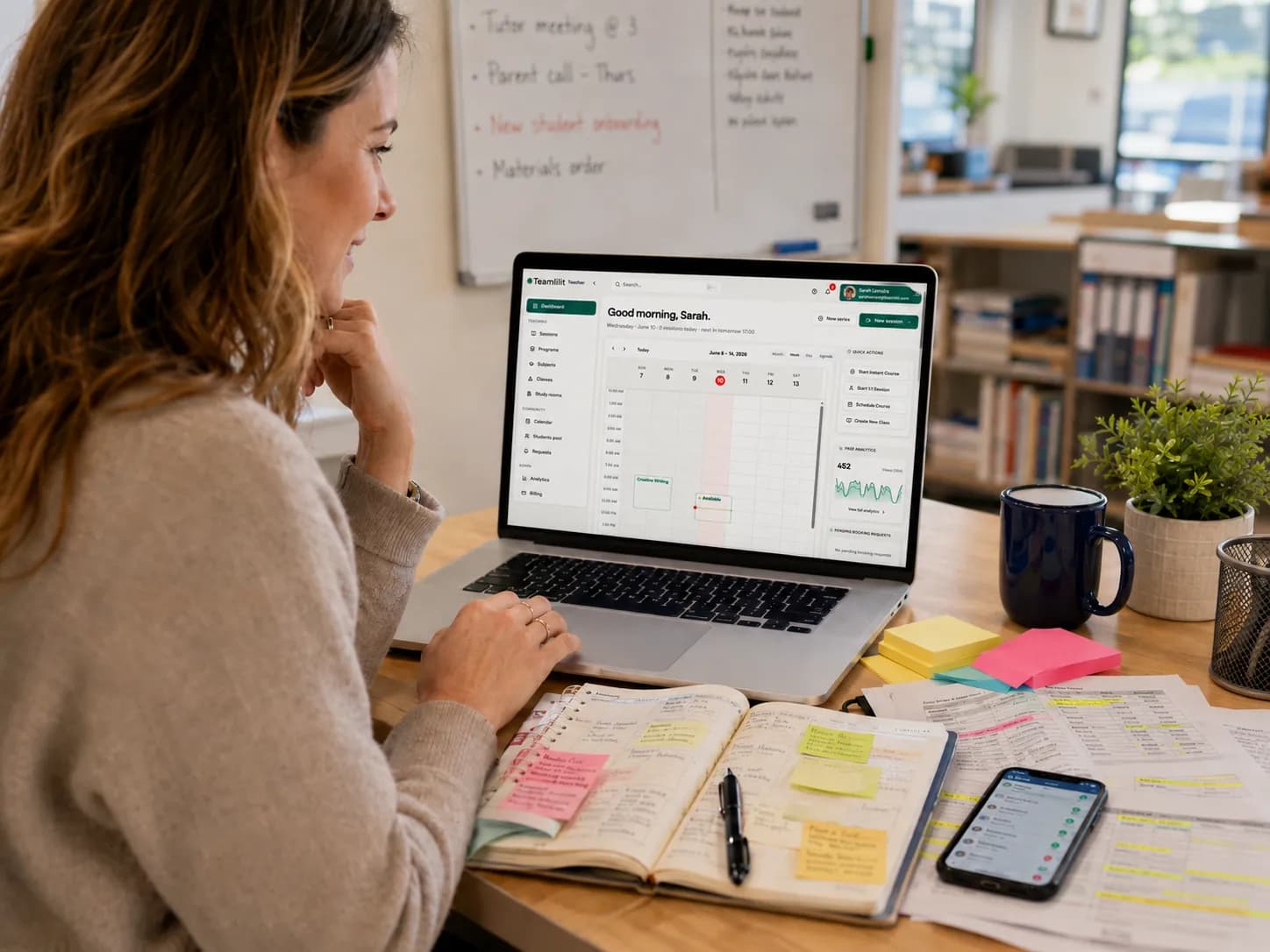
- Nothing is the source of truth. The time is agreed in one thread, half-remembered in another, and never actually written on a calendar. That is how two families end up booked into the same 5pm.
- Changes are invisible. A parent moves a lesson in a message you read at a red light. By evening it is gone, and the slot sits empty.
- Parents cannot self-serve. Every reschedule and every holiday gap becomes a message to you, because there is no other way to do it.
None of this is anyone behaving badly. It is a process problem, and process problems have process fixes.
Show your availability once, let families choose
The core shift is simple: stop telling families when you are free one message at a time, and show them once.
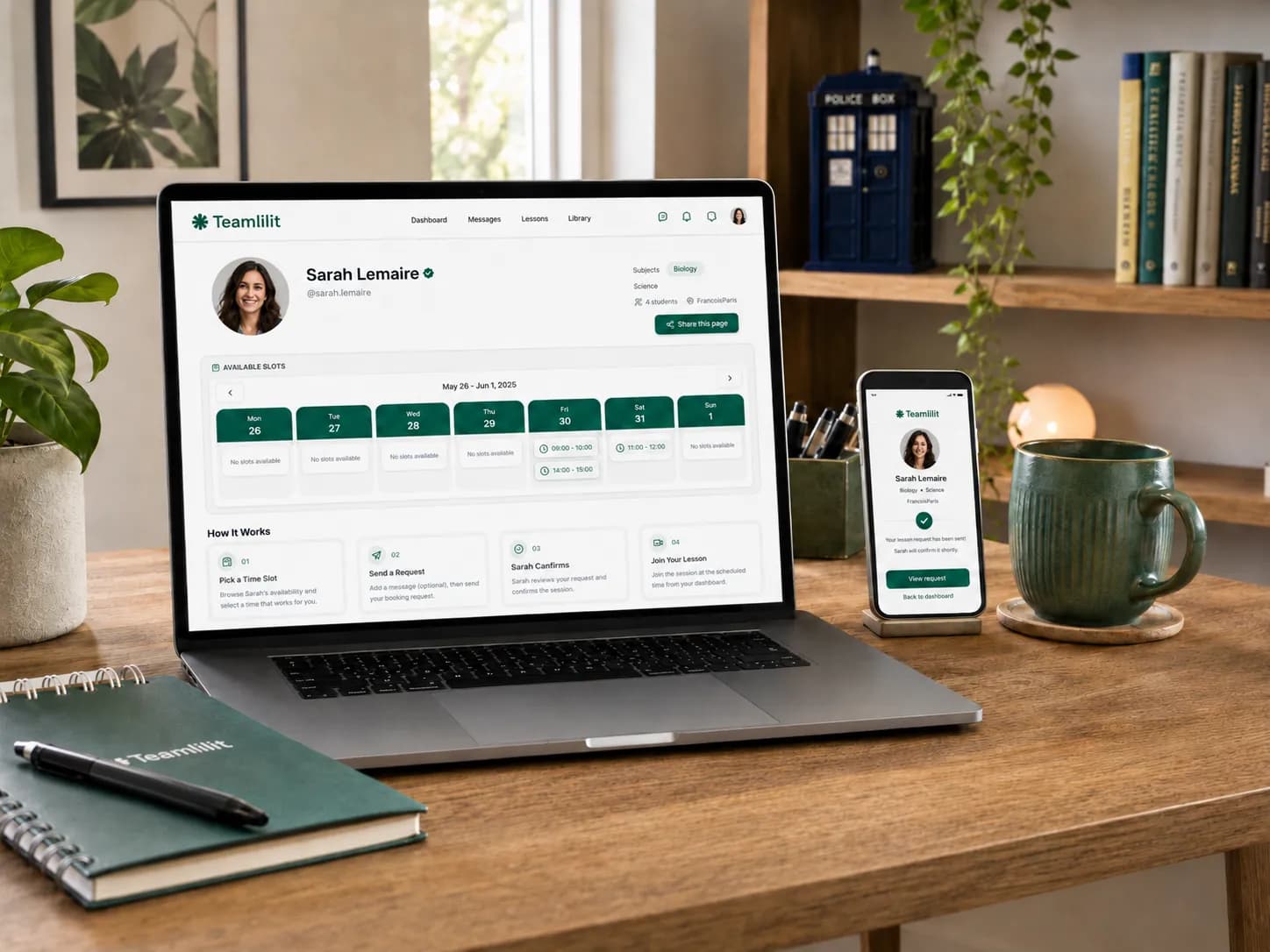
A booking page displays your real, up-to-date availability in the student's own time zone. A parent opens the link, sees the slots that are actually free, and picks one. The lesson lands on your calendar, both sides get a confirmation, and the slot they took disappears so nobody else can double-book it. The negotiation that used to take eleven messages takes them thirty seconds and takes you nothing at all.
This is exactly what tutor booking software is for: families book from your genuine availability, and every booking flows straight into your schedule instead of a chat you have to transcribe later.
The scheduling features that actually matter
Whether you use a dedicated tool or build a setup from calendar apps, these are the features that make self-service booking work for a tutor rather than against you:
- Real-time calendar sync. Two-way sync with your Google, Outlook, or Apple calendar so a slot you are busy in never appears as bookable. This is what prevents double bookings.
- Automated confirmations and reminders. A confirmation on booking and reminders before the lesson, ideally at 24 hours and 1 hour, by whichever channel the family actually reads.
- Payment or deposit at booking. Collecting payment up front secures the slot and is the single biggest no-show deterrent.
- A short intake question. One field like "what does your child need help with?" means you arrive prepared, and it replaces a separate email questionnaire.
- Recurring slots and buffers. Repeating weekly bookings for regular students, plus a few minutes of buffer between lessons so back-to-back sessions do not collide.
- Self-service rescheduling. Let families move or cancel within a notice window you set, so a change becomes a new booking rather than an empty room.
- A video link in the confirmation. For online lessons, the join link should be generated and included automatically, not sent by hand each time.
The point of the list is not any single tool. It is that these features turn a booking into the first clean step of your whole week. In booking software built for tutoring, they come together with student records, attendance, and billing, so a booked lesson tracks its own attendance and feeds your invoices without re-entry. If you are weighing a general booking link against a tutoring-specific tool, our comparison of tutor booking software vs Calendly walks through exactly where each one fits, and our wider tutor scheduling tools round-up ranks all five common setups by how well they prevent double-booking.
Payment and cancellation policies
Clear terms, set before they are needed, prevent almost every awkward money conversation.
Take payment at booking, or invoice immediately after. Prepayment locks in commitment: when a lesson is already paid for, attendance becomes the family's way of getting their money's worth rather than your problem to chase. If you prefer to invoice, send it right after the lesson while the record is fresh.
Sell packages. Offer 5 or 10 lessons up front, often with a small discount. Missed lessons are then deducted according to your policy, so a late cancellation is effectively already paid. Packages also smooth out your income.
Set a clear cancellation window. A common tutor rule is 24 hours' notice for a free change, with the full fee charged inside that window. State it on your booking page and in your confirmation emails so nobody is surprised. A simple version:
Lessons can be rescheduled free of charge up to 24 hours in advance. Cancellations with less than 24 hours' notice, or missed lessons, are charged in full.
If you have not written your policy yet, our free cancellation policy generator produces a fair, parent-friendly version you can download and share, along with a ready-to-send message.
GDPR and data protection for UK tutors
Taking bookings online means holding personal data, so UK GDPR applies to you as a sole trader just as it does to any business. The practical version is short:
- Collect only what you need. Names, contact details, and learning information. Avoid sensitive data unless it is genuinely necessary.
- Tell families what you store and why. A brief privacy notice on your booking page covering what you keep (lesson history, progress notes) and its purpose.
- Keep records secure. Store student data in a password-protected system rather than loose spreadsheets or open notes.
- Get consent for children's data. For minors, the parent or guardian consents on the child's behalf.
- Do not share without permission. Only pass on data where you are required to, for example to a safeguarding contact.
For the official position on your duties, the Information Commissioner's Office (ICO) is the UK authority (see sources below).
Safeguarding and DBS
Parents want to know their child is safe, and being upfront about it builds trust and wins bookings.
Private tutors are not legally required to hold a DBS check, but many parents will expect one, and it is a genuine selling point. Since January 2026, self-employed tutors can apply for their own Enhanced DBS check with a barred-list check, though only through a registered umbrella body, and paid tutors do not qualify for the free volunteer rate. A few sensible habits alongside it:
- Keep lessons in a visible space if you teach from home, and tell parents who else is present.
- Have a short, written safeguarding statement families can read.
- Keep clear per-session records, attendance and notes, so there is always a factual trail.
Putting "Enhanced DBS checked" on your profile, once it is true, reassures parents before they even ask.
No-show prevention, in order of impact
- Take payment at booking. An already-paid lesson is the family's to use, so they think twice before missing it.
- Send two reminders. One 24 hours before, so they can still reschedule properly, and one an hour before, when the lesson is now part of their day.
- Make rescheduling easier than skipping. If moving a lesson takes two clicks within your notice window, families move it instead of vanishing.
- Apply your policy consistently. Charge late cancellations as agreed. Being polite but firm signals that your time has value.
We go deeper on this in our guide to reducing student no-shows.
Message templates you can reuse
Having ready-made messages saves time and looks professional. Adapt the tone to your own voice.
Booking confirmation (email):
Subject: Lesson confirmed for [Student]
Hi [Parent], your session for [Student] is booked for [Day, Date] at [Time] on [Zoom link / location]. Please have [materials] ready a few minutes before. See you then. [Your name]
Reminder (24 hours before):
Hi [Parent], a quick reminder that [Student]'s lesson is tomorrow at [Time]. Let me know as soon as possible if anything changes. Looking forward to it. [Your name]
Late cancellation or no-show note:
Hi [Parent], I had [Student] down for [Time] today and we missed each other. As a reminder, lessons need 24 hours' notice to avoid the full charge. Reply whenever you are ready to rebook. [Your name]
Post-lesson follow-up:
Hi [Parent], thanks for today. [Student] did well with [topic]. Here is a short summary and the homework. Any questions, just reply. See you on [next date]. [Your name]
Your booking setup checklist
Before you share your link, make sure you have:
- A 24/7 booking page or link where families pick a time
- Two-way calendar sync so booked slots auto-block
- Payment or deposit collection at booking
- Automated reminders, ideally 24 hours and 1 hour before
- A clear, written cancellation and reschedule policy
- A short privacy notice for GDPR consent
- A safeguarding statement families can read
- A one-line intake question on the booking form
- A plan for what happens after the lesson: notes, follow-up, invoice. For a faster follow-up, you can turn your notes into a 60-second recap video with NotebookLM instead of writing a paragraph every time
Tick those off and you have a booking system that lets students self-schedule, pay, and get reminded, while you stay organised and compliant.
FAQ
How can students book tutoring lessons online?
Share a booking page that shows your real availability. The student picks a free slot, the lesson lands on your calendar automatically, and both sides get a confirmation. This replaces the message thread where you compare times by hand.
How do I stop the constant WhatsApp back-and-forth about lesson times?
Give families one link that shows when you are free and let them choose. When availability is visible and self-service, the negotiation disappears. You only get a message when something genuinely needs discussing.
Should I take payment when a student books?
Taking payment or a deposit at booking is one of the strongest ways to reduce no-shows, because an already-paid lesson becomes the family's to use rather than yours to chase. If you prefer to invoice later, send the invoice immediately after the lesson while the record is fresh.
Does online booking reduce no-shows?
It helps in two ways. The lesson enters the family's own calendar with a confirmation and reminders, and rescheduling becomes easier than skipping. When moving a lesson takes two clicks, families move it instead of vanishing.
Do UK tutors need to worry about GDPR when taking bookings online?
Yes. Collect only the data you need, tell families what you store and why with a short privacy notice, keep records securely, and get parental consent for children's data. UK GDPR applies to sole-trader tutors as much as to larger businesses.
Sources
- Guide to the UK GDPR - Information Commissioner's Office. The UK authority on what data you can hold and your obligations as a small business.
- DBS checks for self-employed people - GOV.UK. Since Jan 2026, self-employed tutors can apply for an Enhanced DBS via an umbrella body.
- Out-of-school settings: safeguarding guidance for providers - GOV.UK (Department for Education). Covers private tuition: safer recruitment, safeguarding policy, and health and safety.