

Virtual classroom software that was designed for teaching
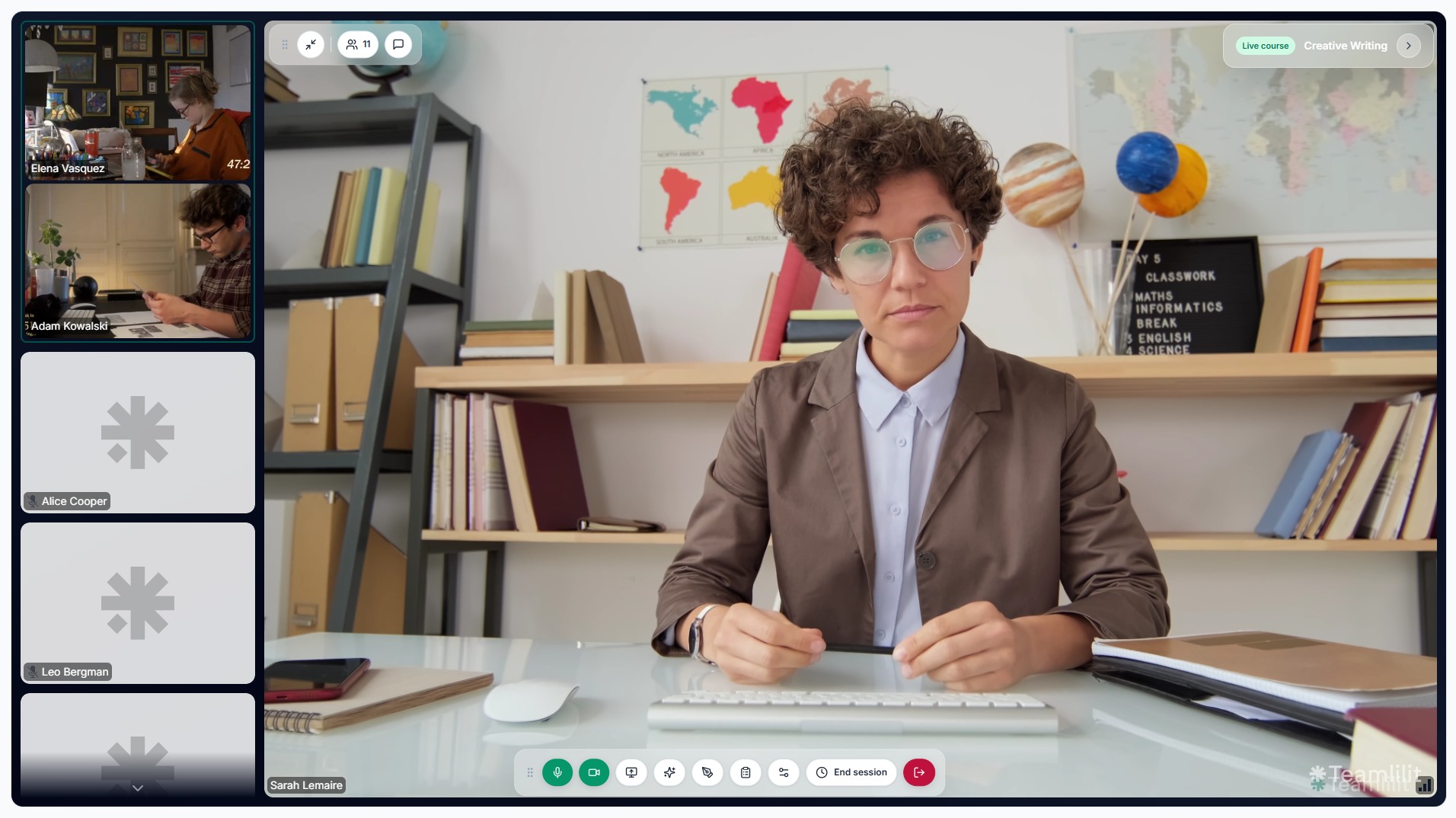
Generic video tools treat your tutoring session like a business meeting. Teamlilit's virtual classroom is purpose-built for education with a stage layout, automatic attendance, and a connected workflow that knows your students, your schedule, and your session history.
What makes this classroom different
It knows who your students are
When a session starts, the classroom already has context: which class, which students, what session number. No more "who just joined?" moments.
Attendance is automatic
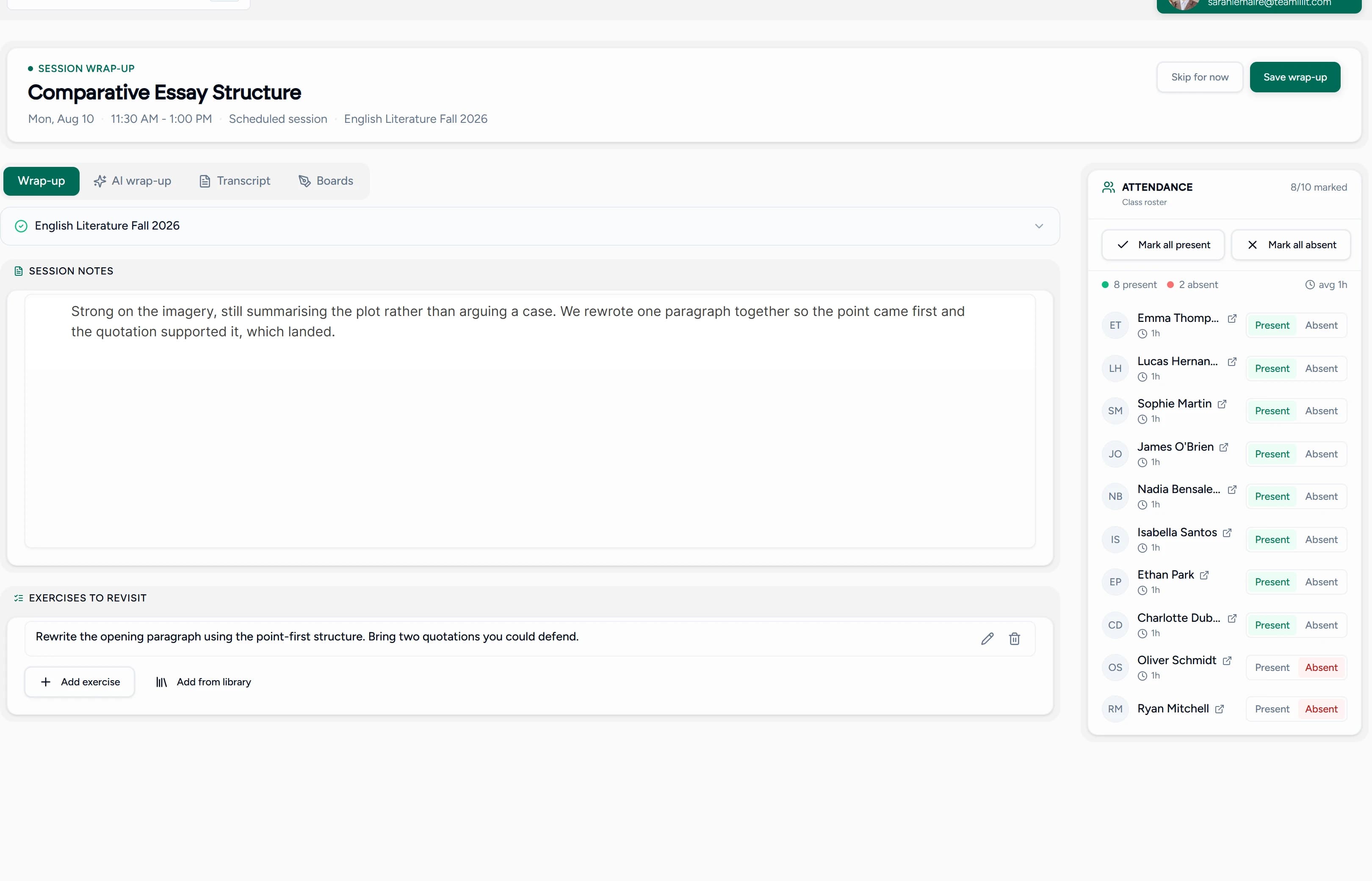
Students are tracked the moment they join and leave. No manual roll call. No guessing who showed up after the fact.
Everything stays connected
Session history, attendance records, and student profiles are all linked. After class, the data is already where it needs to be.
Classroom features
- HD video & audio: powered by LiveKit for low-latency, reliable connections
- Stage view: spotlight the active speaker or presenter with a focused layout
- Screen sharing: share your entire screen, a window, or a tab
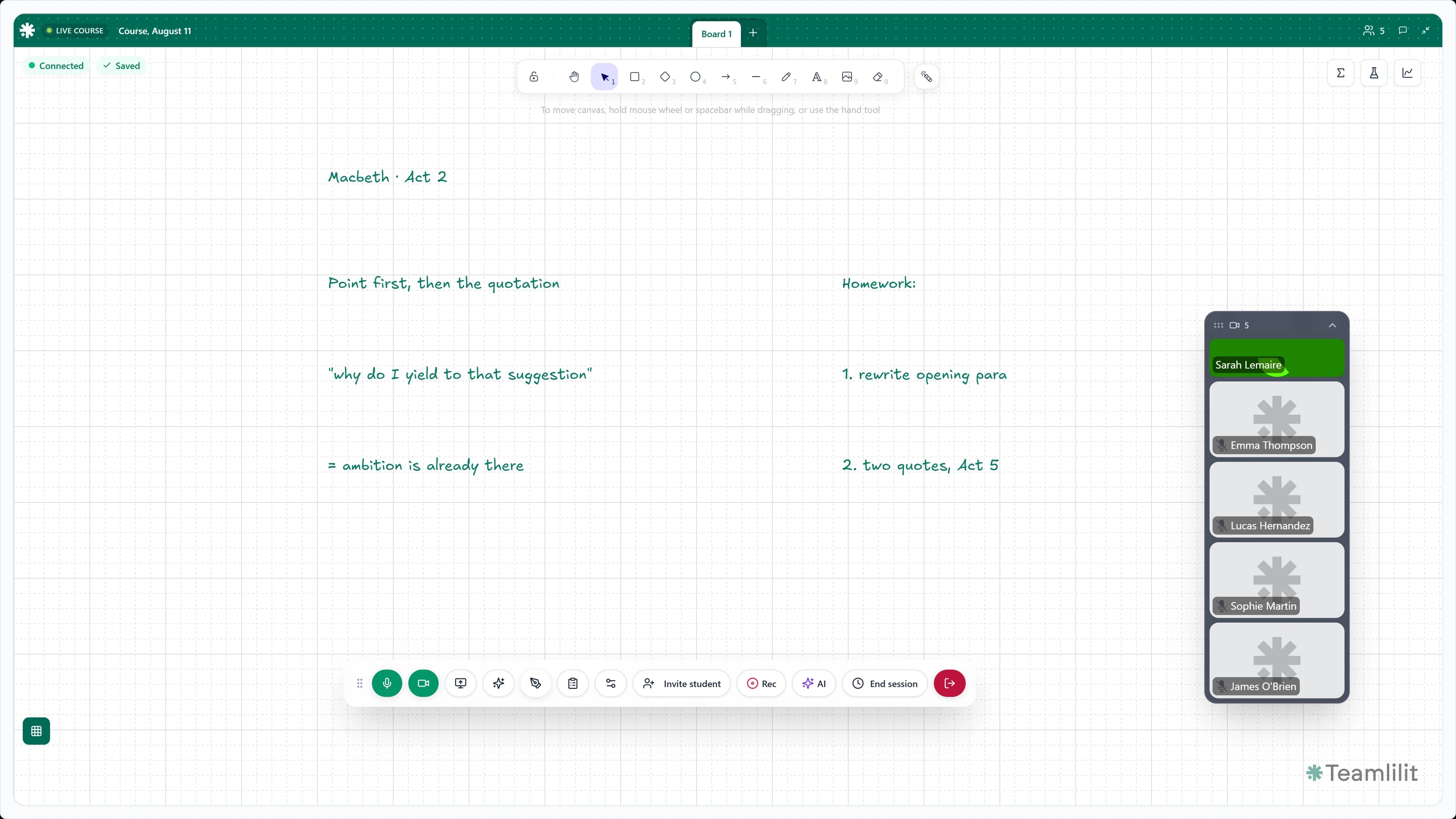
- Interactive whiteboard: draw, annotate, and explain visually in real time
- In-session chat: share links, notes, and messages without leaving the classroom
- Media controls: mute, camera toggle, screen share, and leave, all in a clean control bar
- Participant roster: see who's in the session at a glance
- Browser-based: no downloads, no plugins. Students just click to join
Who uses this
It's a virtual classroom for tutors first, built around the people who actually teach in it:
- Solo tutors who want a professional classroom without Zoom
- Language teachers running conversation classes and grammar workshops
- Exam prep tutors sharing practice tests and reviewing answers live
- Academies with multiple tutors teaching group classes simultaneously
How it fits into your workflow
- Schedule a session from your dashboard
- Start the classroom, students are notified and join with one click
- Teach using video, screen share, whiteboard, and chat
- Finish attendance is saved, session is recorded in student profiles
- Follow up with notes, next session scheduling, or materials
Frequently asked questions
Do I need to install anything?
No. The virtual classroom runs in the browser, no downloads, no plugins. Students just click to join.
What's the maximum number of students per session?
Solo includes 2 people in a session, which is you and one student, so it is one-to-one only. Pro allows up to 25 people in a session and Academy up to 100, both counting you. Group sessions need Pro or Academy.
Can I use it for both 1:1 and group sessions?
Yes. The classroom adapts to any session size, from private 1:1 tutoring to group classes.
Is the whiteboard interactive for students too?
The whiteboard supports real-time collaboration with drawing tools, shapes, and text.
Not a generic meeting tool and not an LMS
Teamlilit's virtual classroom isn't trying to be Google Classroom, Canvas, or Moodle. Those are learning management systems designed for institutions with hundreds of courses. Teamlilit is built for independent tutors and small academies who need a professional classroom connected to their scheduling, student management, attendance and per-student time. It's one piece of the wider online tutoring platform.
If you've been using Zoom for tutoring, Teamlilit gives you everything Zoom does plus everything Zoom doesn't: scheduling, student context, and automatic attendance. See how the live classroom works, read our guide on the virtual classroom for tutors, or compare the two approaches in virtual classroom vs Zoom for online tutoring.
Your classroom should work as hard as you do
Stop adapting meeting software to your teaching workflow. Use a classroom that was built for it. See pricing for plan details.
