

A virtual classroom for tutors, not a meeting room for everyone else
Most video tools were built for sales calls and standups, then sold to teachers as an afterthought. A virtual classroom for tutors starts from the opposite end: it knows you are running a lesson, knows which student is joining, and saves what happened so you do not have to.
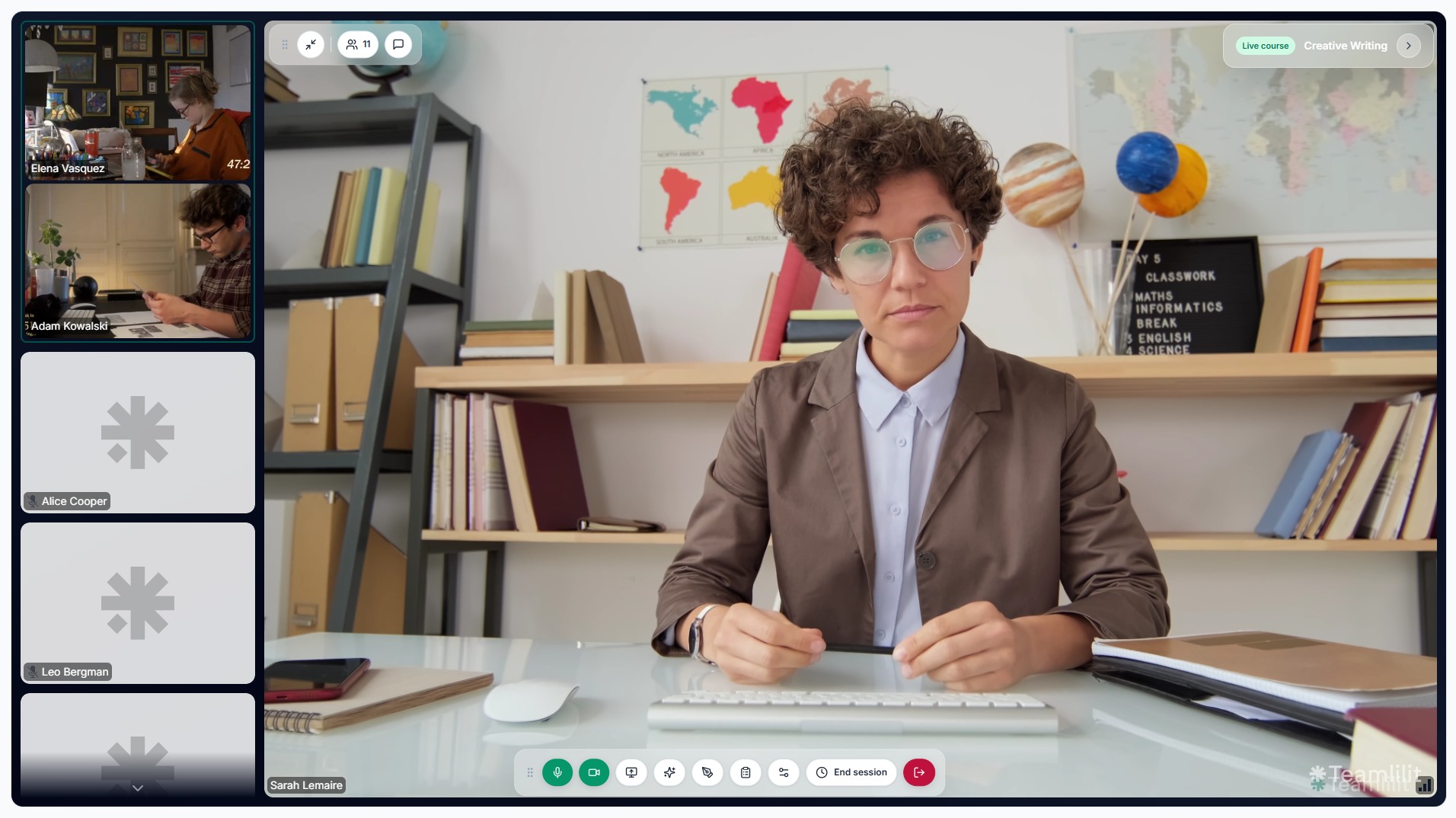
Why tutors need more than a meeting link
A meeting link starts a call. It does not know your timetable, your students, or what you covered last week. So tutors end up bolting a stack of tools around the call: a calendar for scheduling, a spreadsheet for the timetable, a chat app for reminders, another sheet for attendance, and a folder for materials.
Teamlilit's virtual classroom is built for the tutor, so the lesson is connected to everything around it:
- The classroom already knows which student and which lesson this is
- Attendance is recorded automatically, with no roll call
- Session history lands in the student's record the moment class ends
- The next lesson is one click away in your timetable, not buried in a chat thread
If you want the full picture of why fragmentation is the real problem, read our guide on the virtual classroom for tutors.
What a tutor's virtual classroom should do
Start a lesson in one click
Open the class from your dashboard, students join from the link, and you are teaching. No meeting IDs to copy, no passcodes to share.
Spotlight whoever is teaching or presenting
The stage view puts the active speaker or presenter front and centre, so a quiet student presenting a solved exercise gets the room's attention, not a tiny tile in the corner.
Track attendance and time without lifting a finger
Each student is logged when they join and leave, and the minutes they spent are saved to their record. That feeds straight into attendance tracking and per-student time tracking you can show parents.
Keep the lesson connected to the student
After class, the session sits in the student's profile alongside notes and history. Nothing to copy across from one app to another.
Classroom features tutors actually use
- HD video and audio powered by LiveKit, tuned for low latency and stable connections
- Stage view to focus on the active speaker or a presenting student
- Screen sharing for slides, documents, exercises, and live demos
- Interactive whiteboard for diagrams, annotations, and step-by-step working
- In-session chat to drop links, prompts, and notes without leaving the room
- Automatic attendance and per-student time, saved to the record
- Browser-based so students click and join, with no downloads
Who it is built for
- Private 1:1 tutors who want a professional classroom instead of a recycled meeting room
- Language tutors running conversation practice and grammar work with a shared whiteboard
- Exam and test prep tutors sharing papers and reviewing answers live
- Small tutoring centres and academies with several tutors teaching group classes in parallel
Virtual classroom for tutors vs generic virtual classroom software
If you are comparing the two, it comes down to who the tool was built for. Virtual classroom software in general is often sized for institutions: hundreds of courses, admin roles, and an LMS bolted on. A virtual classroom for tutors is sized for one tutor or a small academy, fast to start, light to run, and connected to the way tutoring actually works.
| Generic meeting tool | Virtual classroom for tutors | |
|---|---|---|
| Knows which student is joining | No | Yes |
| Attendance recorded | Manual | Automatic |
| Connected to your timetable | No | Yes |
| Session saved to student record | No | Yes |
| Built for | Meetings | Lessons |
How it fits your teaching week
- Schedule the lesson, once or as a recurring weekly slot
- Start the classroom; students join with one click
- Teach with video, screen share, whiteboard, and chat
- Finish, and attendance plus session time are saved automatically
- Wrap up with an AI-drafted summary you review, then send it to your students
- Invoice the hours you actually taught, built from the attendance
And then the lesson pays for itself
This is the part a meeting link can never do. Because the lesson ran inside Teamlilit, everything downstream of it is already sitting there when you need it.
The attendance recorded itself while you taught, so you know who came and for how long without taking a register. That same tracked time is the billable time, so nothing has to be reconstructed from a calendar at the end of the month. Start the AI wrap-up and the lesson is transcribed from audio Teamlilit already has, with no recording to upload and no third-party meeting to connect. And when you invoice, you pick the student and the period and the lines are filled from the sessions they actually attended, at their own rate.
You still make the decisions: you start the wrap-up, you review the draft before it is sent, and you generate the invoice. What you never do is retype anything, because it was all produced by the lesson itself. See one lesson move from booking to invoice.
For tutors who have outgrown using Zoom for tutoring, this is the difference between a call and a classroom.
Frequently asked questions
What is a virtual classroom for tutors?
A virtual classroom for tutors is an online space where you run live lessons and where the rest of your teaching workflow lives: scheduling, attendance, student records, and session history. Unlike a generic meeting tool, it knows which student is joining and which lesson this is.
How is this different from virtual classroom software in general?
General virtual classroom software is often built for schools, universities, or corporate training. A virtual classroom for tutors is sized for one tutor or a small academy: fast to start a 1:1 or small group, no admin overhead, and connected to your timetable and student list.
Do my students need to download anything?
No. The classroom runs in the browser. Students click the lesson link and join, with no downloads, no accounts to create, and no plugins.
Can I use it for both 1:1 and small group lessons?
Yes. The same classroom works for private 1:1 tutoring and small group classes, with a stage view to spotlight whoever is presenting.
What happens after the lesson ends?
The attendance is already recorded, with each student's join time, leave time and duration saved to their record. From there you start the AI wrap-up if you want one, and Teamlilit transcribes the lesson it already holds and drafts a summary, notes and exercises for you to review and send. When you invoice, you pick the student and the period and Teamlilit fills the lines from the sessions they actually attended. You start the wrap-up and you generate the invoice; everything they are built from is already there.
Is attendance recorded automatically?
Yes. Each student is tracked the moment they join and leave, and the time they spent is saved to their record. There is no manual roll call.
Teach in a classroom that was built for you
Stop forcing meeting software to behave like a classroom. Use a virtual classroom for tutors that already understands your lessons, your students, and your week. See pricing for plan details, or read the full guide for tutors teaching online.
