teamlilit logo
Built for independent tutors

Run your tutoring business from one place, not seven apps

Schedule lessons, teach them in Teamlilit's own classroom, and let the attendance, the lesson notes and the billable hours look after themselves. One subscription, not seven apps and a spreadsheet.

14-day free trial · No credit card required · Cancel anytime

One lesson, end to end

Because you teach inside Teamlilit, Teamlilit knows what happened.

Book it, teach it, and most of the admin is already done. Follow the same lesson through all five stages.

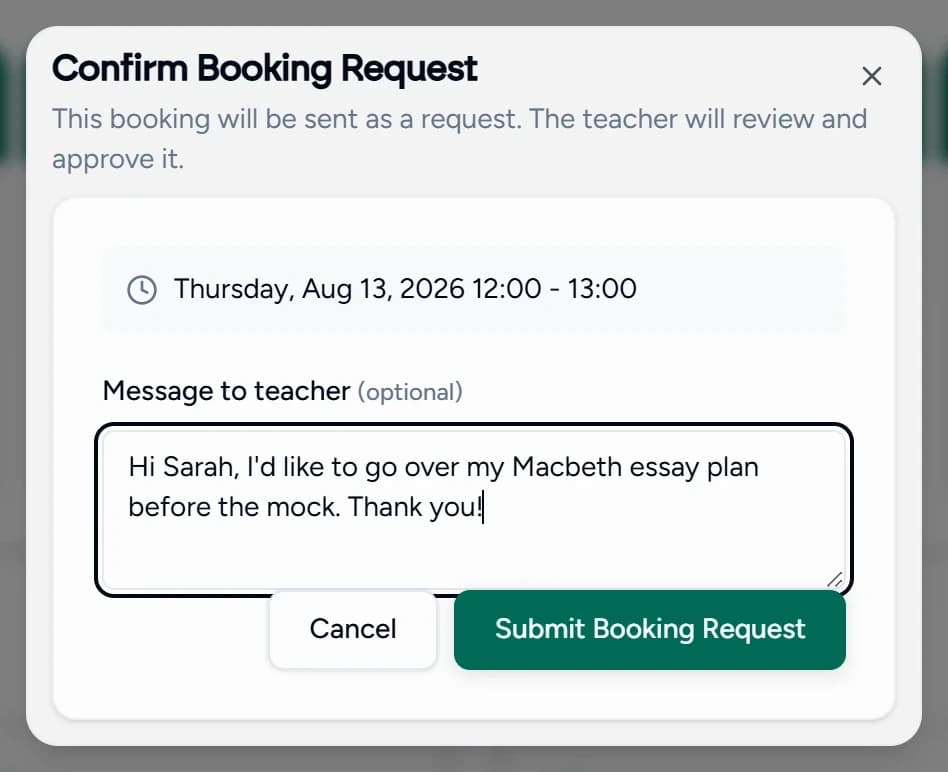
Book
The Teamlilit booking dialog, scheduling a lesson for a class at a chosen time and duration

A student books an open slot on your page, or you schedule the lesson yourself. Reminders go out on their own.

Hands forward: a session that already knows the class, the student and the subject.

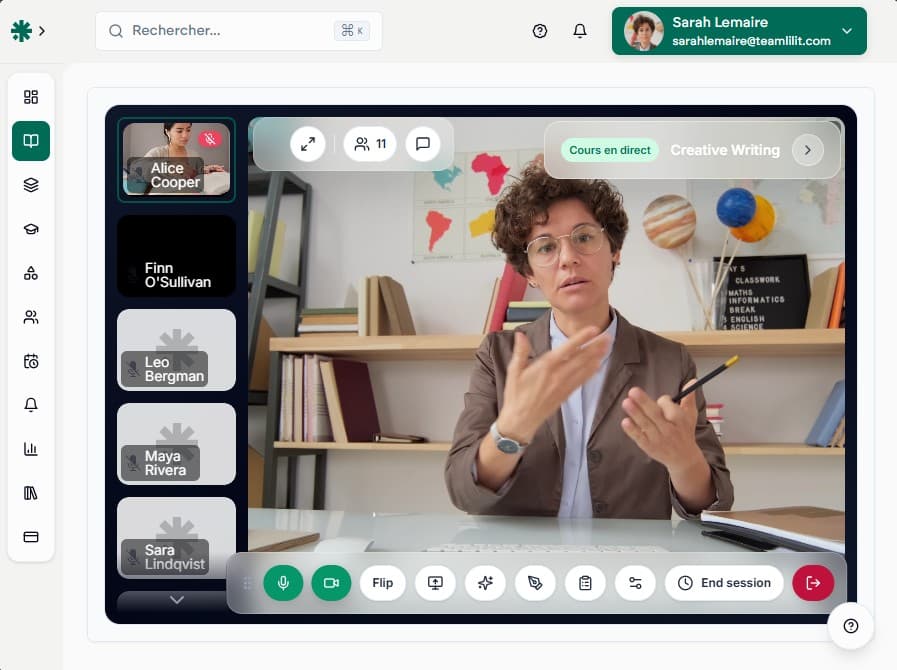
Built-in virtual classroom. No separate video subscription required.

Your classroom is included. Teach with video, whiteboard and screen sharing inside Teamlilit, with no separate video subscription. And because the lesson happens here, everything after it can come from the lesson itself.

See how one lesson works, end to end
Platform Features

Everything you need to teach online

One platform for scheduling, live classes, follow-up, and student management.

Learn more
Group Classes With Total Control

Group Classes With Total Control

Run sessions where you decide who speaks. Put up to 3 students on stage with video and audio, everyone else watches and listens. No more unmute chaos with 30 students.

Automatic Scheduling & Booking

Automatic Scheduling & Booking

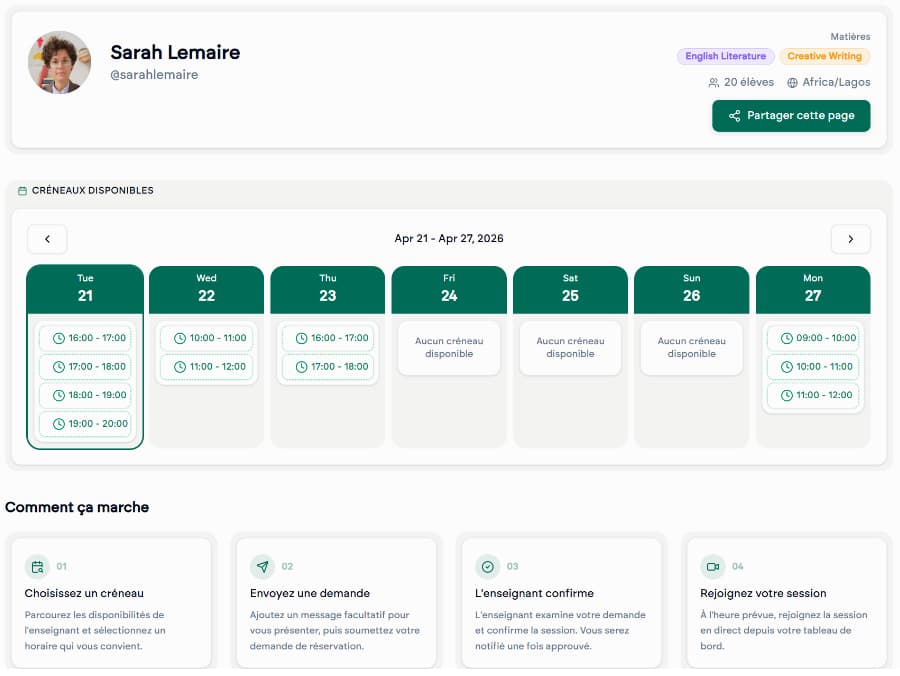
Set your availability once and students book through your personal booking page. Sessions sync to Google Calendar automatically, so your online tutoring schedule stays up to date without any double entry.

Session Wrap-ups & Follow-up

Session Wrap-ups & Follow-up

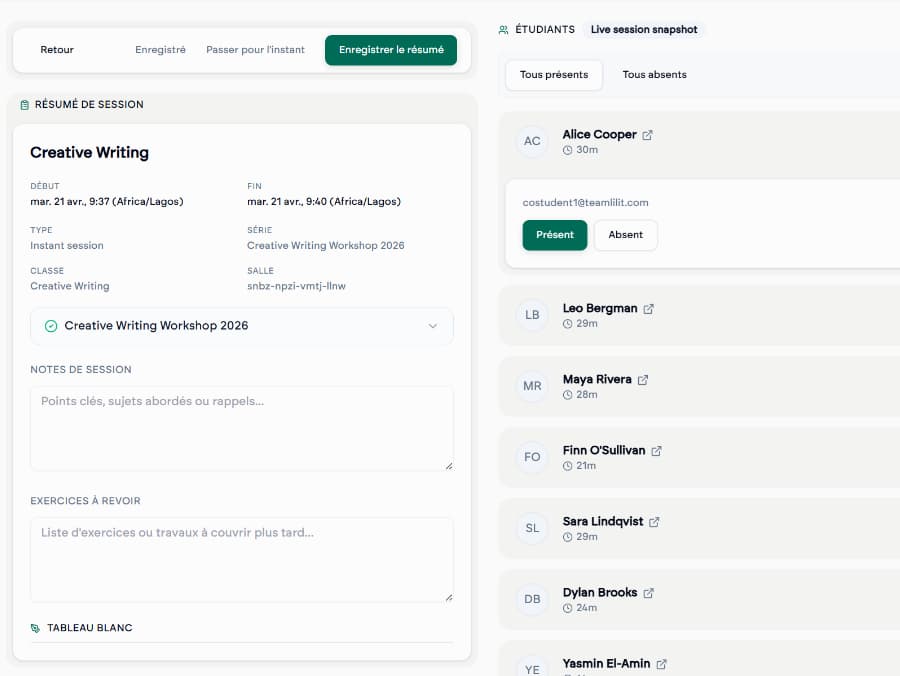
After each session, add notes and exercises for your students. They receive everything by email automatically. Full session history always accessible.

Programs From Your Curriculum

Programs From Your Curriculum

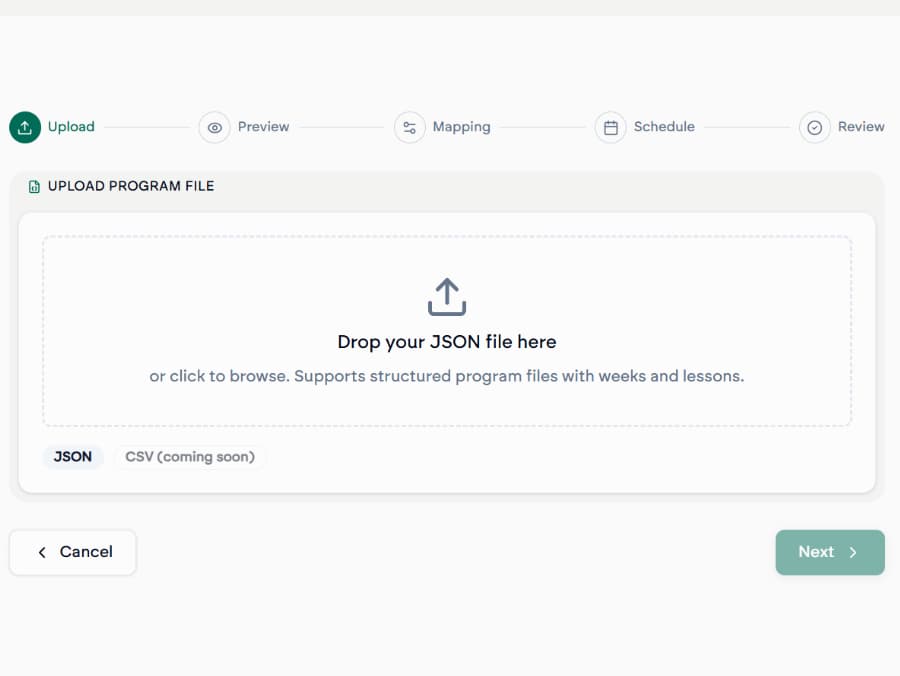
Upload a JSON or CSV file with your course structure, topics, dates, session types, and Teamlilit creates your entire program with all sessions automatically.

Collaborative Whiteboard

Collaborative Whiteboard

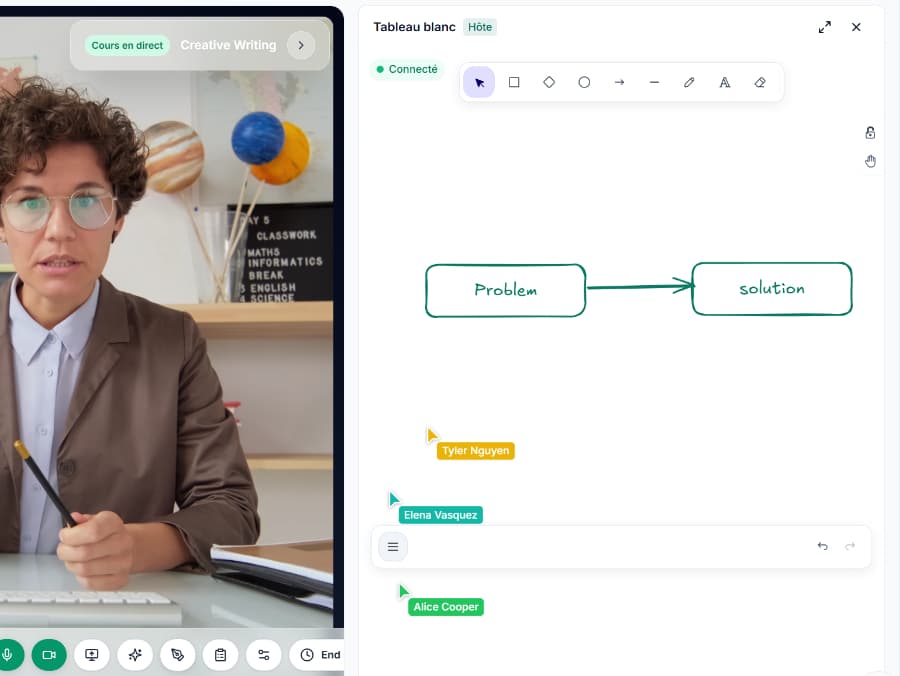
Draw, annotate, and explain visually in real-time. Share your screen or a presentation. Students follow along, no extra tools needed.

Reminders go out, attendance comes back

Reminders go out, attendance comes back

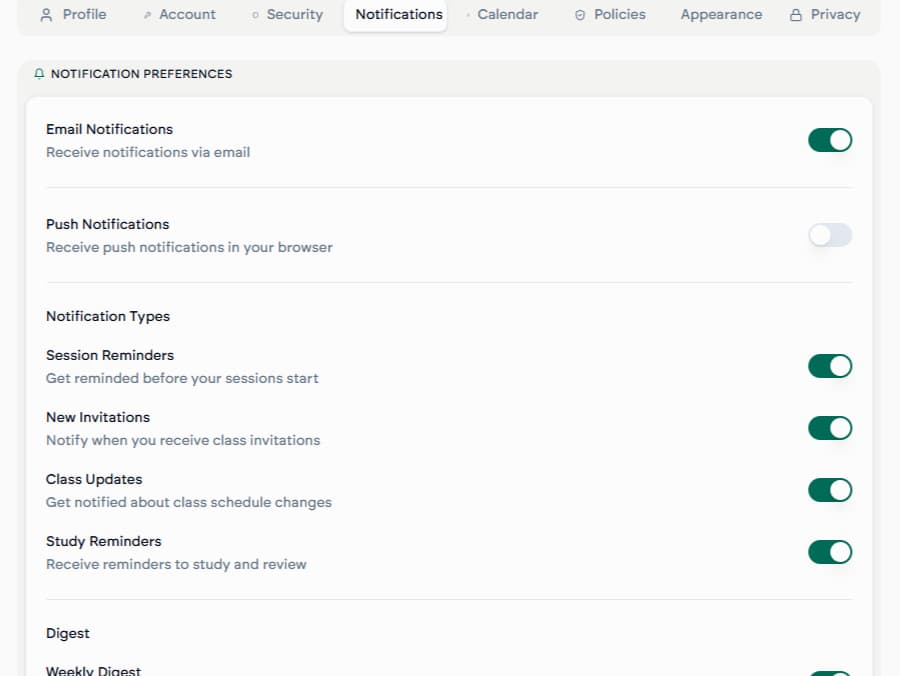
Automatic email reminders before every session. Then attendance records itself while you teach: each student stamped as they join and leave, with no roll call and no spreadsheet.

Why Teamlilit

One workspace to run your entire online tutoring business.

Stop juggling video apps, spreadsheets, and chat threads. Schedule lessons, teach online with a shared whiteboard, track attendance, write notes, manage students, and send invoices, all from one place.

  • Teach live in Teamlilit's own classroom, with video, screen share and an interactive whiteboard
  • Let students book lessons straight from your availability
  • Attendance and billable hours record themselves, then flow into notes and invoices
How It Works

Start teaching in minutes

Five simple steps, from creating your account to running full teaching programs.

Start free trial
  1. Step 01

    Create Your Account

    Sign up in seconds. Set your availability, teaching subjects, and timezone.

  2. Step 02

    Share Your Booking Link

    Students visit your personal booking page, see your open slots, and book themselves in. No WhatsApp coordination needed.

  3. Step 03

    Teach Your Class

    Launch your session with one click. Control who's on stage. Use the whiteboard. Students join instantly, no app downloads.

  4. Step 04

    Wrap Up & Follow Up

    Add session notes and exercises after class. Students receive everything automatically. Attendance is already tracked.

  5. Step 05

    Build Your Programs

    Create structured courses from your curriculum. Upload a file, Teamlilit generates all sessions. Perfect for exam prep, language courses, or any structured teaching.

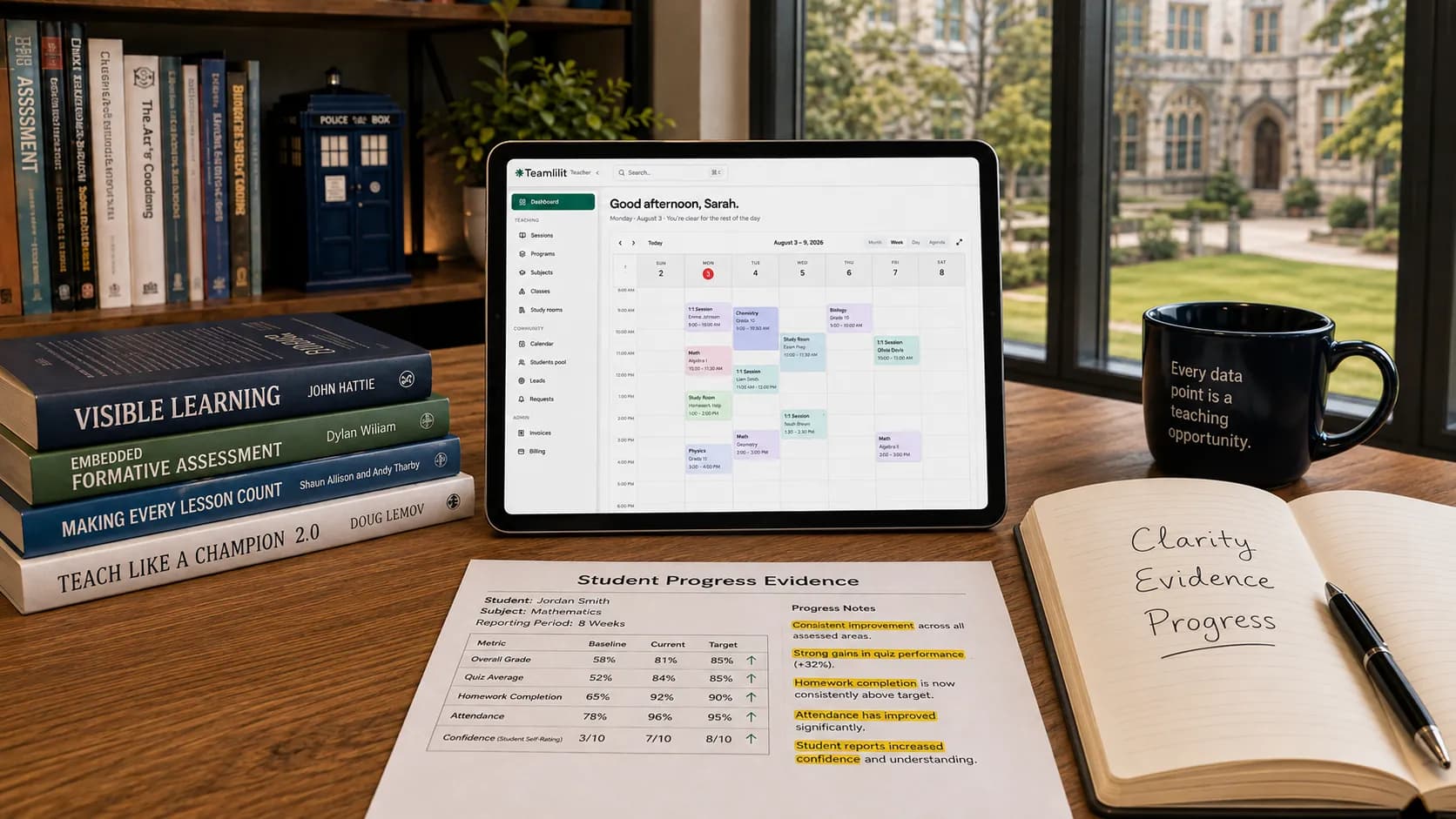
A tutor teaching an online lesson with Teamlilit

Ready to teach

Setup takes less than 5 minutes

Sessions

Title

Creative Writing

Description

Creative Writing workshop

Session Duration

2 hours

The session will automatically end after this duration

Class

Select a class

Program (optional)

Program (optional)

Optionally link this session to an existing program

Session Mode

Group Session1:1 Session

All students in the class will be invited

Install the app

Add Teamlilit to your device

Save Teamlilit to your home screen and launch classes instantly on mobile, tablet, or desktop, no app store needed.

Open your classes and live sessions in one tap
Stay signed in for messages, reminders, and alerts
Keep notes and recordings at your fingertips
Lightweight install that updates automatically
Works on iOS, Android, and desktop browsers
FAQ

Frequently Asked Questions

Find answers to common questions about Teamlilit.

Teamlilit is an all-in-one platform for independent tutors and small teaching businesses. It brings live video classes, scheduling and student self-booking, student records, lesson notes and wrap-ups, attendance and time tracking, and invoicing into one place, so you do not need WhatsApp, Zoom, Google Calendar and a pile of spreadsheets to run your teaching.

Yes. Teamlilit has a built-in browser classroom with HD video, screen sharing, an interactive whiteboard and chat. Unlike a plain meeting link, the class is connected to your schedule, your students and automatic attendance, so you do not need a separate video app for your lessons.

No. The live classroom is part of Teamlilit on every plan, with HD video, screen sharing, an interactive whiteboard and chat in the browser. There is nothing to connect and no second bill. It is also the reason the rest of Teamlilit can work the way it does: because the lesson happens here, attendance, lesson time and the AI wrap-up all come from the lesson itself rather than being typed in afterwards.

In a Teamlilit session, the teacher always has audio and video on. You can invite up to 3 students on stage at a time to take part with their camera and microphone. Everyone else watches and listens, like a real classroom, and you can swap students on and off stage whenever you want.

Every lesson gets a shared board you can draw on, and a single lesson can hold several boards plus text pages and uploaded files as extra tabs. There is a maths editor for equations, a chemistry tool for reaction equations and ring structures, and a graphing tool that plots functions. You can drop images onto the canvas and embed YouTube, Vimeo or Desmos. Boards save automatically and you can prepare them before the lesson.

Yes. You can run private one-to-one lessons or group classes from the same workspace. Scheduling, attendance, notes and student records all stay connected to the live class, whichever format you teach.

No. You can send a single-use link from inside the lesson and the student joins by typing a name, with no account and no download. Guests join as listeners, so to speak, share a camera, chat or draw, a student needs a free account and an invitation on stage from you. They can create that account without leaving the room.

Yes. You get a personal booking page where students see your open time slots and book directly, plus a question form for people who want to ask something before they book. You set the rules: how much notice you need, the gap between lessons, a daily maximum, and your cancellation and reschedule windows.

You can create structured teaching programs by uploading a JSON or CSV file with your curriculum, listing topics, dates and session types, and Teamlilit generates all the sessions for you. You can also build programs manually.

You can add session notes and exercises in the wrap-up, and attach a file or a link to either. Students receive everything by email automatically. All past sessions, notes and exercises stay accessible for students to review anytime.

Yes. After a session, Teamlilit can transcribe the lesson and draft an AI wrap-up with a summary, session notes and suggested exercises, and the notes editor can rewrite or expand a passage on request. You review and edit everything first, and only then are your students emailed. Every plan includes a monthly allowance of AI credits, and you can top them up if you need more.

Yes. Teamlilit records when each student joins and leaves the live room, then shows you the duration, who arrived late and by how many minutes, who left early and who never came. It is saved on the student record and can be turned straight into an invoice.

Yes. Invoices are built from the lessons you actually taught, at each student's own rate, and go out as a PDF by email. You can add VAT, bill a whole family or class on one invoice, prepare a monthly draft that waits for your approval, apply late fees and record payments as they arrive. Teamlilit never handles the money itself: your own bank or payment details go on the invoice, so you get paid directly.

Yes. You can share a private link that shows a parent their child's recent lessons with attendance and duration, plus the invoices addressed to them. It needs no account and it is read-only. You can also email a group of students or their guardians at once from your student list, with each message sent individually.

Yes. Sessions you create in Teamlilit appear in your Google Calendar automatically, and they update or disappear there when you reschedule or cancel. The sync runs from Teamlilit to Google, so the availability students book against is always the one you set inside Teamlilit.

Yes. Teamlilit has dedicated solutions for language teachers and IELTS or exam prep tutors, with group classes, levels, recurring schedules, attendance and student tracking built in.

Teamlilit runs on European infrastructure and is fully GDPR compliant. Your data and your students' data stays in the EU, and if you ever delete your account there is a 30-day window before everything is permanently removed.

Yes. Every new tutor account starts with a 14-day free trial that includes the full Pro feature set, and no credit card is needed. We remind you before it ends, and you can choose a plan, change it or cancel at any time.

Still have questions? Contact us

Seamless learning

Start free trial

14-day free trial · No credit card required · Cancel anytime

Teamlilit