You have just landed your first entrance exam student. A parent has asked you to prepare their child for the HSPT, handed you a prep book, and requested a diagnostic test. You run it, and then you are staring at a page of scores wondering what to actually do on Monday. This is the moment where most first-time exam tutors freeze, and it is exactly the moment a repeatable process solves.
This guide gives you that process: a reusable entrance exam lesson plan that turns a diagnostic into a week-by-week sequence, measures progress as you go, and keeps parents confident without adding hours of admin. It is built around the HSPT, but the same loop works for the ISEE, the SSAT or any selective entrance exam. If you prepare UK candidates instead, the companion guide on systemising IELTS and Cambridge exam prep applies the same diagnostic-to-review discipline to language and IGCSE exams. By the end you will have a concrete six-week template and a set of tool workflows you can try inside Teamlilit on your first paid program.
Why a diagnostic first beats jumping into content
The instinct with a new student is to start teaching. Resist it for one session. A diagnostic gives you a baseline, and a baseline is what turns a generic study plan into a targeted one. Without it you will spend lessons on topics the student has already mastered while their real weak spots go untouched until it is too late to fix them.
You do not need anything expensive. The prep book the parent handed you almost certainly has a full-length diagnostic, and most test makers publish a free sample paper you can use for the HSPT, ISEE or SSAT. Run it under timed, exam-like conditions so the result reflects real performance, not relaxed-at-the-kitchen-table performance.
The part that matters is what you do with the results. A single total score ("she got 78%") tells you almost nothing about what to teach. Break the score down by domain: verbal, quantitative, reading, mathematics, language. In Teamlilit, record those domain scores on the student's record and add a student tag for each weak area, so every future lesson can be filtered by the topics that actually need work. That one habit, logging the diagnostic by topic rather than as a number, is what makes the rest of the plan write itself.
Turn diagnostic data into a 6-week roadmap
With a topic-level baseline, the exam prep schedule almost builds itself. Plan backwards from the exam date and let the diagnostic decide where the hours go.
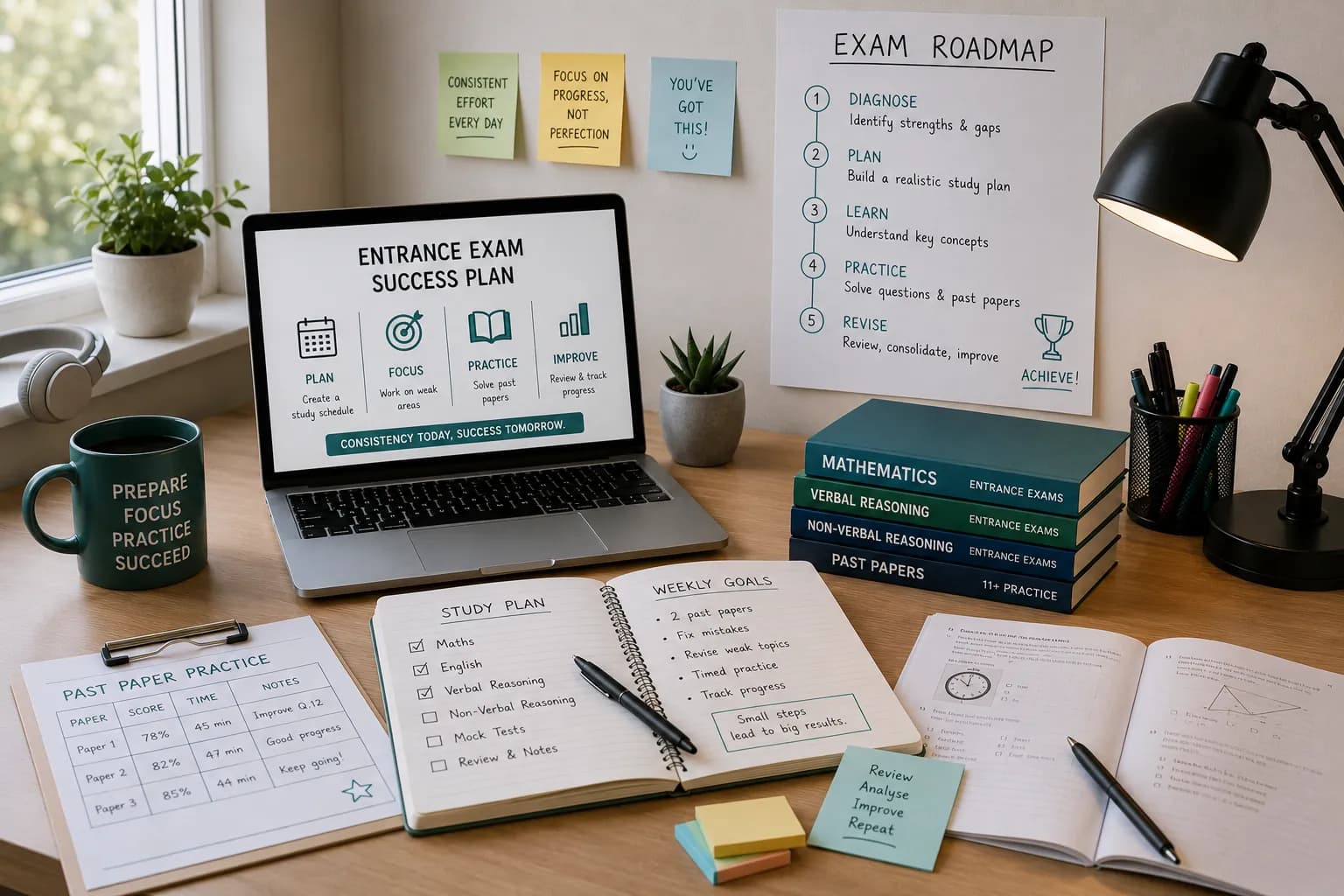
Here is a six-week roadmap for a student sitting two lessons a week. Weight the early weeks toward the weakest domains from the diagnostic, and protect two slots for full-length practice tests.
| Week | Focus (weight toward diagnostic weak spots) | Milestone |
|---|---|---|
| 1 | Diagnostic review; start the two weakest domains | Baseline agreed with parents |
| 2 | Weakest domain technique; begin second weakest | Daily short drills start |
| 3 | Second and third domains; mixed timed sections | Homework packs between lessons |
| 4 | Consolidation, then a full practice test | Mid-point diagnostic and re-plan |
| 5 | Attack the weaknesses the mid-point test exposed | Second parent progress call |
| 6 | Final full practice test, then taper and review | Exam week |
Notice what the roadmap protects: two full-length practice tests (one mid-way to re-plan around, one near the end as a rehearsal), and a lighter final week so the student walks in rested rather than crammed. If you would rather not build the table by hand, our free entrance exam lesson planner does exactly this: enter the exam, the number of weeks and the subjects, and it produces a dated, editable plan you can download as a PDF or Word file, no signup required. Once the shape is set, schedule the whole roadmap as recurring sessions and let students self-book recurring lessons around your availability, with your Google Calendar synced so nothing double-books.
Structure every lesson for exam readiness
A plan tells you what to cover each week. A lesson structure tells you how to spend the 60 minutes so the student actually improves under exam conditions. Use the same four blocks every time, so the student always knows the shape of the hour:
- Review the goal (5 min). State today's single target and recap last session's homework.
- Teach the concept (20 min). Work the method for the day's skill, with worked examples.
- Timed drill (25 min). Practise that skill under the clock, in the exam's question format.
- Reflect (10 min). Mark together, name what improved, set the homework.
The timed drill is where exam readiness is built, and it is also the block that eats your preparation time if you write questions by hand. Use Teamlilit's AI-generated exercises to draft a custom practice set that matches the day's skill in seconds, then attach the exercise to your lesson notes so the student gets it as instant homework. A lesson notes template keeps every session recorded in the same shape, which matters more than it sounds: consistent notes are what make the weekly progress review a two-minute glance instead of an archaeology dig.
Track progress and adjust weekly
Entrance exam prep is a moving target, so measure it. You do not need anything elaborate: a simple percentage-mastery figure per domain, updated weekly, is enough to see whether the plan is working. Record each week's drill and test scores in the student's notes, and watch the domain tags you set from the diagnostic move from red to green.
Two rules keep the tracking honest. First, schedule a mid-point diagnostic in week 4. A single full-length test halfway through tells you whether your time allocation was right and lets you re-plan the back half around what is still weak, rather than discovering the gap in the final week. Second, let the admin help you: after each session, Teamlilit's AI lesson summaries turn your bullet notes into a clean written recap, so a month of sessions reads as a trend line rather than a pile of scribbles. Spotting that "reading comprehension stopped improving in week 3" early is the difference between fixing it and running out of time.
Keep parents in the loop without extra admin
Parents paying for a high-stakes prep program want to know it is working, and silence breeds panic. The fix is a short, regular update, not a long one. A weekly snapshot with three things is plenty: sessions attended this week, what improved, and what next week targets.
Writing that by hand for every family is unsustainable, so lean on what you already recorded. Pull the week's attendance and the AI lesson summary, and use AI-assisted note editing to tighten the language into a parent-friendly paragraph. Copy the auto-generated summary into your parent email and send it in under a minute. The transparency does real work: a parent who sees steady progress every week does not send the anxious "is this actually working?" message three days before the exam. Visible progress is the best anxiety cure there is.
What to charge and invoice for an exam-prep package
Exam prep is usually sold as a package rather than pay-as-you-go: a package commits the family to the full program, stabilises your income, and lets you plan the roadmap up front. The trade-off is that a package priced before the diagnostic is a guess, so run the paid diagnostic as a standalone first session, then quote the package once you know how many hours the student actually needs.
For the pricing math itself, our guide on how to price online tutoring sessions benchmarks rates by region and level. Whatever you land on, keep the billing tied to what was actually taught: with Teamlilit's attendance-based invoicing you can invoice tutoring students without spreadsheet math, drafting invoices straight from logged attendance so a rescheduled or missed session is billed correctly and you never miss a taught hour. For the mechanics of billing exactly the sessions that happened, our guide on how to invoice tutoring students based on attendance walks through it.
Run your first plan inside Teamlilit
Everything above runs on one system rather than five apps. To start your first entrance exam program in Teamlilit: add the student and their exam date, build the roadmap from the free planner, set the lessons up as recurring sessions, and let attendance feed your invoices. The tutoring management software for exam prep keeps the student record, tags, notes and billing on one profile, so the diagnostic-to-exam-day loop lives in a single place.
Frequently asked questions
How many hours of tutoring does a student usually need to improve on the HSPT?
Most students need somewhere between 20 and 40 hours of focused preparation, depending on how far their diagnostic baseline sits from the target score. A student who is already close needs technique and timing; a student with real content gaps needs more. A diagnostic at the start and progress checks along the way are the only reliable way to decide, rather than committing to a fixed package before you know the baseline.
What if my student loses motivation halfway through the plan?
Motivation usually dips when progress feels invisible, so make it visible. Show the student their mastery moving on the tracker, keep drills short and gamified with a timer and a personal-best to beat, and use small rewards for hitting weekly targets. A visible upward trend does more for morale than any pep talk, which is another reason to track progress from day one.
Can I adapt this roadmap for the ISEE or SSAT?
Yes. Swap the content blocks for the target exam's domains and keep everything else. The diagnostic, the backwards-planned sequence, the four-block lesson, the weekly progress check and the parent update loop are identical whether you are preparing a student for the HSPT, the ISEE, the SSAT or a UK grammar school 11+.
Do I have to buy new materials, or can I tutor with free practice tests?
Free resources are enough for the diagnostic and for timed drills, and many official test makers publish a free sample paper. Paid prep books add structured explanations and a larger question bank, which saves you preparation time. A common approach is to mix both: a free diagnostic to set the baseline, then one paid book for the explanations, topped up with drills you generate yourself.
The short version
Entrance exam prep stops being intimidating the moment you treat it as a loop rather than a scramble: diagnose by topic, plan backwards from the exam date, teach every lesson in the same four blocks, check progress weekly with a mid-point re-diagnostic, and keep parents updated in a minute a week. Set the loop up once, and your second exam student, and your tenth, is just the same process with different content blocks.
Ready to run your first plan? Start your 14-day free trial and build the roadmap from the free planner today. No credit card required.