

After School Attendance Software That Automates Check-In and Reporting
The last ten minutes of every after-school session look the same: a register on a clipboard, a spreadsheet that was accurate two weeks ago, and a coordinator trying to remember whether the student who left early was picked up at 4:30 or 4:45. Teamlilit is after school attendance software that removes that job for online programs entirely: joining the session is the check-in, and the record writes itself.
Your current stack

Who this is for
- After-school clubs and enrichment programs running weekly online sessions
- Language schools with recurring group classes across levels
- Homework and study clubs that need a clean record of who showed up
- Tutoring centres and academies running after-school blocks on tutoring centre software (Academy plan)
Check-in without the clipboard
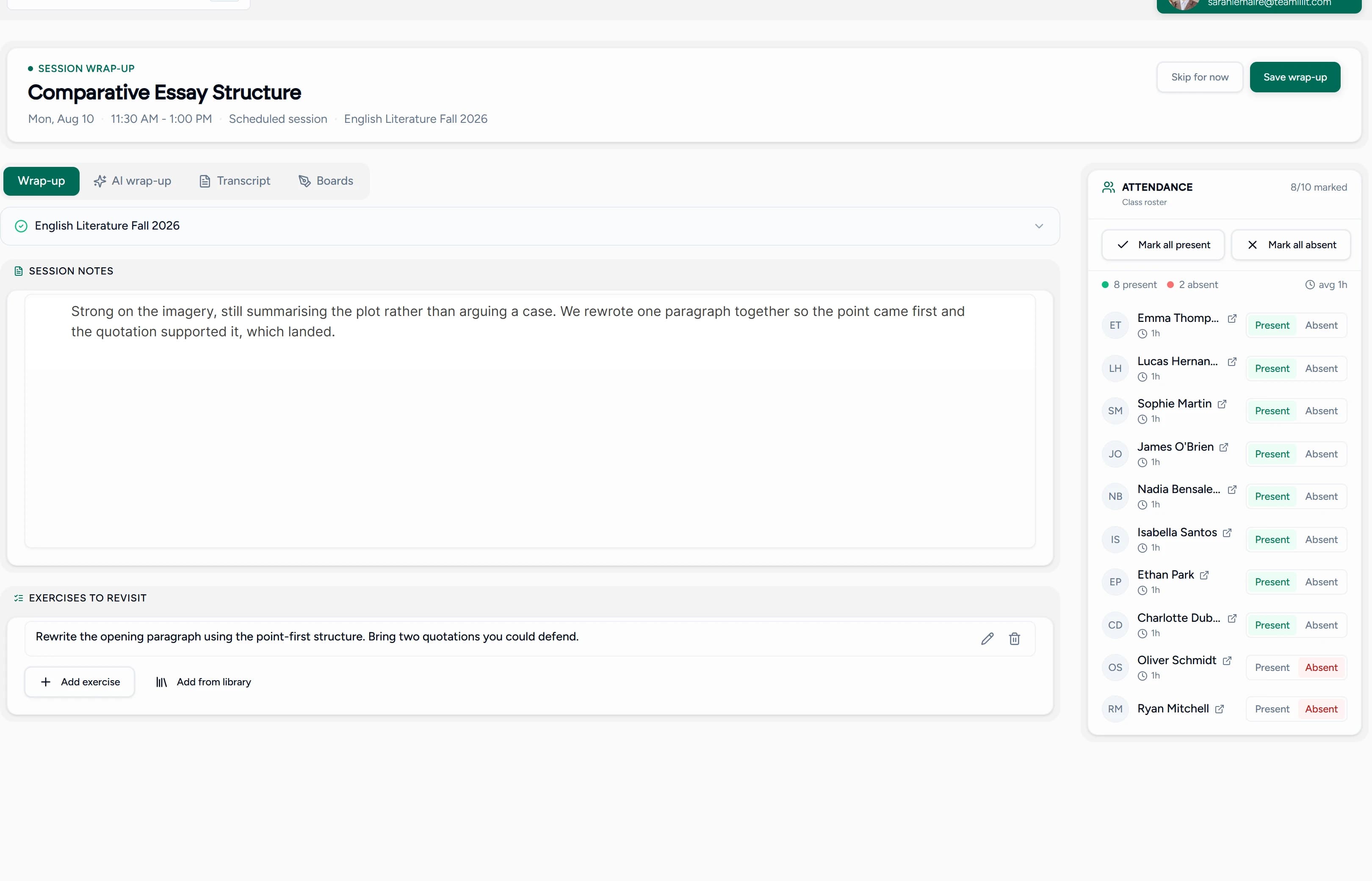
For online sessions, attendance is not a task, it is a byproduct. When a student joins the live class, their arrival is recorded with a timestamp. When they leave, that is recorded too. Nobody scans, ticks, or transcribes anything.
After each session, the coordinator sees the full picture in one view: who was present, who was absent, who arrived ten minutes late, and who left before the end. In a group of fifteen, that is fifteen accurate records with zero admin, every single meeting. It is the same automatic attendance tracking tutors use, applied to the after-school format: recurring groups, fixed weekly blocks, and a roster that rarely changes.
Attendance
Live session snapshot
- EVElena Vasquez16:29 – 17:30· 61mPresentAbsent
- LBLeo Bergman16:30 – 17:30· 60mPresentAbsent
- MRMaya Rivera16:42 – 17:30· 48m· joined latePresentAbsent
- FOFinn O'Sullivan16:31 – 17:05· 34m· left earlyPresentAbsent
- SLSara LindqvistPresentAbsent
- TNTyler Nguyen16:30 – 17:31· 61mPresentAbsent
Running in person or hybrid? The automatic tracking covers your online sessions; for the face-to-face side, keep records on the same student profiles, or start with the free printable attendance sheet template.
Built for recurring programs, not one-off meetings
After-school programs run on rhythm: the Monday coding club, the Wednesday French group, the Thursday homework hour. Teamlilit models that directly.
- Recurring group sessions: set the club up once with its group roster, and it repeats weekly with the right students already assigned
- One timetable for the whole program: every club and class in a single schedule, conflict-checked, with day, week, and month views
- Multi-staff oversight: each instructor sees their own sessions while the program admin sees attendance across every group
Reporting that answers parents before they ask
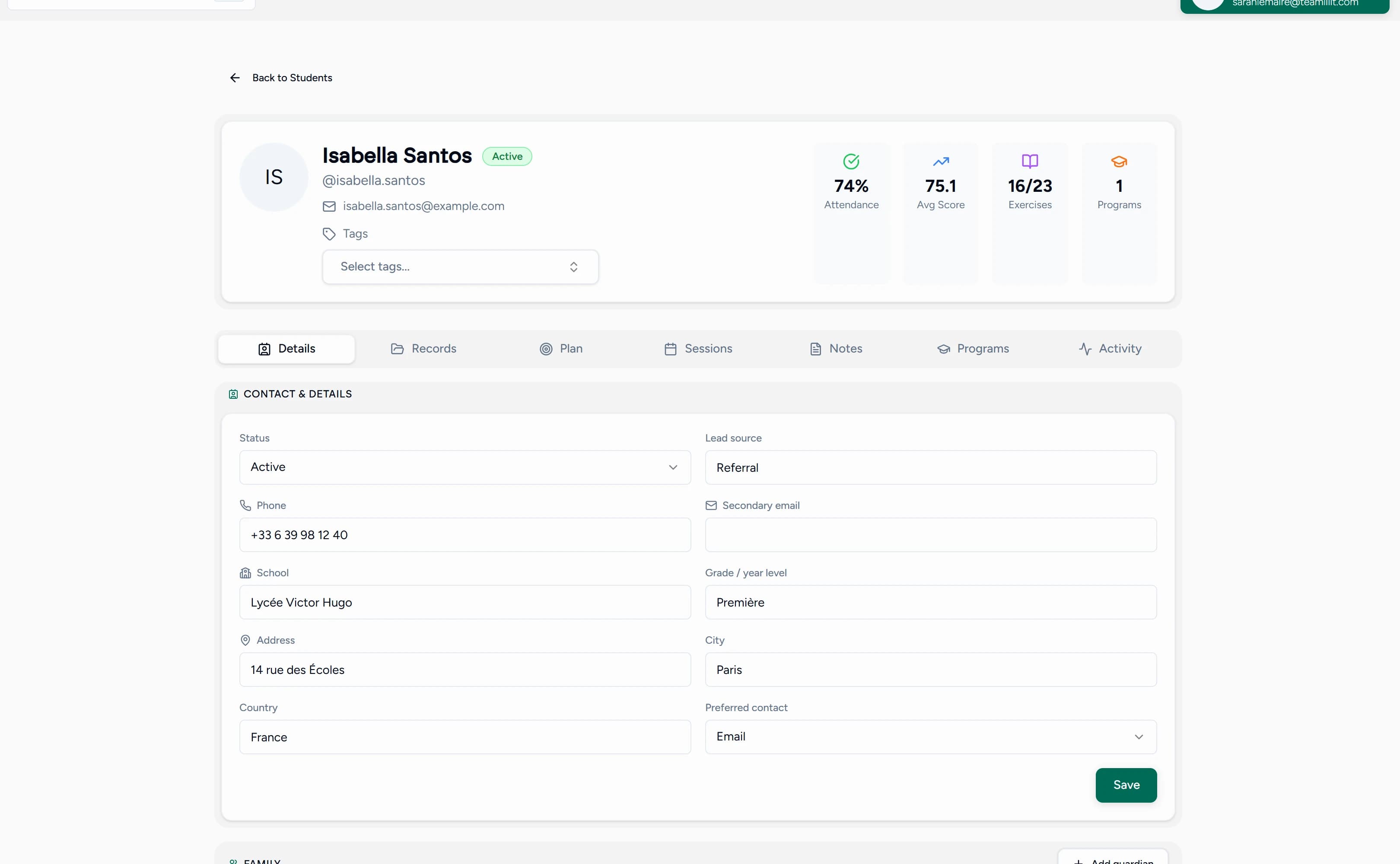
Attendance data is only useful when it is easy to get back out. Every student's profile keeps a complete history: which sessions they attended, when they joined and left, and how much session time they logged, week after week.
- Parent questions: "was Maya there on Tuesday?" is answered with a record, not a memory
- Patterns: repeat absences and consistent early leavers surface before a student quietly drops out
- Proof of delivery: a clean per-session record of what ran and who was served, ready when a school partner or funder asks
From attendance to billing, without re-entering anything
For programs that bill per session or per hour, the attendance record is the billing record. Because each session logs who was present and for how long, invoices build from what actually happened, and per-student time tracking keeps hourly billing honest, including the student who only attended half the session. Where a program runs across several tutors, billing software for tutoring centres turns those same attendance records into parent invoices, with payment tracking and automatic late fees.
Sign-in sheets vs after school attendance software
| Paper register or spreadsheet | Teamlilit |
|---|---|
| Someone marks names every session | Joining the online session is the check-in |
| Late arrivals and early leavers guessed | Join and leave timestamps per student |
| History scattered across sheets | One attendance history per student |
| Reports assembled by hand for parents | Records ready to share, per student and per session |
| Billing reconstructed at month end | Invoices built from recorded attendance and time |
Key features
- Automatic attendance from live online sessions, with join and leave times
- Recurring group sessions with fixed rosters
- Per-student attendance history and session time
- Program-wide timetable with per-instructor views (multi-tutor centre software, Academy plan)
- Attendance-based invoicing for per-session and hourly billing
- Built-in virtual classroom, so the session being tracked and the session being taught are the same thing
Language programs get the deepest fit: rosters by level, recurring conversation groups, and attendance feeding parent updates are exactly what our online language school software is built around.
How it works
- Create your program workspace and add students and groups
- Set up each club or class as a recurring session with its roster
- Sessions run in the built-in classroom, and attendance records itself
- Review per-session and per-student attendance any time
- Build invoices from recorded attendance when billing day comes
Frequently asked questions
What is after school attendance software?
After school attendance software records who attended each session of a program, club, or class without paper registers or spreadsheets. In Teamlilit, joining the online session is the check-in: every student's presence is recorded with join and leave times, and the record lands on their profile automatically, ready for parent updates and billing.
How does automatic check-in work?
For online sessions, there is nothing to scan or tick. When a student joins the live classroom, their arrival is recorded with a timestamp; when they leave, that is recorded too. Coordinators see the full picture per session: who attended, who was absent, who arrived late or left early.
Does it work for in-person after school programs?
The automatic tracking works for online sessions. For in-person or hybrid programs, you can keep attendance on the same student records alongside your face-to-face teaching, or start with our free printable attendance sheet template while the online side tracks itself.
Can it handle recurring after school groups?
Yes. Set up each club or class once as a recurring group session with its student roster, and it repeats every week with the right students already assigned. Every meeting records attendance for the whole group, so patterns like repeat absences surface early.
Can parents see whether their child attended?
Every student's profile keeps a complete attendance history with join and leave times, so when a parent asks, the answer is one click away and backed by a record rather than memory. Attendance and time per student are ready to share in parent updates.
Can attendance drive billing?
Yes. Because each session records who was present and for how long, invoices can be built from what actually happened rather than what was planned. That matters for programs that bill per session attended or per hour.
Next step
Retire the clipboard. Set up your program's groups once and let attendance record itself from the first session. See pricing for plan details.
