

Group tutoring software to run classes, track attendance, and grow
Running group classes is how you scale beyond 1:1 tutoring, more students per hour, more revenue per session, stronger community. But it also introduces real complexity: who's in which group, when do they meet, who showed up, who didn't. Teamlilit gives you the tools to manage group tutoring without the chaos.
The group tutoring challenge
Imagine you teach 4 groups. Monday's B2 English class has 6 students. Two of them are also in Wednesday's conversation group. Thursday's IELTS prep has 8 students, and Friday's beginners group has 5, one of whom just moved up from a different level.
Now try to manage all of that through WhatsApp groups, a shared Google Calendar, and your memory. Who's in which group? When do they meet? Who showed up last Thursday? Who needs to be moved?
This is where most tutors hit a wall. Not because they can't teach groups, but because the admin becomes unmanageable.
When you have multiple groups, things get complicated fast:
- Scheduling: Each group meets at a different time, possibly recurring weekly
- Student organization: Students belong to different groups, possibly overlapping
- Attendance: You need to know who showed up per group, per session
- Communication: Each group needs to know about their next session
- Session management: Starting the right classroom with the right students
How Teamlilit handles groups
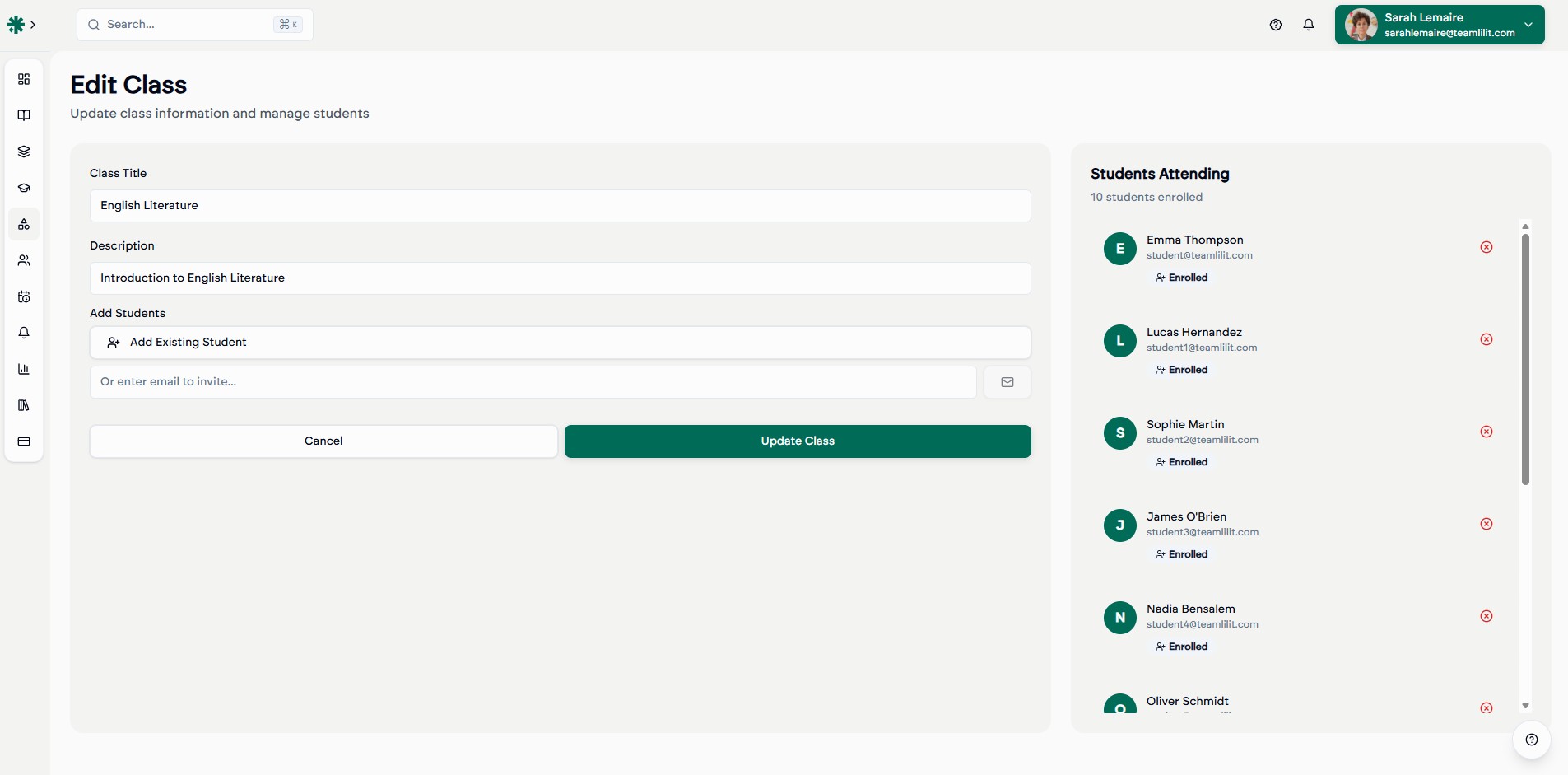
Create classes with clear boundaries
Each class has a name, student list, and schedule. "Monday B2 English," "Wednesday Math Fundamentals," "Friday SAT Prep" organized and separate. Every student's profile shows which groups they belong to.
Schedule recurring sessions
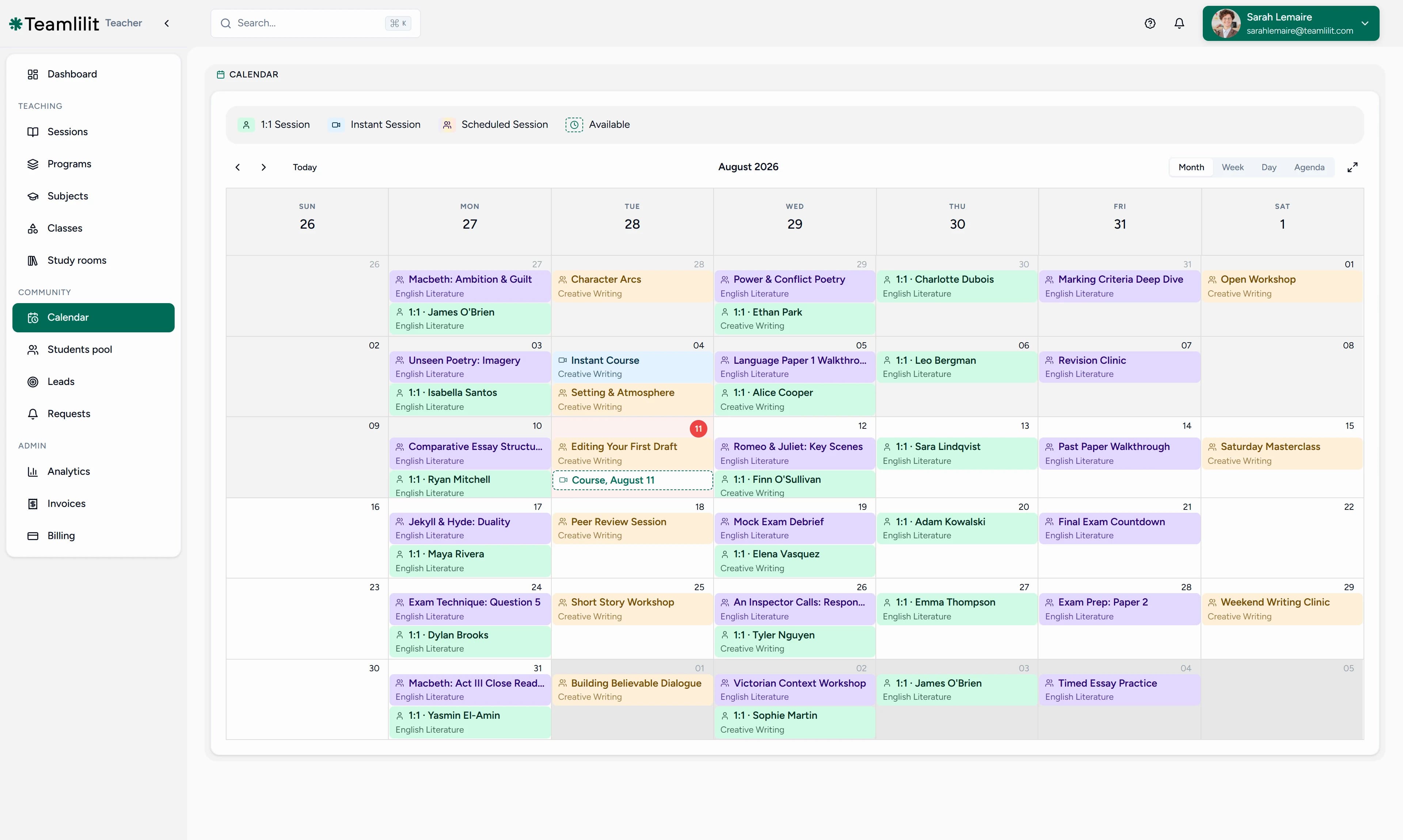
Set up weekly recurring sessions so each group meets at the same time every week. No manual re-scheduling, no sending reminders.
Teach live in the built-in classroom
Start a session for any group. The virtual classroom knows which class this is, who the students are, and tracks everything automatically, with HD video, screen sharing, whiteboard, and chat.
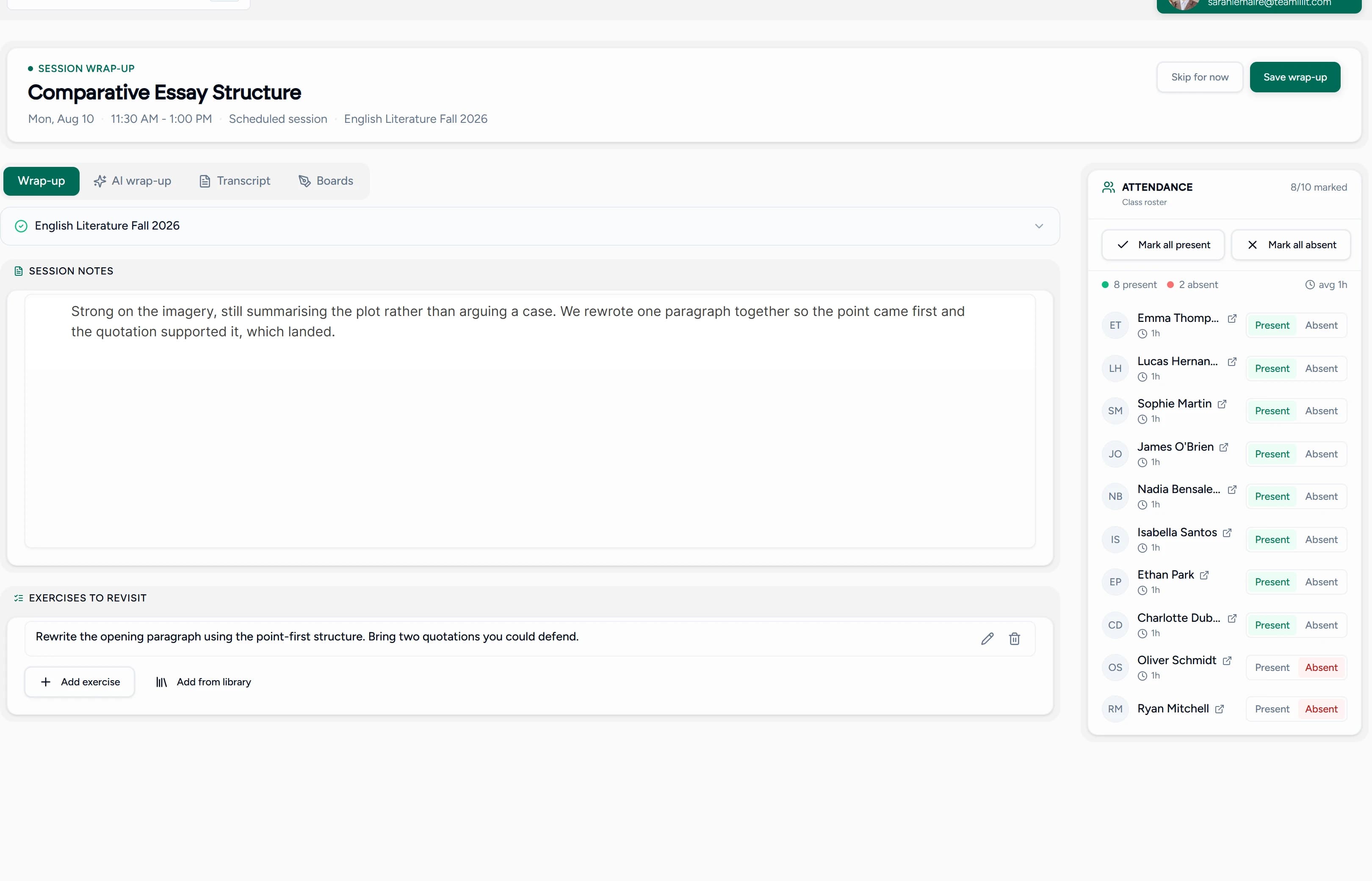
Track attendance per group per session
After each session, you have a clear record: who attended, who was absent, across every group and every session. Attendance is automatic recorded when students join and leave.
How it works
- Create a class: give it a name, level, and description ("B2 English Conversation," "SAT Math Prep")
- Add students: assign students to the class from your student roster
- Set the schedule: create a recurring session (e.g., every Monday at 6pm)
- Teach live: start the session from your dashboard. Students join the classroom with one click
- Review: attendance is saved automatically. See who came, who missed, across all groups
Group tutoring use cases
- Language conversation classes : 4-8 students practicing speaking weekly
- Exam prep groups : SAT, IELTS, DELF study groups with shared schedules
- Math/science workshops : small group problem-solving sessions
- Music theory classes : group instruction with individual follow-ups
- Corporate training : group language or skills training for company teams
- After-school programs : structured multi-session curricula for student groups
Why group tutoring grows your business
| 1:1 only | 1:1 + Groups | |
|---|---|---|
| Revenue per hour | 1 student fee | 4-8 student fees |
| Student retention | Varies | Higher (community effect) |
| Scheduling load | High | Lower (fewer time slots) |
| Scalability | Limited by your hours | Multiplied per session |
Groups let you earn more per hour while creating a community that keeps students coming back. A tutor charging $25/student for a 6-person group earns $150/hour compared to $50-60 for a single 1:1 session.
New to running groups? Our guide on how to manage group tutoring sessions walks through keeping attendance, notes, and payments straight when you have several students in one class.
Frequently asked questions
What's the maximum group size?
Solo includes 2 people in a session, which is you and one student, so it is one-to-one only. Pro allows up to 25 people in a session and Academy up to 100, both counting you. Group sessions need Pro or Academy. See pricing for details.
Can a student be in multiple groups?
Yes. A student can belong to multiple classes and groups simultaneously. for example, a Monday grammar class and a Thursday conversation class. Their profile shows all their group memberships and attendance across every class.
Can I schedule recurring group sessions?
Yes. Set up weekly or custom recurring sessions so your groups meet on the same day and time every week. No manual re-creation needed.
How does attendance work for group sessions?
Attendance is tracked automatically when students join the live session. You can see who attended and who was absent for every session, with join and leave timestamps.
Can I teach both 1:1 and group sessions?
Absolutely. Teamlilit handles both. You can schedule individual 1:1 sessions alongside your group classes, all from the same dashboard.
Scale your tutoring with group classes
Group tutoring is the fastest way to grow your income and impact. Teamlilit gives you the structure to do it professionally, from scheduling to live teaching to attendance tracking.
