

Class Management CRM for Tutors: the 4 Types Compared
A class management CRM keeps each student's record, bookings, lessons, attendance and invoices in one system, so the register you take becomes the invoice lines you review and send. Four kinds of tool compete for the name: generic CRMs, broad class managers, scheduling-first booking apps and tutor admin tools without a classroom. If you are searching for a class management CRM, you have probably outgrown the spreadsheet but not yet found a tool that fits. Most of what you will find is either a generic CRM that treats your students like sales leads, or a broad class manager built for gyms and clubs.
The catch is that a class calendar is never only about dates. It is about what happens around them: a booking arrives, a lesson runs, someone cancels the night before, the slot has to be freed, and the bill at the end of the month has to reflect all of it. A tool that only holds dates leaves every one of those consequences to you. This guide compares the categories, shows what a tutor's workflow really needs, and gives you a checklist to decide with.
Your current stack

What is a class management CRM for tutors?
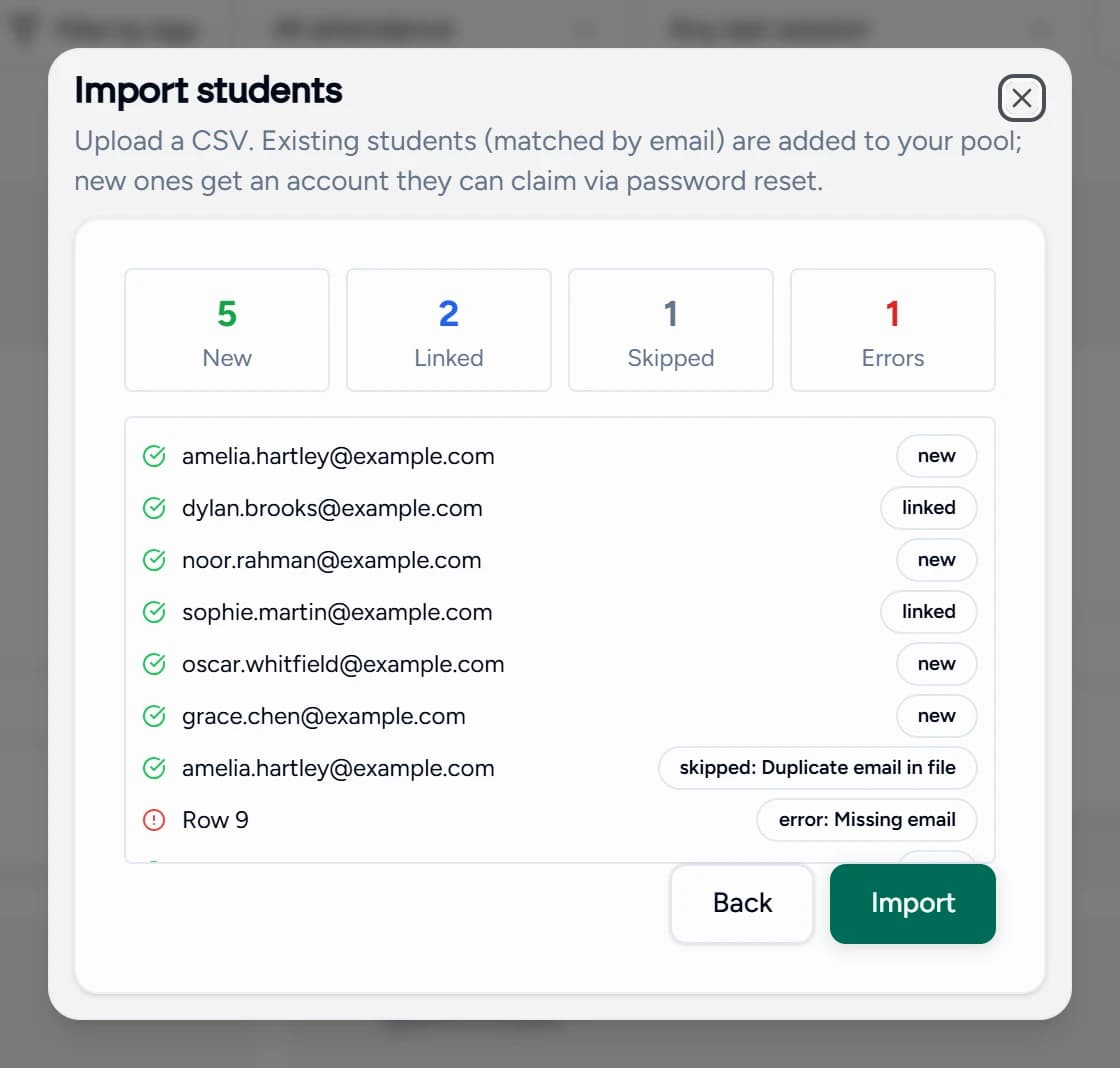
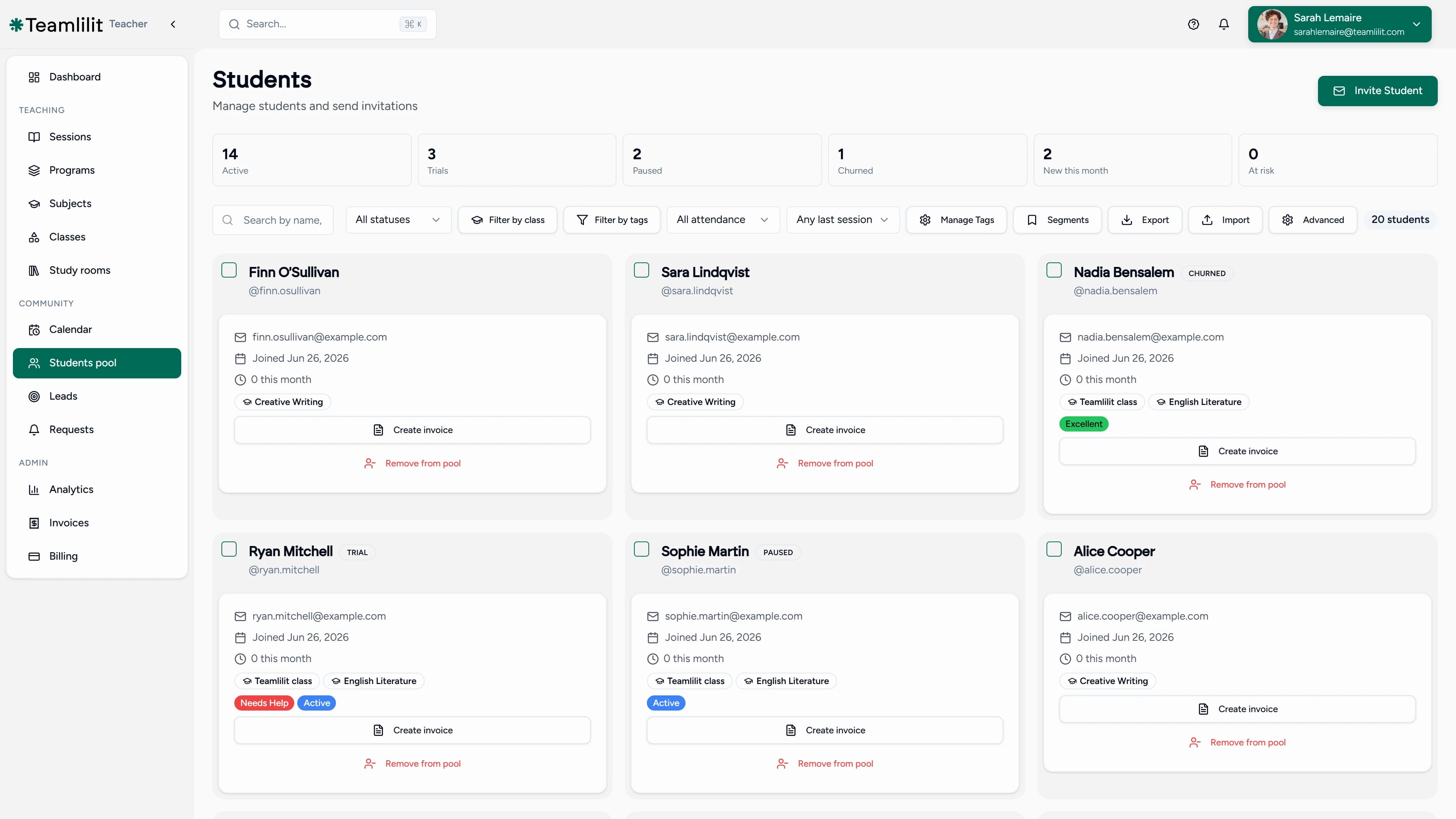
A class management CRM for tutors is one platform that combines student relationship management, the CRM part: records, contacts, history, notes, with the tools specific to teaching: scheduling, a live classroom, attendance tracking, lesson notes, and invoicing built from real sessions.
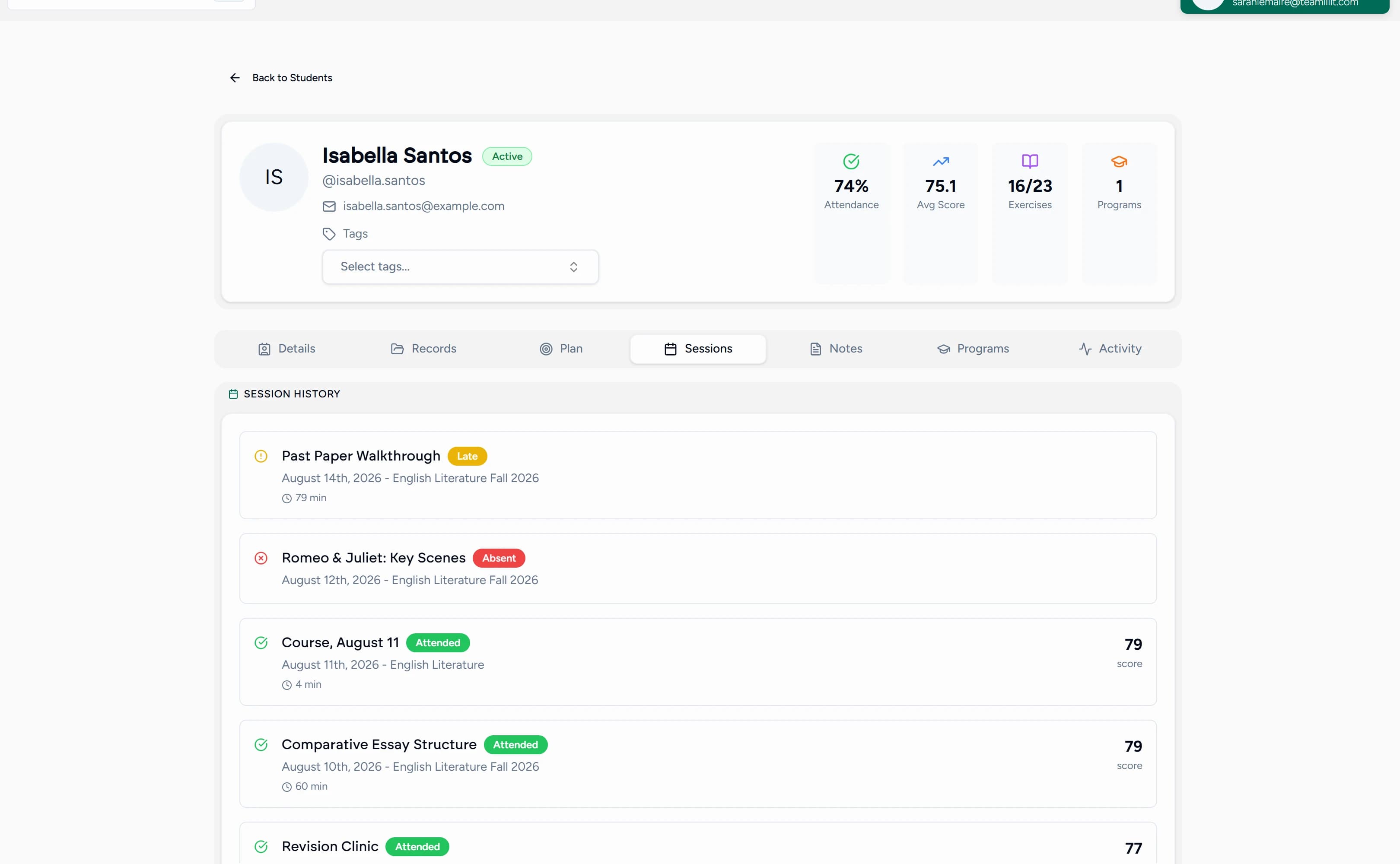
The definition matters because the phrase gets used for two very different things. Generic CRMs manage relationships but know nothing about lessons. Broad class management tools handle registrations and memberships for activity businesses, dance schools, martial arts, clubs, but are not built around the 1:1 or small-group teaching session that defines tutoring. A tutor sits exactly between the two, and using either category as-is means disconnected work: teaching in one tool, admin in three others, and you as the human integration layer copying data between them.
The tutor's workflow gap: what generic tools miss
Map an ideal week of tutoring and the workflow is a loop, not a list: an inquiry becomes a scheduled lesson, the lesson runs live, attendance and notes are recorded, the record feeds the invoice, and the lesson history shapes the next session. Every step reads from and writes to the same student.
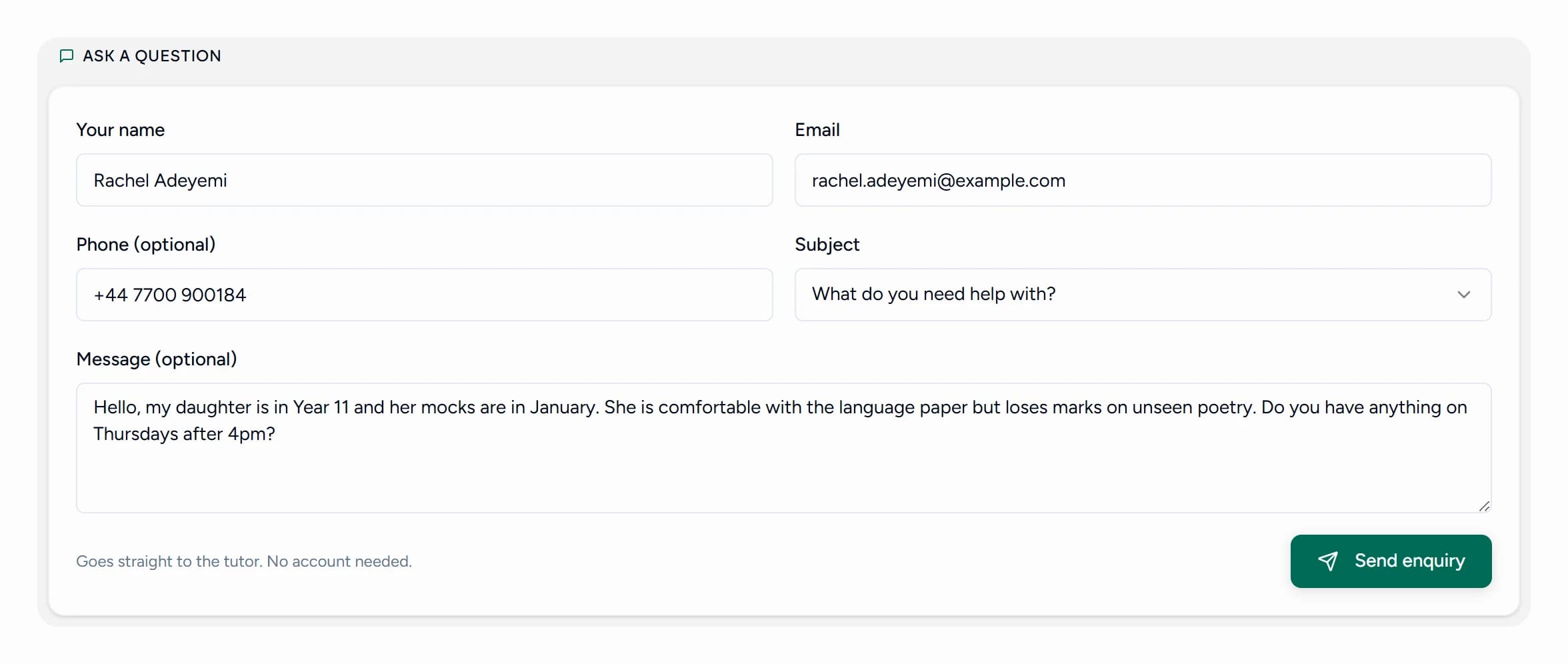
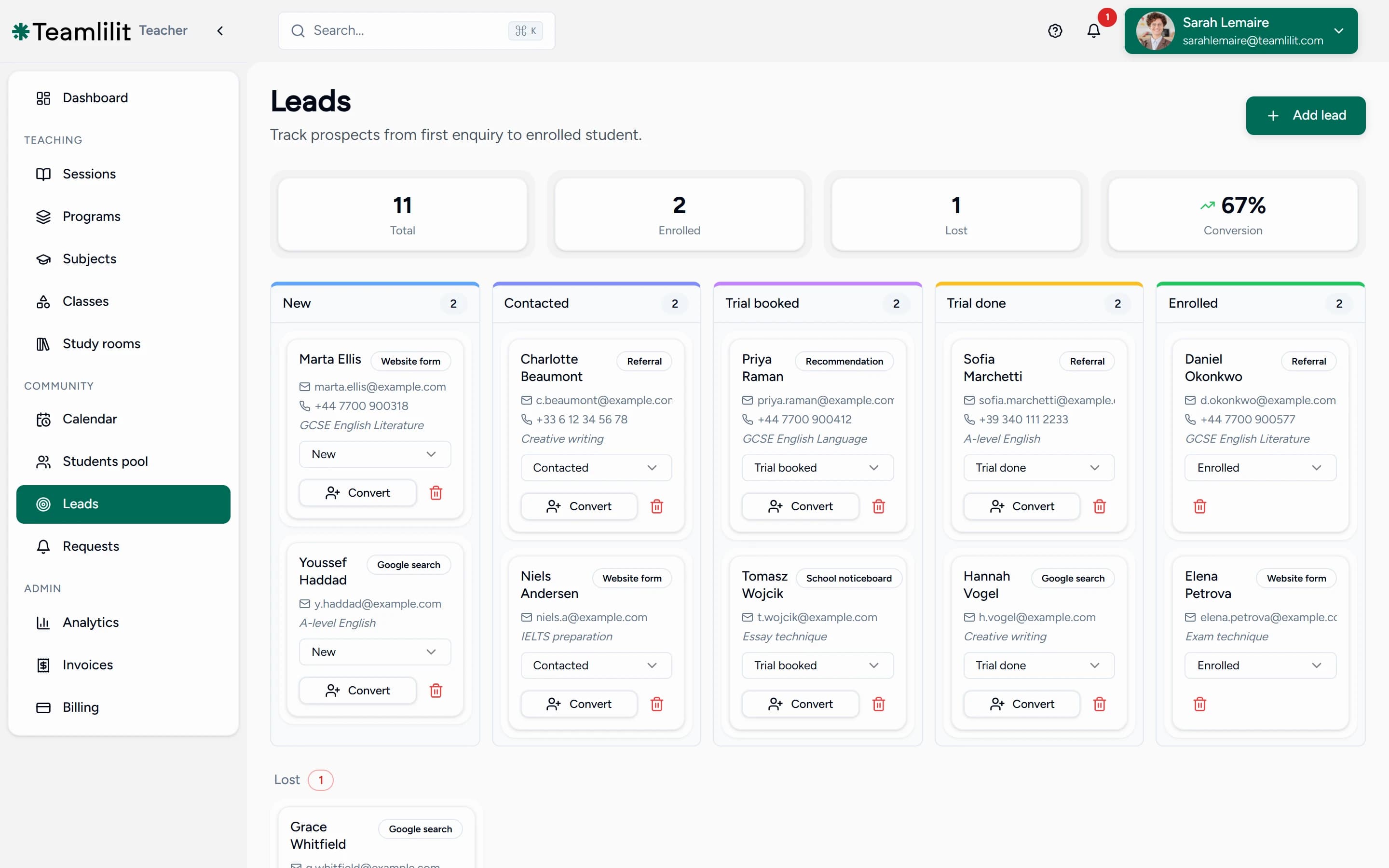
Now look at where each tool category breaks that loop:
- Generic CRMs (tools like Zoho CRM or HubSpot) stop at the contact record. They will happily store a student's email and a deal pipeline, but they have no concept of a lesson, an attendance register, or an invoice line built from a taught hour. Our page on tutor CRM software covers this mismatch in depth.
- Broad class managers (tools like ProClass or Class Manager) are built for enrolment volume: registrations, memberships, term fees. They are strong on rosters and weak on the session itself: no built-in classroom, thin per-student teaching history, and billing shaped around memberships rather than tracked lessons.
- Scheduling-first booking tools (tools like Ubindi or SuperSaaS) are the ones most tutors try first, and fairly so: they are inexpensive or free, quick to set up, and genuinely good at showing availability and taking a booking. The limit is scope rather than quality. They are built around the appointment, so once the lesson is over there is no teaching history to write to and no bill for the attendance to reach.
- Tutor admin tools without a classroom (tools like TutorBird or Teachworks) get closer on scheduling and billing but hand the actual lesson to a third-party video app, so the live session, the one event everything else depends on, happens outside the system.
The cost of the gap is the manual work between apps: copying a booking from the calendar into the video tool, retyping attendance into a spreadsheet, assembling invoices from memory at the end of the month. None of it is teaching, and all of it disappears when the workflow lives in one place.
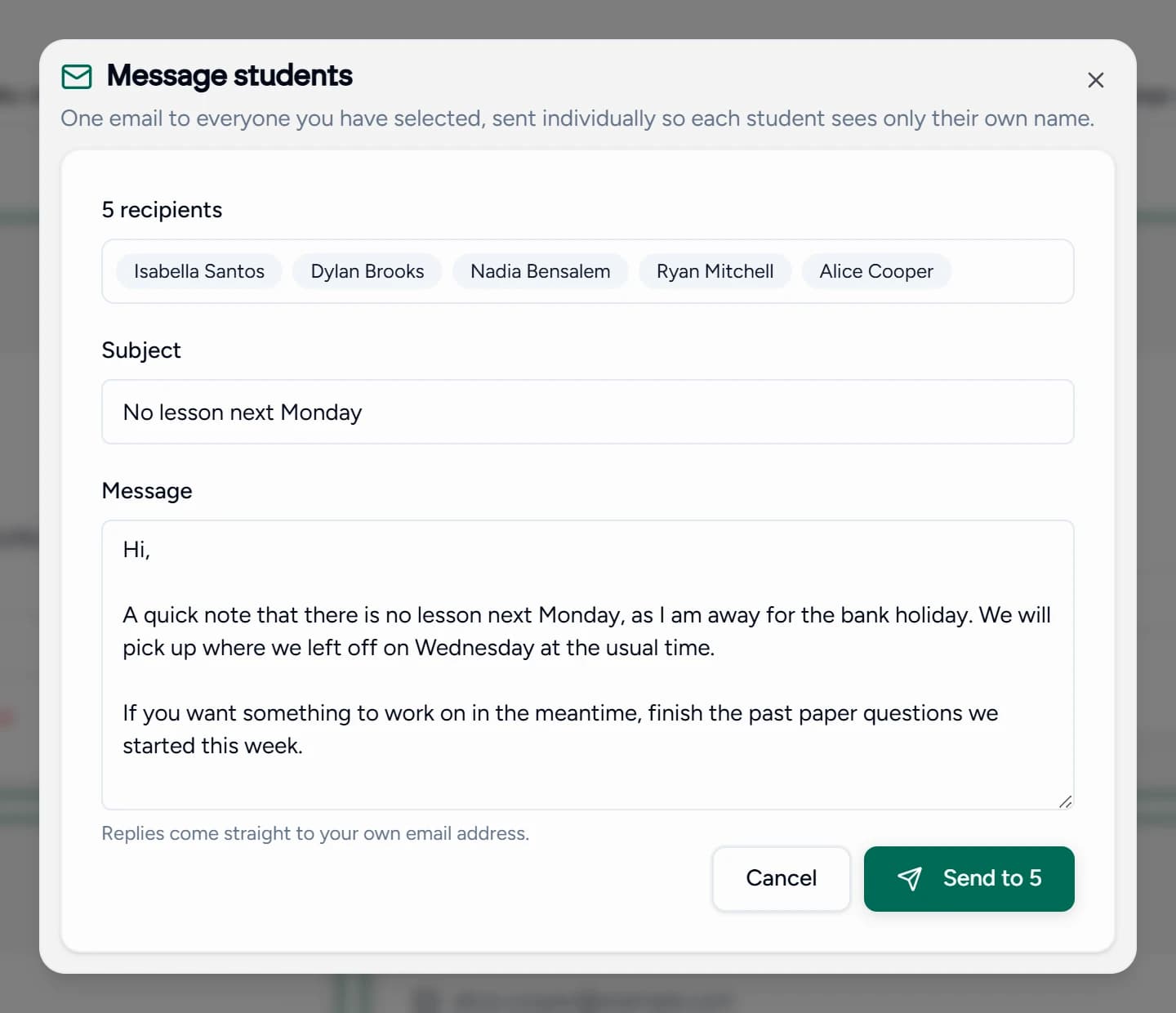
Feature comparison: tutor-specific CRM vs generic alternatives
| Feature | What a tutor needs | Generic CRM | Broad class manager | Teamlilit |
|---|---|---|---|---|
| Student profiles | Academic history, guardian contacts, notes, session history | Basic contact fields | Enrolment record, thin teaching history | Unlimited detailed student and guardian records |
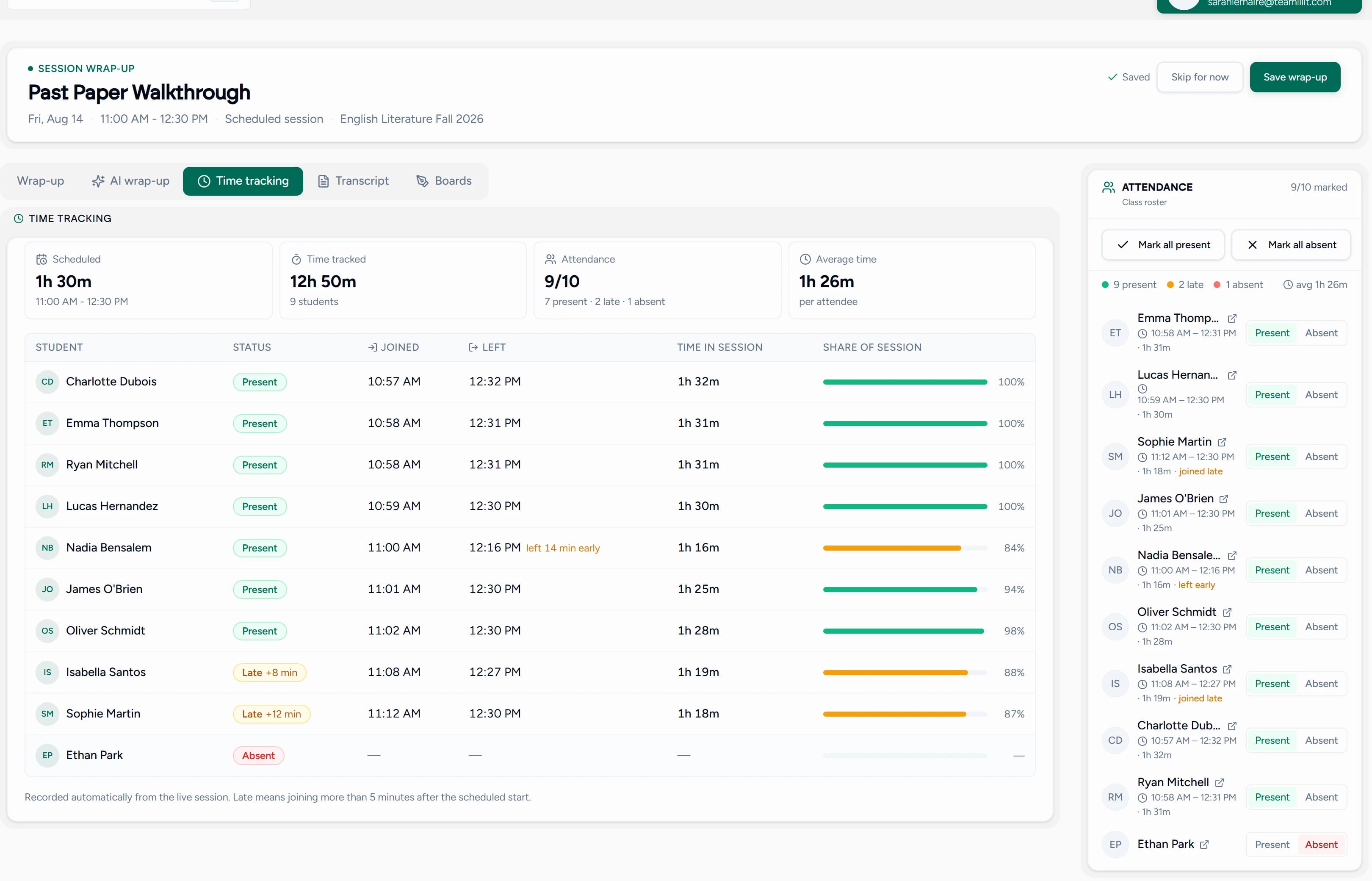
| Attendance and progress | Per-session attendance linked to billing | Not a concept | Register exists, rarely drives invoices | Automatic attendance with join and leave times, feeds invoicing |
| Lesson notes and resources | Rich notes tied to the student and session | Generic activity log | Not session-centric | Lesson notes in a block editor, plus files stored on the student record |
| Live classroom | One-click lesson from the schedule | None | None | Built-in: HD video, whiteboard, screen share, recording |
| Billing | Invoices from taught sessions, family billing | Separate invoicing product | Membership and term fees | Invoices generated from attendance, family discounts, VAT, late fees |
| Cancellation and rescheduling workflow | A cancellation that frees the slot, keeps its outcome, and reaches the bill | Nothing to cancel; it has no lessons | Slot is freed, rarely linked to billing | Policy decides if it stays billable, student self-reschedule, credit to the family account |
The pattern in the table is the point: each alternative does one slice well, and student management software for tutors does the connecting.
The connected classroom: why integration matters
The live session is the central event of a tutoring business. Everything upstream (scheduling, reminders) exists to make it happen, and everything downstream (notes, attendance, billing) exists to record that it did. So the classroom is the worst possible place for a seam, yet that is exactly where most setups put one: a disconnected Zoom or Meet link that knows nothing about the student, the schedule, or the record.
When the classroom is built in, the seams disappear. A lesson starts in one click from the timetable, students join from their dashboard without hunting for links, and while you teach, the system records what the admin side needs: who attended, when they joined and left, and how long each student was actually in the class. Sessions can be recorded for student review, and lesson notes written after the session sit on the same record as everything else. Sessions you schedule in Teamlilit are written to your Google Calendar and updated or removed there when you reschedule or cancel, so the tutoring schedule sits alongside the rest of your life without double entry.
The connected calendar: sync, share and update
A tutoring calendar has to be right in three places at once: your own view of the week, the availability students see before they book, and whatever calendar you actually live in.
That means three things in practice. Sessions you schedule are written to your Google Calendar, and if you connect it, Teamlilit can also check it for appointments that only exist there before accepting a booking. Your public booking page shows real availability rather than a static list of slots, so students pick from times that are genuinely free. And time you block for prep, marking or admin is treated as busy, which is what stops the calendar quietly selling the hours you needed for the work around the teaching.
The payoff shows up at cancellation. Because the booking, the calendar and the availability are the same record, a cancelled lesson frees its slot everywhere at once instead of leaving you to delete it in one place and remember to reopen it in another. For the deeper mechanics of recurring lessons, group sessions and multi-tutor schedules, our tutoring scheduling software page covers the full picture.
From attendance to invoice: automating the business side
Billing should be a consequence of teaching, not a separate job, which is why billing for tutors belongs in the same system as the register rather than in a separate invoicing app. The test of a class management CRM is simple: when invoicing day comes, does the system already know what to bill?
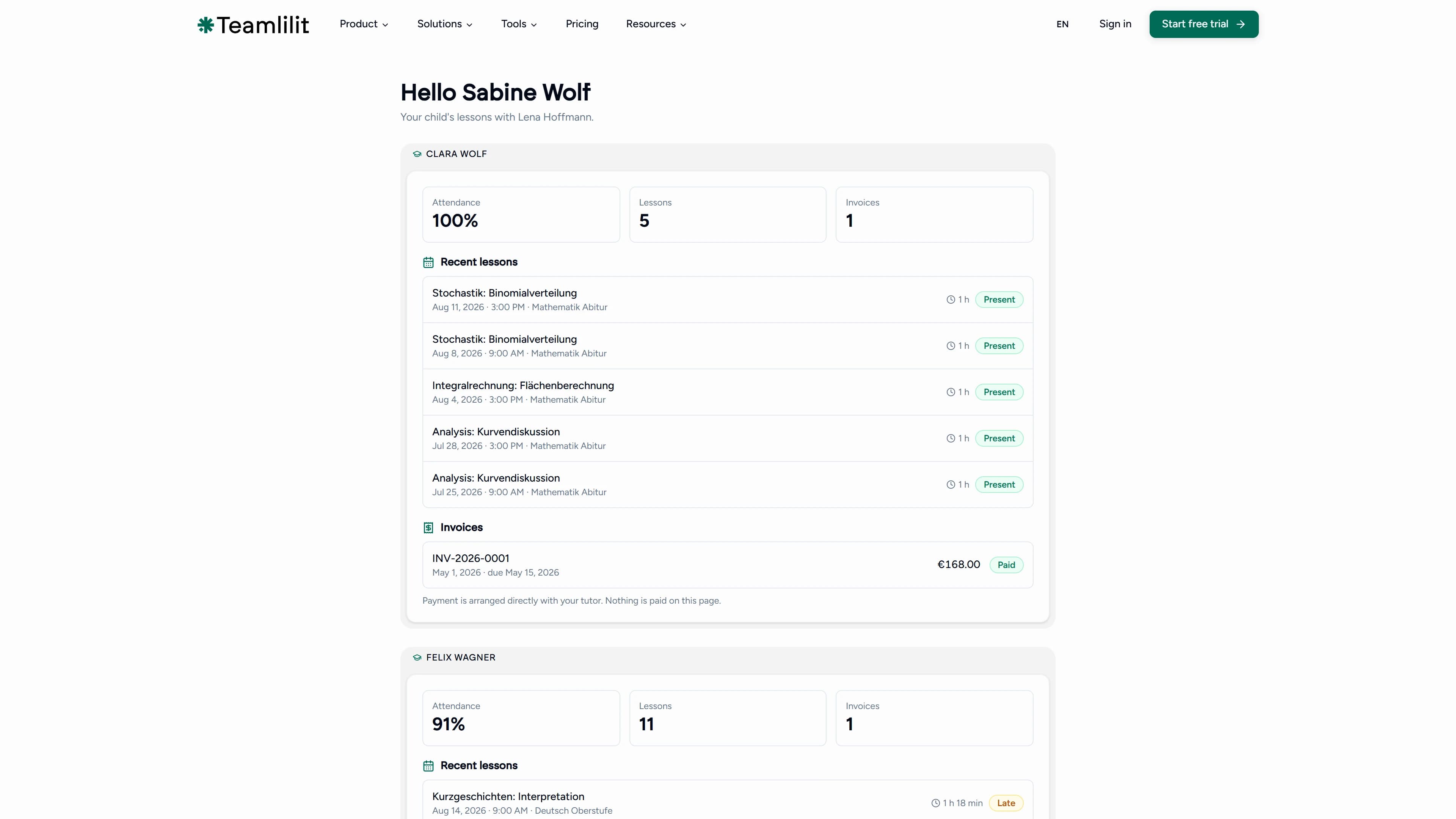
With attendance-driven invoicing it does. The sessions you taught become the invoice lines, each student's stored rate prices them, and you review and send instead of reconstructing the month. The tutor-specific edge cases are handled in the same flow: sibling and family discounts applied on the bill, consolidated invoices that put two children on one invoice for one parent, automated late fee rules for overdue payments, and VAT support when you are registered. Invoices go out by email with a PDF attached, and payments are recorded against the invoice so you always know what is outstanding. Teamlilit's invoicing features cover this whole flow.
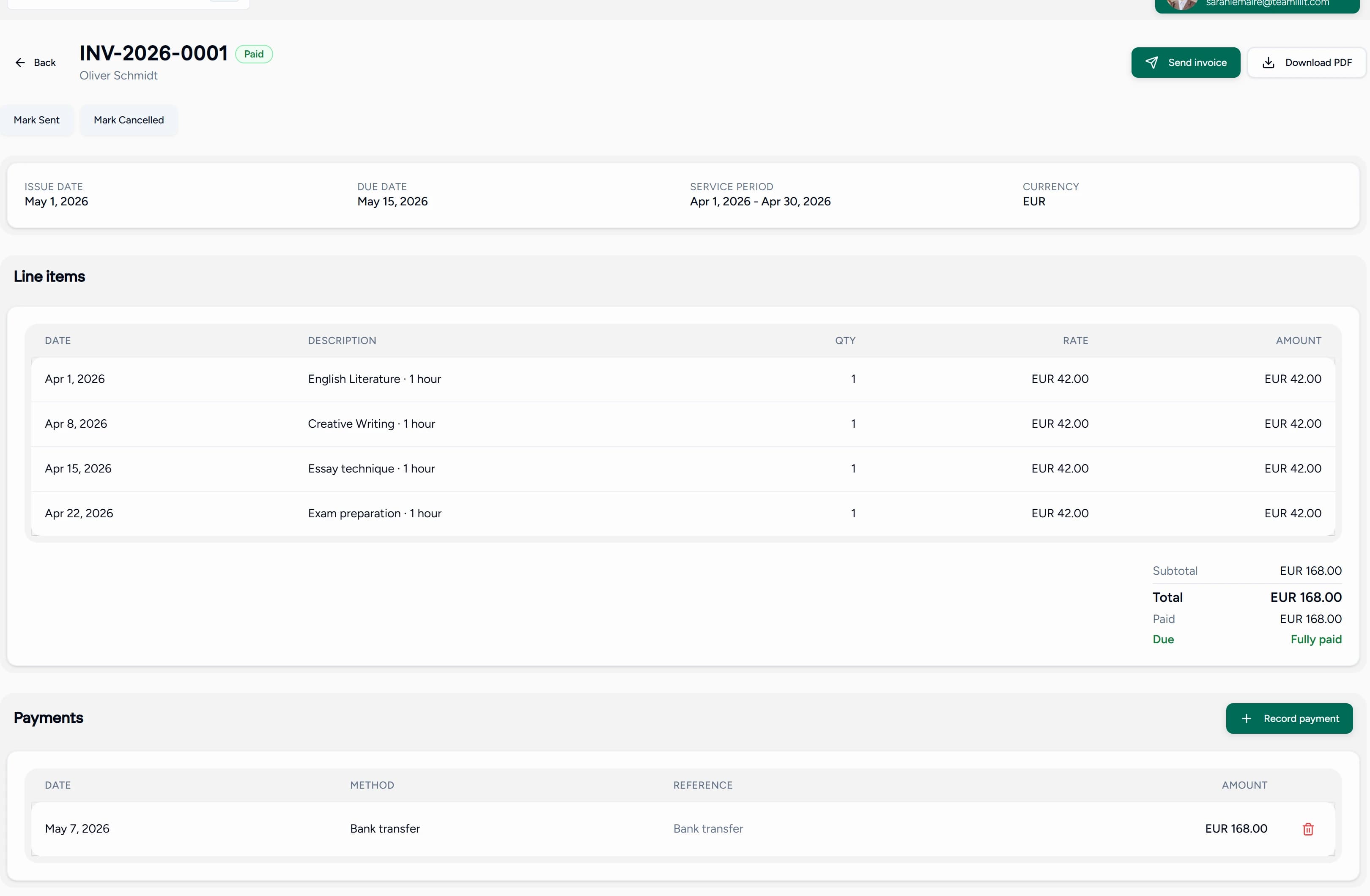
Contrast that with the generic path: export a report from the CRM, cross-check it against the calendar, build the invoice in a third tool, and chase the total by hand. The data existed all along; it was just in the wrong rooms.
Affordable class registration platforms for independent tutors
The market splits into two honest options, and the cheaper sticker price is not always the cheaper tool.
Free or near-free schedulers do one job well: they show your availability and take a booking. For a tutor with a handful of students and simple billing, that may genuinely be enough. What they do not do is remember anything. There is no teaching history on the student, no attendance record that a bill can read, and no link between a late cancellation and what you are owed for it.
Flat-rate tutor platforms bundle the calendar, booking page, student records, attendance, cancellation policies and invoicing into one subscription. The price is visible up front, and crucially it does not move when you add students.
That last point is what "affordable" should mean for a tutor. Watch for three things:
- No per-student or per-booking fees. A price that rises with each student taxes exactly the growth you are working for. A flat subscription with an unlimited student pool does not.
- The bundle, not the line item. Compare against the full stack you would otherwise assemble: a scheduler, an invoicing tool, and a video app, each with its own monthly cost and its own login.
- The admin hours. The real cost of the free stack is the copying between it. Moving a booking into the video tool, retyping attendance into a spreadsheet, and rebuilding invoices from memory is unpaid work every single month.
Teamlilit is priced as a flat monthly subscription with an unlimited student pool, so the bill does not change as your roster grows, and there is a 14-day free trial with no card required to test the whole workflow first. The pricing page lists what each plan includes. If you are still mapping the wider market, our guide to the best tools for online tutors covers the alternatives.
Handling cancellations and reschedules without the admin
Cancellations are where a calendar-only tool quietly costs you money. Deleting an entry frees the slot and loses everything else: that it was late notice, that your policy says it is still chargeable, and that the family is owed a credit.
In a connected system the cancellation is a status on the session, not a deletion, and that single difference is what lets the rest react. The slot reopens on your calendar and in your public availability. The session carries its outcome, attended, cancelled in time, cancelled late, or no-show. Your cancellation policy decides whether it stays billable, so a late cancellation can still reach the invoice as a clear line rather than an awkward conversation. Students can reschedule themselves inside the notice window you set, which turns most cancellations into a moved lesson instead of a lost one, and automated reminders before the lesson cut the number that happen at all. Where a credit is due, it goes to the family's account rather than a note in your head.
For the full mechanics of policies, notice windows and reschedule rules, our tutor scheduling software page goes deeper, and if you have not written your terms yet, the free cancellation policy template generates a fair one you can send to parents.
Choosing your tutor CRM: a practical checklist
Whatever you evaluate, put it through these eight questions. They separate tools that manage contacts from tools that run a tutoring business:
- Is the live classroom built in, or at least seamlessly connected? If lessons happen in a separate video app, the workflow has a permanent seam at its most important point.
- Can you keep rich lesson notes tied to students and sessions? A note you cannot find at the next lesson is a note that never existed.
- Does attendance automatically feed invoicing? This is the single biggest admin saving in the category; if attendance and billing are separate modules, you are still the integration layer.
- Can it track attendance and manage student records with guardians and family billing? If you teach children, guardian contacts and one-invoice-per-family are everyday needs, not extras.
- Does the schedule connect to everything else? Bookings should land on a timetable that the classroom, the attendance record, and the calendar sync all read from.
- Is it priced and scaled for you? An independent tutor or small centre needs solo-friendly pricing with room to grow into multi-tutor management, not an enterprise seat license.
- Does it handle cancellations and reschedules with a policy, not just a delete key? A cancellation should free the slot, keep its outcome on the record, and let your policy decide whether it is still billable.
- Is the pricing flat and predictable? Per-student or per-booking fees mean your bill grows every time your business does. Check what the price does when you add ten students.
A tool that answers yes across the board is no longer just a CRM; it is comprehensive tutoring management software, and that is the category a working tutor actually needs.
Frequently asked questions
What is a class management CRM for tutors?
A class management CRM for tutors is a single, integrated platform that combines student relationship management (CRM) with the specific tools needed for teaching, such as a live classroom, lesson notes, attendance tracking, and invoicing based on session data. Instead of a contact list sitting apart from your teaching, every lesson updates the same student record that your billing reads from.
How is a tutor CRM different from a general CRM?
The key difference is workflow integration; a tutor-specific CRM is built around the teaching session, connecting scheduling, the live classroom, student notes, and invoicing, whereas a generic CRM treats a student as a contact and lacks these teaching-centric tools. With a generic CRM you still need separate apps for the timetable, the video lesson, the attendance register, and the invoice, and you carry the data between them by hand.
What should tutors look for in a class management CRM?
When choosing a CRM, tutors should prioritize features that connect their teaching workflow, including a built-in or seamlessly integrated live classroom, detailed student records for tracking progress, a system for creating and storing lesson notes, and automated invoicing driven by session attendance. Guardian and family billing support matters too if you teach children, and the pricing should fit an independent tutor or small centre rather than an enterprise.
Are there affordable tools for managing class calendars and cancellations?
Yes, and the affordable option is usually a tutor-specific platform rather than a stack of general-purpose apps. A single subscription that bundles the calendar, a public booking page, cancellation policies, attendance and invoicing typically costs less than a scheduler plus an invoicing tool plus a video app bought separately, and it removes the manual copying between them. Judge affordability on the total of what you would otherwise buy, plus the admin hours the disconnected version costs you every month.
What are affordable class registration platforms for independent tutors?
The most affordable class registration platforms for independent tutors are the ones that charge a flat subscription rather than a fee per student or per booking, because a per-student price quietly penalises you for growing. Free schedulers are genuinely useful for taking bookings, but they stop at the booking: they do not hold a teaching history, apply a cancellation policy to a bill, or turn attendance into an invoice, so the work reappears elsewhere.
How do tutoring platforms handle cancellations and reschedules?
A tutor-specific platform handles a cancellation as a status on the session rather than a deleted calendar entry, which is what lets the rest of the workflow react. The slot is freed on your calendar and in your public availability, the session is marked cancelled in time, cancelled late, or no-show, and your cancellation policy decides whether it is still billable. Students can reschedule themselves within the notice window you set, and any credit is applied to the family's account rather than tracked in your head.
See the difference a connected workflow makes
See how Teamlilit's unified tutor platform compares: a CRM, classroom, and billing system designed for teaching, not just management. Start your 14-day free trial, no card required, or explore the pricing plans first.
