Private tutoring is not only the hour spent teaching. It is also the late cancellations, the no-shows, the prepaid package lessons, and the extra fifteen minutes you gave a student before an exam. If none of that is recorded, it becomes invisible the moment you sit down to invoice.
Why billable hours matter for tutors
The problem is rarely that tutors do not work enough. More often, tutors do the work but the record is messy.
A lesson happens. A student joins late. A parent cancels with two hours' notice. A student misses a prepaid package lesson. You add an extra fifteen minutes to help with homework. If none of that is written down clearly, it becomes easy to undercharge, forget a session, lose income from cancellations, or have an awkward conversation with a parent at the end of the month.
To bill fairly, you may need to account for completed lessons, late cancellations, no-shows, rescheduled sessions, trial lessons, package lessons, unpaid sessions, extra lesson time, and lessons that started late or ended early. That is a lot to hold in your head, which is exactly why it should not live there.
What tutors should track for every lesson
A good tutoring time record should include:
- student name
- subject
- lesson date
- scheduled start time
- scheduled end time
- actual lesson duration
- attendance status
- cancellation or no-show status
- billable or non-billable status
- hourly rate or package status
- notes for invoicing
In practice, a simple record might look like this:
| Student | Date | Time | Duration | Status | Billable? | Notes |
|---|---|---|---|---|---|---|
| Emma | 12 March | 17:00 to 18:00 | 1 hour | Attended | Yes | GCSE maths |
| Noah | 12 March | 18:00 to 19:00 | 1 hour | No-show | Yes | Full fee applies |
| Aisha | 13 March | 17:30 to 18:30 | 1 hour | Cancelled | No | Gave 48h notice |
| Liam | 14 March | 16:00 to 17:15 | 1h 15m | Attended | Yes | Extra exam practice |
This is the kind of record that makes invoicing easy, because you are not trying to reconstruct the month from memory.
What counts as billable tutoring time?
Not every tutoring-related task is automatically billable. That is why it helps to separate "time spent" from "time charged".
| Situation | Usually billable? | What to record |
|---|---|---|
| Completed lesson | Yes | Date, duration, subject, rate |
| Student arrived late | Usually yes | Actual join time and agreed charge |
| Tutor ran over by 10 minutes | Depends | Whether extra time was agreed |
| No-show | Depends on your policy | No-show status and fee |
| Late cancellation | Depends on your policy | Notice given and cancellation fee |
| Rescheduled lesson | Usually not extra | New lesson date |
| Free trial lesson | Usually no | Mark as trial or non-billable |
| Package lesson | Already paid | Deduct from package balance |
| Preparation time | Depends | Only charge if agreed in advance |
The key is consistency. If a parent asks why a lesson was charged, you should be able to answer calmly with the date, the time, the attendance status, and the policy.
Why UK tutors should keep clean lesson records
If you are a UK private tutor, your lesson records are not only for your own memory. They support your invoices, your income tracking, your parent communication, and your business admin.
Many UK tutors are self-employed, which means you are responsible for keeping your own business records. A clean tutoring record helps you answer basic questions like which lessons you taught this month, which were cancelled, which no-shows were charged, which students still have package lessons left, which invoices have been sent, and how much you earned this week or month.
You do not need to make this complicated, but you do need a system. At a minimum, your lesson records should match what appears on your invoices. If you invoice a parent for four maths lessons and one late cancellation fee, your records should clearly show those four lessons and the cancellation. That protects you from confusion later.
Spreadsheet vs tutor time tracking software
A spreadsheet is useful when you have a small number of students. It is flexible, free, and easy to start: columns for student name, lesson date, start time, end time, duration, attendance, rate, amount, and notes are enough for many new tutors.
It becomes harder to manage when you need to handle recurring weekly lessons, late cancellations, no-shows, student packages, parent invoices, attendance history, timetable changes, group classes, multiple subjects, and monthly income tracking. At that point you are no longer just tracking hours. You are running a tutoring business.
If you are still deciding whether to stay manual or move to software, our guide on tutor timetable software vs spreadsheet explains when spreadsheets are enough and when they start creating more admin than they save.
How attendance affects billable hours
Attendance and billable time are linked. A completed lesson may be fully billable. A no-show may be billable depending on your cancellation policy. A cancelled lesson may be free, partially charged, or fully charged depending on how much notice was given. A late student may still be charged for the full slot if the time was reserved and the delay was not your fault.
That is why tutors should track attendance and lesson time together, not separately. A free tutoring attendance sheet template is a good starting point if you want a simple register: it helps you record who attended, who missed lessons, and which students may need follow-up. But attendance alone is not enough. For billing, you also need to know whether the missed or completed session should be charged.
How cancellations and no-shows affect tutoring invoices
Cancellations are one of the easiest places for tutors to lose income. When a parent cancels late, you need to know when the cancellation happened, how much notice was given, whether your policy applies, whether the lesson should be charged, whether the student should receive a replacement session, and whether the invoice should include a cancellation fee.
Without a written record, it becomes emotional. With a written record, it becomes simple:
This lesson was cancelled with less than 24 hours' notice, so the 50% cancellation fee applies under the policy shared before lessons began.
That reads far better than deciding in the moment. If you do not already have clear rules, our private tutor cancellation policy template helps you create a fair policy for late cancellations, no-shows, illness, rescheduling, and cancellation fees.
Once your policy is clear, your invoice becomes easier too. Instead of sending a separate awkward message about the missed lesson, you can include the cancellation fee on the next invoice as a simple line item. A tutor invoice maker can help you turn completed lessons, package charges, or cancellation fees into a clean PDF invoice for parents.
Example: tracking billable hours for one week
Say you are a GCSE maths tutor charging £35 per hour. This week you had four completed one-hour lessons, one late cancellation charged at 50%, one free trial lesson, and one package lesson that was already prepaid.
| Item | Calculation | Billable amount |
|---|---|---|
| 4 completed lessons | 4 × £35 | £140 |
| 1 late cancellation | 50% × £35 | £17.50 |
| 1 free trial | £0 | £0 |
| 1 prepaid package lesson | Already paid | £0 new charge |
Your new invoiceable total for the week is £157.50.
Your teaching time record still includes every session, but your invoice only includes the sessions that are billable now. That distinction matters. A good tutor record should show both what happened in the timetable and what needs to be charged.
How to track tutoring packages
If a student buys a package of 5 or 10 lessons, time tracking becomes even more important. You need to know how many lessons were purchased, how many were completed, how many remain, whether cancelled lessons count against the package, whether no-shows count against the package, and when the next payment is due.
Without a proper record, package lessons get confusing fast. If a parent pays for 10 lessons upfront, you need to know whether the student has used 6, 7, or 8. If a student misses a lesson without notice, you also need to know whether that lesson counts as used. This should not depend on memory.
A simple package tracker might look like this:
| Student | Package bought | Lessons used | Lessons remaining | Notes |
|---|---|---|---|---|
| Emma | 10 | 6 | 4 | Next invoice after 4 lessons |
| Noah | 5 | 5 | 0 | Renewal needed |
| Aisha | 10 | 3 | 7 | One rescheduled lesson |
Package tracking becomes much easier when your timetable, attendance, and billable hours are connected.
How tutoring timetables connect to billable hours
Your timetable shows what was planned. Your attendance record shows what happened. Your invoice shows what should be paid. Those three should not live in completely separate places.
A free tutor timetable template is useful when you are planning your weekly slots, especially if you want to see your lessons, rates, weekly hours, and estimated earnings in one simple view. But once lessons start changing, the timetable alone is not enough. You also need to know whether the student attended, whether the lesson started on time, whether it ended early, whether it was cancelled, whether the cancellation was billable, whether the parent has already paid, and whether this is part of a package. That is why billable hour tracking is more than a timetable problem. It is a business admin problem.
How Teamlilit helps tutors track lesson time
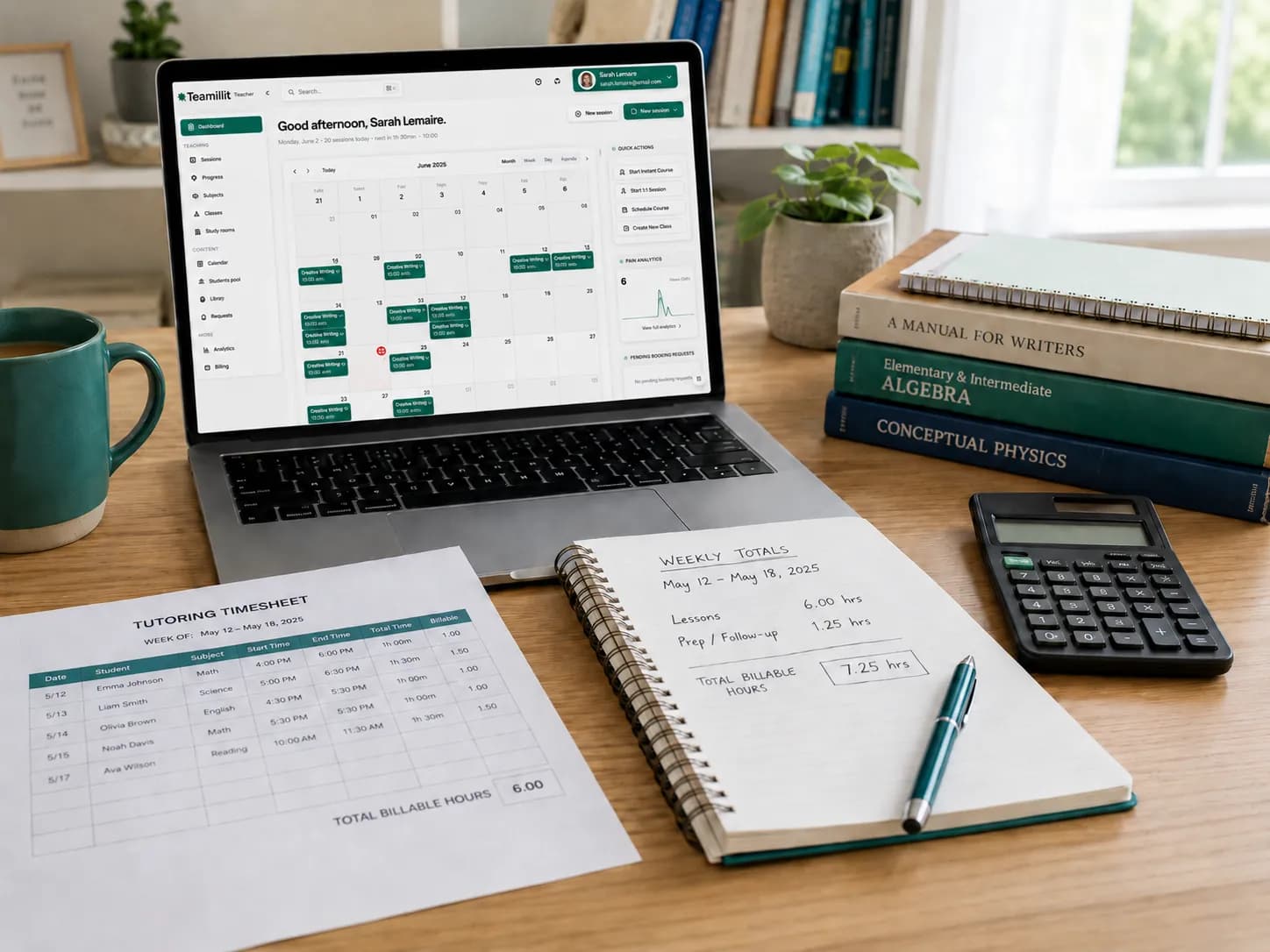
Teamlilit keeps scheduling, lesson time, attendance and student records together. If you are totalling hours in a spreadsheet and retyping them into a bill, you can invoice students from tracked lessons with each student's rate already applied. Review the draft and any exceptions, send it, then track payments against the same invoice.
For the method behind that workflow, our guide on how to invoice from tutoring attendance explains how lesson records turn into charges step by step.
A connected tutoring workflow looks like this:
- Schedule the lesson.
- Teach the lesson.
- Record who attended.
- Track how long the student stayed.
- Mark whether the lesson is billable.
- Add cancellation or no-show notes if needed.
- Create the invoice from the lesson record.
If your biggest problem is managing recurring lessons, rescheduling, reminders, and lesson organisation, our tutoring scheduling software keeps the teaching week organised instead of rebuilding it manually.
Free tools to help you start
If you are not ready for full tutor time tracking software yet, start with simple tools and build the habit.
- Start with attendance. Use the free tutoring attendance sheet template to record who attended, who missed lessons, and which students need follow-up.
- Create invoices from your lesson records. Once your hours are tracked, use the free tutor invoice maker to create a clean PDF invoice for parents, with completed lessons, package charges, or cancellation fees as separate line items.
- Set your cancellation rules. Use the private tutor cancellation policy template to explain how much notice you need, what happens with no-shows, and how cancellation fees are handled.
- Plan your recurring week. Use the free tutor timetable template to map your weekly lessons, subjects, rates, hours, and estimated income.
A simple weekly workflow
You can follow the same loop every week.
Before the lesson. Check your timetable and confirm the session time. If the student is new, make sure your payment and cancellation terms are already clear.
During the lesson. Record the actual start and end time. For online lessons, note whether the student joined late or left early.
After the lesson. Mark the lesson as attended, late, cancelled, no-show, or rescheduled, then mark whether it is billable.
End of the week. Review your records and total your teaching hours, billable hours, unpaid lessons, package lessons used, cancellation fees, and the amount to invoice.
End of the month. Create your invoices and keep a copy of each invoice with the lesson record behind it. This gives you a clear paper trail if a parent asks a question later.
If that weekly loop is starting to feel like a chore you repeat rather than a system that runs, most of it can be wired together once. Our guide to automating tutoring invoices covers which pieces to connect in what order, and which parts are worth keeping manual.
Common mistakes tutors make when tracking billable hours
- Only tracking planned lessons. A timetable is not proof that the lesson happened. You also need attendance and actual duration.
- Not separating attended, cancelled, and no-show lessons. They are not the same, and they may have different billing rules.
- Forgetting small amounts of extra time. Ten minutes here and fifteen there add up over a month. Decide whether extra support is part of your service or something you charge for.
- Not recording package balances. If you sell packages, track lessons used and remaining, or you risk teaching unpaid lessons without noticing.
- Having no cancellation policy. If you do not set expectations before lessons begin, it is harder to charge fairly when cancellations happen.
- Waiting until invoice day to reconstruct everything. This is where tutors lose money. Record lesson status right after the lesson, while the details are fresh.
Once the log is reliable, the remaining job is converting it. Our month-end routine for turning tracked hours into invoices covers the cut-off date, reconciling exceptions, package drawdown order, and correcting an invoice you have already sent.
Final takeaway
Tracking billable tutoring hours is not just about counting time. It is about protecting your income, keeping parent communication clear, and making sure your attendance, cancellations, packages, and invoices all tell the same story.
Start simple if you need to: a timetable, an attendance sheet, a cancellation policy, and an invoice maker. Then, as your student numbers grow, move toward a connected system where scheduling, lesson time, attendance, and billing work together. That is how tutors stop losing money to messy admin.
Frequently asked questions
How do tutors track billable hours?
Tutors track billable hours by recording each lesson date, student name, start time, end time, actual duration, attendance status, and whether the lesson should be invoiced. The key is to record the status right after the lesson rather than reconstructing the month from memory at invoice time.
Can I track tutoring hours in a spreadsheet?
Yes. A spreadsheet can work well for a small number of students. It becomes harder when you manage recurring lessons, cancellations, no-shows, package balances, invoices, and attendance history, which is when many tutors move to dedicated tutor time tracking software.
Should tutors charge for no-shows?
Some tutors charge for no-shows if this is clearly explained in their cancellation policy before lessons begin. The important thing is to make the rule clear, fair, and easy for parents to understand, and to record the no-show status so the charge has a clear basis.
Should cancelled lessons be billable?
It depends on your cancellation policy. Some tutors do not charge when enough notice is given, but charge a partial or full fee for late cancellations or no-shows. Record how much notice was given so you can apply the policy consistently.
What should a tutor time record include?
A tutor time record should include the student name, subject, lesson date, scheduled time, actual duration, attendance status, billable status, rate or package status, and notes for invoicing.
How does attendance affect invoices?
Attendance affects invoices because completed lessons, no-shows, late cancellations, and rescheduled sessions may all be billed differently. Tracking attendance alongside lesson time helps tutors invoice accurately and match each charge to what actually happened.
How do tutors track prepaid lesson packages?
Tutors should record how many lessons were purchased, how many were completed, how many remain, and whether cancellations or no-shows count against the package, so they never teach unpaid lessons by accident.
What is tutor time tracking software?
Tutor time tracking software helps tutors record lesson duration, attendance, cancellations, no-shows, and billable hours, usually connected to scheduling and invoicing, so lesson time becomes part of the full tutoring record instead of being scattered across spreadsheets and messages.
What is the easiest way to start tracking tutoring hours?
The easiest way is to use a simple table with the student name, lesson date, start time, end time, attendance status, rate, and billable status. As the business grows, dedicated tutoring software becomes easier to manage than a manual sheet.
Ready to stop counting hours by hand? Start a free 14-day trial. No credit card required.
Sources
- Business records if you're self-employed - GOV.UK. Self-employed tutors are responsible for keeping their own business records.
- Register for VAT - GOV.UK. Official guidance on VAT registration and thresholds for checking your VAT status.