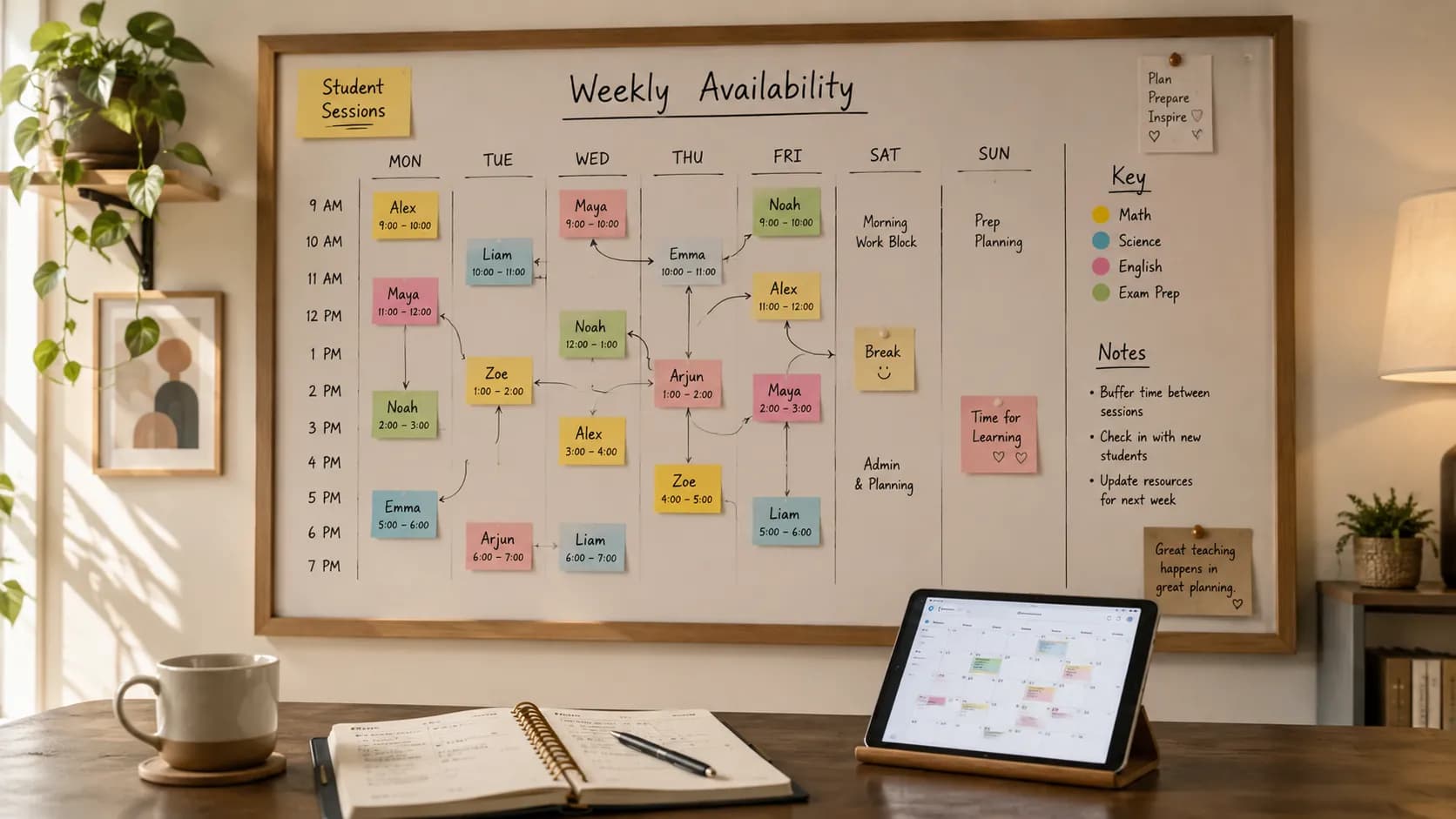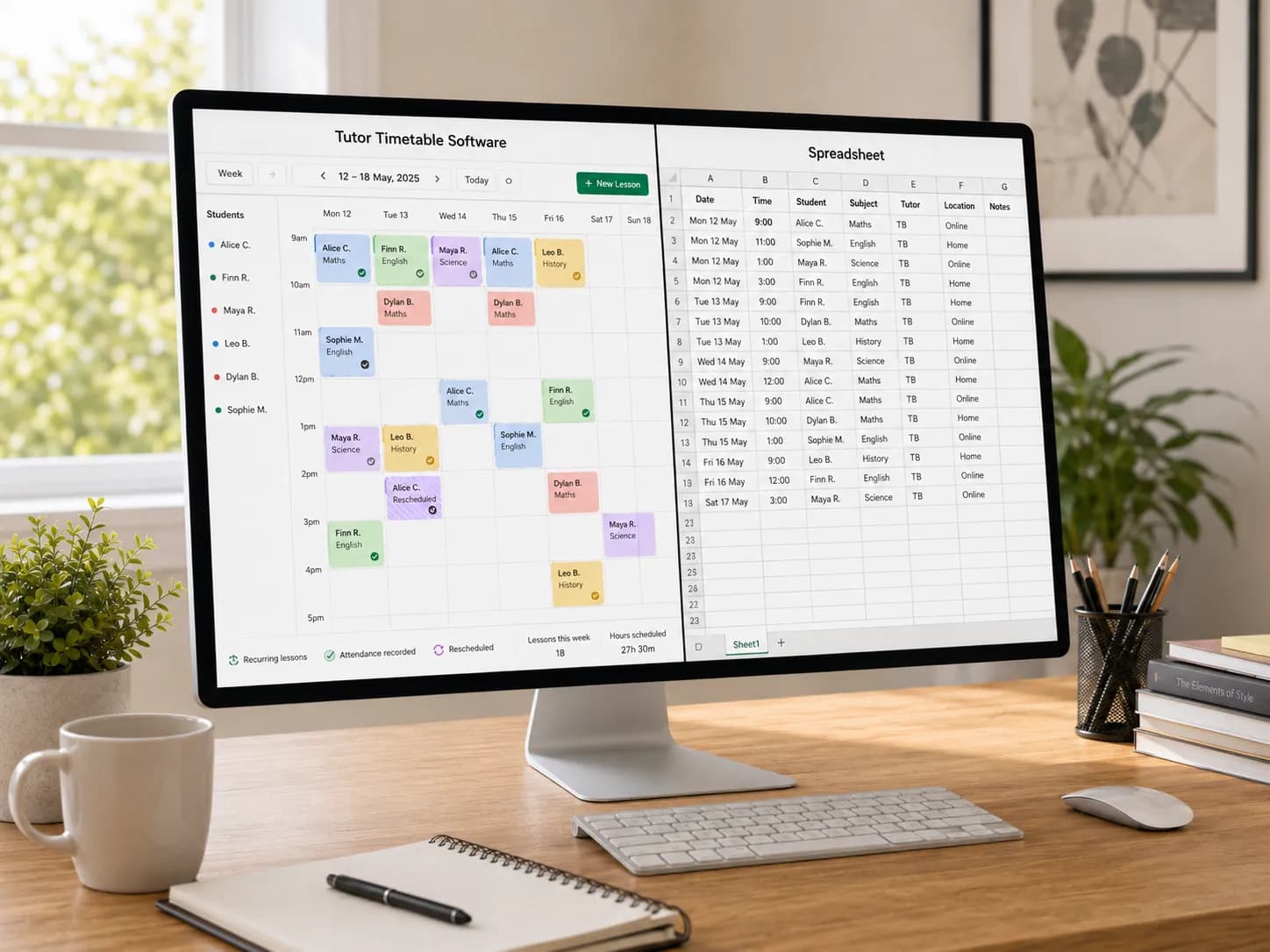
At the beginning, a spreadsheet feels sensible.
You open Excel or Google Sheets, build a quick weekly grid, type in a few names, and the job is done. Microsoft even provides calendar templates so people can adapt them to their own schedules, and Google Sheets is built for online spreadsheet collaboration from any device. For a tutor with five regular students, that can feel perfectly good enough.
The problem is not that spreadsheets are bad. The problem is that tutoring businesses rarely stay as simple as the first version of the timetable.
Why this question matters more than most tutors expect
One student wants to move from Thursday to Tuesday. Another needs an extra GCSE maths session before mocks. A parent asks whether you can send reminders. An A-level student joins for online lessons, so now you are copying meeting links into emails at the last minute. Then half-term arrives and your neat little timetable starts looking like a patched-up wall of coloured boxes.
That is exactly the moment when many UK tutors start searching for tutor timetable software instead of another spreadsheet template.
And there are a lot of UK tutors in that position. The Sutton Trust's polling found that 29% of secondary pupils in England and Wales have had private tutoring at some point, up from 18% in 2005, with usage reaching 45% in London. That is a large, established, and geographically concentrated market, which means timetabling pain points are not a niche annoyance. They are a common, recurring business problem.
Why spreadsheets work at first
A spreadsheet wins on one important point: it is easy to start.
It is familiar, flexible, and cheap. You can customise columns, colour-code subjects, and build a tutoring timetable in one evening. If you teach a small number of students, run mostly fixed weekly sessions, and do not need detailed admin records, a spreadsheet can carry you for a while.
For many independent tutors, that first stage is genuinely enough. You do not need a whole platform just to remember that Oliver has English on Mondays and Amira has science on Wednesdays.
But the moment your schedule becomes a business rather than a list, the weakness shows.
Where spreadsheets start costing tutors time
Spreadsheets depend heavily on manual work. Even Microsoft's own guidance around schedule handling involves downloading a template, filling it out, and uploading it; the editing itself is still driven by manual entry. That is fine when the timetable is small. It is much less fine when cancellations, make-up sessions, and parent messages start happening every week.
This is where tutors usually feel the strain.
Recurring lessons become repetitive admin
If a lesson repeats every Tuesday at 5pm, you do not want to recreate it, re-check it, or keep second-guessing whether a one-off change has broken the pattern for next week. Dedicated platforms treat recurring scheduling as a standard workflow rather than a workaround. You build the week once, and it repeats with the right students already assigned.
Student information ends up everywhere
Names in one tab. Parent numbers in WhatsApp. Notes in a Google Doc. Attendance in your head. Payment status in another sheet entirely.
That does not just feel messy. It makes you slower before every lesson and less professional when a parent asks for a quick update. If student details, lesson notes, attendance, and parent communication are already split across different places, a dedicated student management system for tutors can make the timetable much easier to run. Tutor-focused platforms consistently put student management, records, attendance, and notes at the centre because that scattered admin is the real-world pain point. If attendance is the piece you most need to tidy up first, our free tutoring attendance sheet template is a simple starting point before you move it into software.
Online lessons create extra friction
If you tutor online, there is another layer: links, reminders, rescheduling, and clear communication. Purpose-built virtual classroom software keeps the lesson link tied to the session itself, so it is never something you have to dig out at the last minute. UK tutors working with children also operate in a context where safeguarding and professional standards matter. Government guidance explicitly includes private tuition among the out-of-school settings that should provide a safe environment for children, and The Tutors' Association's safeguarding work is tailored to one-to-one, group, and online tuition.
So when your system depends on digging through old emails for meeting links, that is not just annoying. It is a weak operational process, and the bar for "professional" is higher than it used to be.
Spreadsheet vs tutor timetable software: the comparison
| Feature | Spreadsheet | Tutor timetable software |
|---|---|---|
| Getting started | Fast, familiar, low-cost | Slightly more setup, but purpose-built |
| Flexibility | Highly customisable cells | Structured workflows designed for tutoring |
| Recurring lessons | Manual duplication and updates | Built in, set once and repeat |
| Rescheduling | Manual checking and editing | Faster, with live calendar visibility |
| Double bookings | Nothing stops two lessons landing in one slot | Availability comes from one source, so clashes are caught before they happen |
| Availability and booking | Students message you and wait for a reply | Students see open slots and book them directly |
| Cancellations and make-up lessons | Manual edits that are easy to lose track of | Cancellation windows and rebooking handled in the schedule |
| Student records | Split across tabs, docs, and inboxes | Centralised profiles and lesson history |
| Attendance | Manual entry | Recorded automatically per session |
| Billable hours | Recalculated by hand at invoice time | Lesson time recorded per student, ready for billing |
| Reminders | Manual messages or a separate tool | Automated reminders |
| Parent communication | Answers reconstructed from tabs and threads | Attendance and lesson history ready to share |
| Online lesson links | Copied by hand into email | Integrated with the session |
| Multi-tutor operations | Hard to manage at scale | Designed for centres and teams |
| Reporting and oversight | Limited unless custom-built | Dashboards and admin visibility |
The spreadsheet side of this is grounded in how spreadsheets actually work: adaptable templates, but manual entry for every change. The software side reflects the features tutoring platforms consistently offer: recurring scheduling, reminders, attendance, notes, student management, online teaching, and team scheduling.
What tutor timetable software changes
A proper tutor scheduling tool is not just a prettier calendar. It is a way of removing repeat admin from your week.
The pattern across tutoring platforms is clear: one calendar view, automated reminders, student profiles, attendance, lesson notes, online teaching support, and communication tools sit in one place. For tutoring centres and growing teams, that expands to scalable scheduling, learner records, tutor management, and operational oversight, which is the exact set of jobs software for tutoring centres is built around.
That changes the working day in practical ways:
- You set recurring lessons once instead of rebuilding them.
- You move a lesson without wondering whether you have created a clash.
- Students see your real availability and book open slots themselves instead of messaging to ask what times you have.
- You see attendance and notes beside the student record.
- You stop copying links manually into every reminder.
- You spend less time managing the timetable and more time teaching.
For a solo tutor, that means fewer evening admin sessions. For a tuition business, it means fewer double bookings, fewer missed messages, and fewer avoidable mistakes when the schedule gets busy. This is what dedicated tutoring centre scheduling software is built to do.
Should you switch? A quick decision
If you teach a handful of students, your lessons happen at fixed times, and your admin is light, a spreadsheet is still a sensible starting point. It is cheap, flexible, and quick to adapt.
But if your student numbers are growing, the answer changes. You have probably outgrown a spreadsheet if any of this feels familiar:
- you reschedule lessons most weeks
- you teach both in person and online
- you need reminders to reduce no-shows
- you want clearer student attendance tracking
- you keep student notes, timetable changes, and lesson links in separate places
- you manage more than one tutor
Here is the decision in plain terms:
- Few students, fixed weekly lessons, light admin: keep the spreadsheet for now. It is doing its job.
- Growing roster, but changes are still occasional: start from a structured template and tighten your process before you commit to software. Our guide on how to create a tutoring timetable walks through the structure, and you can sketch your week with the free tutor timetable template.
- Weekly reschedules, online lessons, reminders, attendance, or multiple tutors: switch. At this point the spreadsheet is the thing costing you time, not saving it.
If you want to see the middle options laid out before you decide, our comparison of five tutor scheduling tools ranks calendars, spreadsheets, messaging apps, booking links, and dedicated software by how well each one prevents double-booking.
Is tutor timetable software worth paying for?
This is the question that holds most tutors back, so it is worth answering plainly. A spreadsheet is free. Software is not. But "free" only counts the licence, not the labour.
Manual admin has a real cost. If a tutor spends two extra hours each week fixing reschedules, sending reminders by hand, and updating attendance, that is roughly eight hours a month spent on work the software would do automatically. Put your own hourly rate against those hours, or simply against the lessons you could teach instead, and the comparison changes quickly: in most cases that time is worth more than the monthly subscription. This is also where per-student lesson time becomes useful, especially when lesson time, attendance, cancellations, and billable hours all need to connect.
Cancellations are part of that hidden cost too. For tutors dealing with repeated late cancellations, a clear private tutor cancellation policy template can help set expectations before the next missed lesson, so fewer of those hours disappear in the first place. And once lessons, cancellations, and attendance are tracked properly, billing gets easier as well: a tutor invoice maker can turn those lesson records into something parents can actually pay from. If you bill by the hour, you also need a system to track billable tutoring hours, not just planned lessons.
So the honest way to judge the price is not "free versus paid". It is "what is my time worth, and how much of it is the spreadsheet quietly taking?" For a tutor with a light, fixed schedule, the answer may genuinely be that the spreadsheet still wins. For a growing roster with weekly changes, the software usually pays for itself in recovered hours alone, before you even count the missed lessons and double-bookings it prevents.
So what should UK tutors use
If your spreadsheet still works, keep it for now. If it is starting to run your life, switch earlier than you think.
The UK tutoring market is big enough, busy enough, and professional enough that operational quality now matters. Parents expect cleaner communication. Tutors need better oversight. Tuition businesses need systems they can scale. That is exactly where tutor timetable management software and tutoring centre scheduling software start to make financial sense, not just organisational sense.
A good scheduling platform should help you manage recurring lessons, student records, attendance, rescheduling, online classroom links, and reminders without adding more admin. That is the whole point: not more software for its own sake, but less friction between your teaching and your timetable.
If the plan is sound but you are still copying the week, arranging every reschedule by message and keeping a separate register, see how Teamlilit's tutor timetable software runs those lessons together. Set up recurring slots with their students once, let students book within your availability, and keep attendance, taught hours and reschedule history on each lesson so the record is ready for invoicing.
If you are still working out the shape of your week, start with how to create a tutoring timetable and the free tutor timetable template.
Frequently asked questions
Is a spreadsheet enough for a private tutor?
Yes, for a small caseload with fixed weekly sessions, a spreadsheet can be enough at the start. Excel calendar templates and Google Sheets collaboration make setup fast and cheap. It becomes less suitable when rescheduling, student records, attendance, and reminders start creating regular manual work each week.
What is tutor timetable software?
It is software designed to manage tutoring schedules and the admin around them. It typically includes a single calendar view, recurring lessons, automated reminders, student profiles, lesson notes, attendance tracking, and online lesson links, all in one place instead of spread across separate tools.
What is the best tutor timetable software for private tutors?
The best tutor timetable software for a private tutor lets students see real-time availability, book lessons, and get automatic reminders in one place. Unlike a spreadsheet, it updates instantly, syncs with your calendar, and prevents double-booking, so you spend the time teaching instead of juggling slots. Judge any option by how much weekly admin it actually removes, not by the length of its feature list.
When should a UK tutor switch from a spreadsheet to software?
Usually when recurring lessons, cancellations, parent communication, attendance tracking, or online lesson links start creating manual work every week. That threshold often arrives well before the business feels large, commonly somewhere past ten students or once in-person and online lessons start to mix.
Do tutoring centres need different software from solo tutors?
Often yes. Tutoring centres and multi-tutor businesses usually need broader oversight than a solo tutor: team scheduling, a shared timetable, learner records across tutors, and admin visibility. Solo tutors mainly need to protect and automate their own week.
Does a spreadsheet save tutors money compared to software?
A spreadsheet has no licence cost, but it has a time cost that grows with your roster. Once you are rescheduling weekly, chasing no-shows, and re-entering attendance by hand, the hours spent on admin often outweigh the price of dedicated scheduling software. The real comparison is not price versus free, it is time saved versus time lost.
The short version
If your spreadsheet still works, keep it. If it is starting to run your evenings, switch earlier than you think. The cost of dedicated tutor scheduling software is small next to the cost of admin quietly eating your week, especially once you are juggling reschedules, online links, attendance, and more than a handful of students.
Ready to move your timetable off the spreadsheet? Start a free 14-day trial. No credit card required.
Sources
- Sutton Trust, Private Tutoring polling: UK tutoring prevalence and regional context (29% of secondary pupils in England and Wales; 45% in London).
- GOV.UK, guidance on out-of-school settings and keeping children safe: safeguarding context for private tuition.
- Information Commissioner's Office (ICO), guidance for small organisations and UK GDPR: data protection context for student and parent records.
- The Tutors' Association, Code of Practice: professional standards and safer recruitment for UK tutors.
- The Tutors' Association, safeguarding resources: one-to-one, group, and online tuition safeguarding.
- Microsoft Support and Google Workspace, calendar template and Sheets documentation: how spreadsheet-based scheduling works in practice.
Sources
- Guide to the UK GDPR - Information Commissioner's Office. Data protection duties for student and parent records held by tutors.