Updated .
The best tools for online tutors in 2026 fall into three ready-made stacks: a free starter stack (Google Meet, Canva Whiteboards, Calendly free, Stripe) at $0 per month, an established solo stack (Zoom Pro, BitPaper, Calendly) at about $40 per month, and a small academy stack at $100 to $150+ per month. An all-in-one platform like Teamlilit starts from 29 euros per month. The rest of this guide explains which to choose and why.
Quick list: best tools for online tutors in 2026
- Zoom — video calls, free then ~$14/month
- Google Meet — video, free or from $7/user/month with Workspace
- BitPaper — tutoring whiteboard, $15/month
- Calendly — booking, free then $10/seat/month
- Stripe — payments, from 2.9% + 30 cents per transaction
- Teamlilit — all-in-one (scheduling, live classes, records, billing), from 29 euros/month
In 2026, the real question is no longer whether good online tutoring tools exist. The real question is which combination of tools helps you teach better without eating into your margin, your time and your energy. Between video calls, whiteboards, booking, payments, student tracking, homework, lesson replays and AI, many tutors end up with a stack held together with tape. That is not necessarily bad. But it is not always profitable, and it rarely scales smoothly.
The smarter approach is to choose your tools by workflow. Some building blocks need to be technically excellent. Others mainly need to be frictionless for the student. And once you are juggling multiple lessons, groups, reschedules and payments, the real gain no longer comes from one exceptional tool in isolation, but from a platform that removes double data entry and gaps in your follow-up.
The prices below are indicative, taken from official pricing pages accessible on 11 June 2026. They vary by currency, country, VAT and monthly versus annual billing, and some education or enterprise tiers are quote-only. UK tutors should check GBP pricing and VAT treatment on each provider's UK page.
Why tutors need a proper teaching stack
A tutor or a small academy usually ends up stacking a video tool, a whiteboard, a booking system, a payment method, a course space, a homework tool, and then an AI layer to claw back some time. Each tool is strong on one part of the workflow, rarely on the whole of it.
There is no single miracle tool for everyone. The credible approach is to compare the best tools for each stage of a tutor's work, then look at the point where an all-in-one platform becomes more interesting than a pile of separate parts.
Three ready-made tutor stacks, with real monthly costs
Most tool roundups list products and stop there. What actually decides your setup is the total: what the stack costs per month, and how many tools you have to keep in sync. Here are three honest configurations built from the tools reviewed below.
The free starter stack: $0 per month
Google Meet (free) for video, Canva Whiteboards for visual explanation, Calendly's free plan for one booking type, Google Forms for homework and diagnostics, and Stripe Payment Links so you only pay per transaction. This covers your first paying students with zero fixed cost. Its limits arrive quickly: one event type, no recordings, and no student records beyond your inbox.
The established 1:1 tutor stack: about $40 per month
Zoom Pro (around $14), BitPaper's tutor plan ($15) and Calendly Standard ($10), with Loom's free tier for feedback videos and Stripe for payment links. Roughly $40 per month plus payment fees buys unlimited lesson length, a proper tutoring whiteboard and automated booking with reminders. What it still does not buy: student records, attendance or invoices, which usually end up in a spreadsheet.
The small academy stack: $100 to $150+ per month
Two or three Zoom or Teams seats, Miro Starter, SimplyBook.me for commercial booking, MoodleCloud for course structure (about $14 per month annualised) and Loom Business for a recording library. Powerful, but now five subscriptions, five admin panels and five places where a student's name has to be spelled correctly. If that is the stack you are pricing, compare the total against a single platform built for tutoring centres, where tutors, classes, schedules and records share one workspace instead of five.
| Stack | Tools | Approximate monthly cost |
|---|---|---|
| Free starter | Meet + Canva Whiteboards + Calendly free + Forms + Stripe links | $0 + payment fees |
| Established solo | Zoom Pro + BitPaper + Calendly Standard + Loom free | ~$40 + payment fees |
| Small academy (best of breed) | Zoom/Teams seats + Miro + SimplyBook.me + MoodleCloud + Loom Business | $100-$150+ |
| All-in-one | Teamlilit Solo | from 29 euros, 14-day free trial |
Keep these three totals in mind as you read the individual reviews: every tool below earns its place in at least one of them.
Video calls: the most critical building block
A tutor's requirement is easy to state and hard to deliver: stable video that is easy to join, with screen sharing, group management, ideally breakout rooms, and if possible recording or transcription.
Zoom
Zoom remains the mainstream reference when you want a lesson link that everyone recognises. The free tier allows up to 100 participants with a 40-minute limit, and paid plans remove that limit while adding useful group features. Reviews consistently praise reliability and ease of use, with recurring criticism of the support experience.
Indicative price: free, then Pro at around $14.16 per user per month. Best for: 1:1 lessons, small groups, less tech-savvy students. Limits: costs climb, support gets mixed reviews.
Google Meet
Google Meet is very strong if you already live in Google Workspace. Premium features come through Workspace or certain Google One plans; Business tiers run from $7 to $22 per user per month billed annually, with recording and transcripts sitting in the premium feature set.
Indicative price: included with Workspace, from $7 per user per month annually. Best for: tutors already working in Gmail, Drive, Calendar and Classroom. Limits: several advanced features are paid.
Microsoft Teams
Microsoft Teams suits tutors who want a full collaboration layer around their video calls. Teams Essentials starts at $4 per user per month annually, and Microsoft 365 plans add storage, Office apps and broader management.
Indicative price: $4 per user per month annually for Teams Essentials. Best for: small teams and organisations already structured around Microsoft 365. Limits: the interface can feel heavy for simple private lessons.
BigBlueButton
BigBlueButton is probably the best pure virtual classroom tool of the group, because it was designed for education: screen sharing, a multi-user whiteboard, breakout rooms and polls. The product is open source, so cost mostly depends on your hosting choice.
Indicative price: open source; managed hosting from around $65 per month depending on the provider. Best for: tutors and schools that want a classroom logic rather than a meeting logic. Limits: less plug-and-play to set up than Zoom or Meet.
Whiteboards: the quality multiplier
The whiteboard is the real quality multiplier for visual subjects, languages, marking and step-by-step explanation. The right tool is not the prettiest one; it is the one that removes friction during the lesson.
Miro
Miro remains rock solid if you want a versatile collaborative whiteboard. The free plan includes 3 editable boards; the Starter plan begins at $8 per member per month annually. Very mature, with a huge template library, though large boards can get heavy.
Indicative price: free; Starter at $8 per member per month annually. Best for: collaborative lessons, mind maps, visual workshops. Limits: can be oversized for simple 1:1 tutoring.
Explain Everything
Explain Everything is more teacher than team workspace, with a clear focus on interactive lessons and video tutorials. The free version allows up to 3 projects, 500 MB of storage and 3-minute videos.
Indicative price: free, then Advanced and school plans. Best for: tutors who explain by drawing and want to record their explanations. Limits: less universal than Miro.
BitPaper
BitPaper is one of the most relevant tools for dedicated tutors: a collaborative whiteboard with unlimited space, document import and PDF export. The tutor plan costs $15 per month for unlimited use, and student accounts remain free.
Indicative price: $15 per month for the tutor plan. Best for: maths, physics, handwritten marking, private lessons. Limits: less of a full suite than Miro or Canva.
Canva Whiteboards
Canva Whiteboards is lighter, but very useful for tutors who also produce visuals, slides and revision sheets. Whiteboards are free with an unlimited canvas; Pro and Business plans add premium and AI features.
Indicative price: free; Pro and Business plans available. Best for: building visual teaching material quickly. Limits: less specialised for live lessons.
Teamlilit free online whiteboard
Our own free online whiteboard opens in the browser with no account and keeps the board in that browser between visits. It has an equation editor, function graphing, chemistry equations and several pages, and downloads each page as PNG or SVG. It is a board for one person: to teach on it with a student, you open it in a Teamlilit lesson room.
Indicative price: free, no account; downloads carry a small teamlilit.com credit. Best for: preparing maths examples, sketching during a screen share, trying a maths board before you commit to anything. Limits: not collaborative on its own, and saved only in the browser you drew in.
Scheduling: the first bottleneck
As soon as reschedules, time zones, groups, reminders or upfront payments enter the picture, "let's confirm on WhatsApp" becomes a trap. Purpose-built tutoring scheduling software handles what a general calendar leaves to you: recurring lessons, student self-booking around your availability, and a reminder before each session. We wrote a full guide on building a tutoring timetable that doesn't collapse.
Calendly
Calendly is still the safe bet for booking links. The free plan covers 1 event type and 1 calendar; the Standard plan costs $10 per seat per month annually and unlocks unlimited events, Stripe and PayPal, reminders and automations.
Indicative price: free; Standard at $10 per seat per month annually. Best for: solo tutors who want clean booking fast. Limits: advanced needs get expensive quickly.
Cal.com
Cal.com is the most interesting option for technical profiles and teams that want more control. The individual plan is free with unlimited events and calendars; Teams starts at $12 per user per month annually.
Indicative price: free for individuals; Teams at $12 per user per month annually. Best for: tech-savvy tutors and fine-grained integrations. Limits: less beginner-friendly than Calendly.
Google Calendar Appointment Scheduling
Underrated: Google now lets you create booking pages directly from Calendar. With Business Standard you get multiple pages, automatic email reminders and Stripe connection.
Indicative price: included in the Google ecosystem; Workspace Business from $7 per user per month annually. Best for: tutors already on Gmail and Meet. Limits: thinner than the scheduling specialists on advanced cases.
SimplyBook.me
SimplyBook.me is more service-business than simple booking link, which is exactly what appeals to tutors selling packages, memberships, group lessons and intake forms. There is a free plan, then annual plans from about £10 to £42 (11.90 to 49.90 euros) per month depending on volume and options.
Indicative price: free; Basic from 11.90 euros per month annually. Best for: tutors or academies that want more commercial booking. Limits: heavier to configure than Calendly.
Payments: collect without chasing
The goal is not just to get paid. The goal is to get paid without manual chasing, without hurting conversion, and without losing admin time. Fees below are indicative and vary by country and payment method.
Stripe Payment Links
The best entry point for selling sessions, packages or bookings from a simple link shared by email or WhatsApp. Transaction-based pricing starts at 2.9% + 30 cents per successful payment on the US page; UK card pricing differs, so check the UK fee page.
Indicative price: from 2.9% + 30 cents per transaction. Best for: selling fast with no custom checkout. Limits: verify exact fees for your market.
PayPal
Unavoidable whenever client trust matters more than fine-tuned fees. The US merchant page lists 3.49% plus a fixed fee for domestic PayPal Checkout.
Indicative price: 3.49% + fixed fee. Best for: international audiences. Limits: fees can be high, disputes need managing.
Square Invoices
Very practical if you invoice rather than push a standalone checkout: unlimited invoices, with roughly 3.3% + 30 cents for online card payments.
Indicative price: about 3.3% + 30 cents online. Best for: invoicing recurring services cleanly. Limits: less international reach than Stripe or PayPal in some markets.
Mollie Payment Links
Very interesting in Europe: local payment methods, no lock-in contracts and pure per-transaction pricing.
Indicative price: per-transaction pricing with no fixed minimum. Best for: tutors or schools focused on the European market. Limits: the fee table takes longer to read than a flat rate.
If you invoice parents or schools directly, our free tutor invoice maker creates professional UK-ready invoices as PDFs in a couple of minutes, with VAT support and no signup.
Course management and homework
Here the need changes: structuring content, access, homework and grades, and sometimes selling courses outright.
Google Classroom
Excellent for putting a simple frame around lessons and homework, especially if your students already have Google accounts: creating, distributing and grading work, with AI tools at no extra cost for educators.
Indicative price: no cost for eligible institutions. Best for: academic tutoring, small groups, ongoing homework. Limits: less suited to selling courses directly.
If you are a private tutor weighing what else there is, Google Classroom alternatives for tutors compares the options for private and small-group lessons.
MoodleCloud
A long-term staple: annual plans from A$230 per year for 50 users, billed in Australian dollars, Stripe selling on some plans and built-in video conferencing. Extremely flexible, but denser to administer than Google Classroom.
Indicative price: A$230 per year for 50 users (re-checked 24 October 2026). Best for: academies and structured programmes. Limits: heavier setup, less lightweight UX.
Teachable
More course business than daily classroom: Starter at $29 per month annually with 7.5% transaction fees; Builder at $69 per month annually with 0% fees. Student apps, global payments and certificates.
Indicative price: $29 per month annually on Starter; $69 on Builder. Best for: also monetising recorded courses. Limits: less natural for fine-grained tutoring follow-up.
Thinkific
A good alternative when you want a more branded course site with a creator-business logic: per-site pricing in USD, a 30-day free trial, and higher tiers that strengthen analytics and branding.
Indicative price: 30-day free trial; paid plans per site. Best for: building a genuine branded online school. Limits: better for structured products than session-by-session tutoring.
Wayground, Kahoot!, Wooclap, Edpuzzle and Google Forms
For homework and exercises, five tools stand out. Wayground (formerly Quizizz) focuses on AI differentiation, reports and LMS integrations, free to start. Kahoot! is still unbeatable for engagement and game-based recall, free to begin with. Wooclap is particularly strong for in-class interactivity, with a free Starter plan and up to 1,000 participants on all plans. Edpuzzle turns a video into a tracked activity, free for teachers with up to 20 stored activities, ideal for flipped classrooms and GCSE revision homework. And Google Forms remains one of the best simplicity-to-impact ratios on the market: quizzes, points, automatic feedback and Sheets export, completely free.
Recordings: replays are no longer a bonus
They are a retention, revision and differentiation tool. The real question: do you just want to record, or do you want a reusable library of short, clean, shareable content?
Loom
The best choice for quickly recording useful mini-videos: marking, instructions, feedback or micro-lessons. The Starter plan is free with 25 videos of up to 5 minutes; Business at $18 per user per month removes limits and adds 4K, editing and analytics.
Indicative price: free; Business at $18 per user per month. Best for: asynchronous feedback and mini-lessons. Limits: less geared to live lessons.
Zoom, Google Meet and Microsoft Teams also cover recording if you are already on them for video: Zoom for familiarity, Meet for Workspace continuity with transcripts, and Teams for organisations that want a formal record with secure sharing.
AI teaching assistants: save time, don't replace the lesson
The AI that is useful to a tutor is the kind that saves time on preparation, differentiation, feedback and turning material into activities.
ChatGPT
The most versatile general assistant: lesson plans, rephrasing, examples, feedback, worksheet generation and document work. A free version exists for everyone; ChatGPT Edu serves universities with an explicit commitment not to train models on workspace data.
Indicative price: free; paid and Edu tiers on contact. Best for: preparation, marking support, producing materials. Limits: needs pedagogical framing and human verification.
Claude
Particularly good when you want calm, clean AI that is strong at long-form writing, synthesis and carefully worded feedback. The Pro plan is publicly listed at $17 per month with annual commitment, or $20 monthly; Claude for Education targets higher education.
Indicative price: $17 per month annually or $20 monthly for Pro. Best for: written feedback, rephrasing, drafting materials. Limits: education positioning is still mostly institutional.
Gemini for Education and NotebookLM
Gemini for Education makes sense if your teaching already revolves around Google: free via Fundamentals for eligible institutions. NotebookLM is probably the most underrated AI tool for tutoring: included free in Workspace for Education, it excels at producing study guides, summaries, questions and audio overviews from your own sources, without that data being used to train models in this context.
Indicative price: no cost for eligible institutions. Best for: turning your content into study material. Limits: the value depends entirely on the quality of the documents you feed it.
Khanmigo
The most guided-learning recommendation on this list: $4 per month for learners and parents, free for teachers in covered markets. Its real strength is being designed to guide the student rather than hand over the raw answer.
Indicative price: $4 per month for learners and parents. Best for: maths, languages, test prep, structured support. Limits: more centred on academic education than on running a tutoring business.
The hidden cost of a five-tool stack
Subscriptions are the visible cost. The invisible one is the tool tax: the unpaid admin hours a fragmented stack generates every week.
A tutor running separate video, booking, whiteboard, payment and tracking tools typically spends time rescheduling across two calendars, copying lesson notes from chat into a spreadsheet, chasing payments that the booking tool does not know about, and reconstructing attendance at the end of the month. For many tutors that is 3 to 5 hours per week. At a £30 hourly rate, that is £360 to £600 of unpaid work per month, which dwarfs any subscription saving. If you have not priced that time into your rates yet, our guide on how to price your online tutoring sessions includes a calculator that will make the tool tax very visible. It is also worth reading when tutors should move beyond spreadsheets, since the spreadsheet is usually where that hidden admin starts.
This is the real comparison to make before choosing: not tool A versus tool B, but the total of subscriptions plus admin hours for your stack versus one platform that shares a single student record.
Should you choose an all-in-one platform like Teamlilit
An all-in-one will not always be the absolute best tool in every sub-category. But it is often the best system once you add up scheduling, live lessons, student records, attendance, notes, reminders, payments and mental load. If the live lesson is your starting point, our guide on the virtual classroom for tutors explains what to expect from a connected workspace, and virtual classroom vs Zoom for online tutoring compares it directly against a plain meeting tool. And if you are weighing marketplaces like Italki and Preply against all-in-one platforms, our comparison of which platforms offer guidance on optimising live teaching sessions breaks down where each category actually helps.
Teamlilit
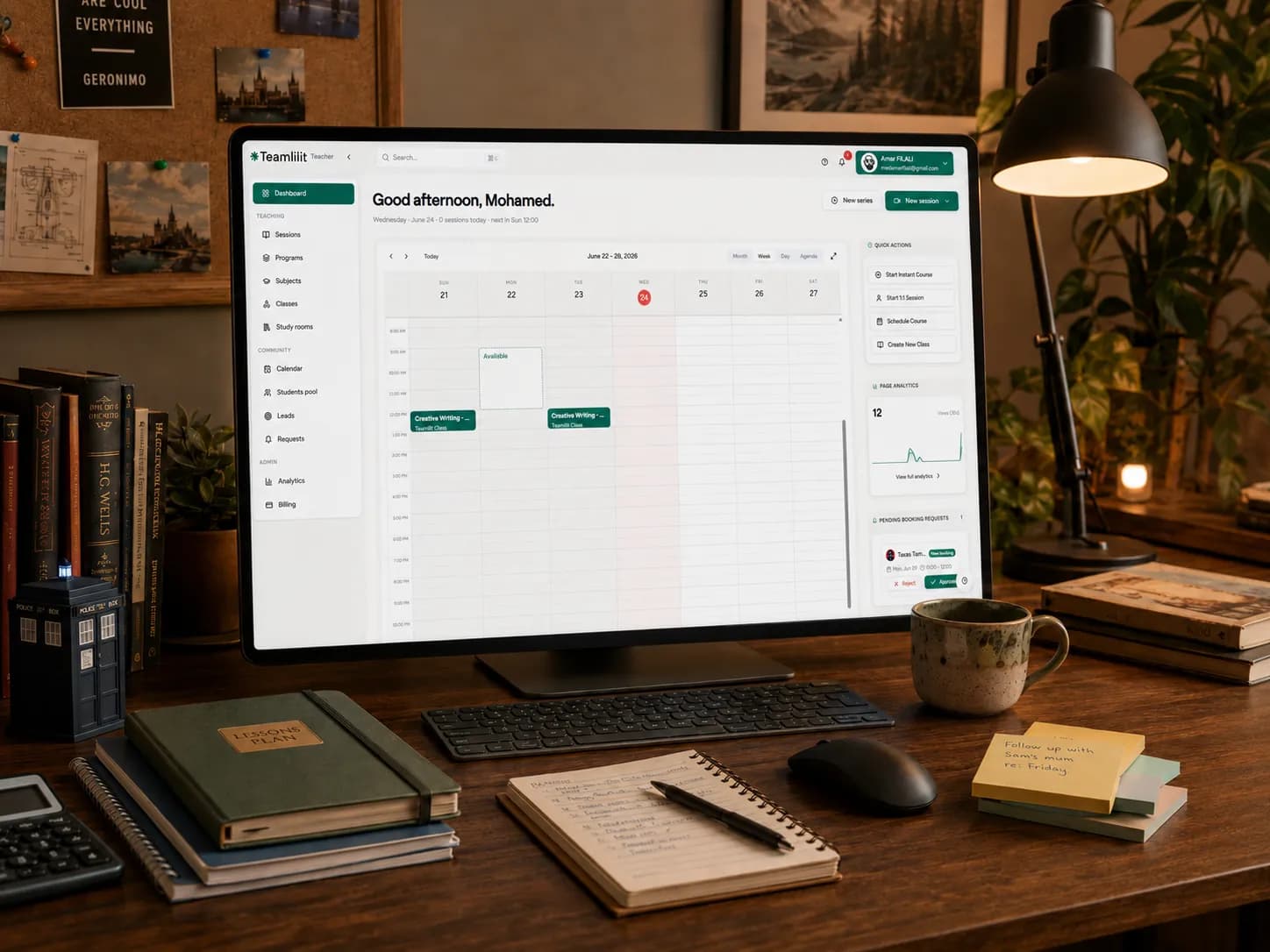
Teamlilit is built for exactly this problem: a single workspace for scheduling, the live classroom, student management, your booking page, reminders and AI summaries. The built-in classroom scales to 100 students depending on the plan, and the promise is explicitly to replace the Zoom + WhatsApp + Google Sheets + Calendly pile with one interface.
Indicative price: from 29 euros per month (Solo plan), 14-day free trial. Best for: independent tutors and small academies who want to stop duct-taping their stack. Limits: a younger product than some big single-category specialists.
TutorBird
Very credible for the business side of tutoring: students, calendar, attendance, invoices, payments, a student portal and a website builder, from $16.95 per month plus $4.95 per additional staff member.
Indicative price: $16.95 per month + $4.95 per extra member. Best for: admin-focused solo tutors. Limits: a native live classroom is not the core promise.
Teachworks, TutorCruncher and Paperbell
Teachworks charges a base subscription ($16.49 per month) plus $0.32 per student lesson: great for the operations of centres with variable volume, though costs get harder to read as you grow. TutorCruncher, a UK-built platform, targets tutoring companies rather than solo tutors, from £25 per month, with a client pipeline and business features for scaling. Paperbell ($57 per month all-inclusive) fits if your work drifts towards coaching and packaged offers, with contracts, a client portal and payments built in.
How to choose your tools
- Start with your teaching model: 1:1, groups, hybrid, asynchronous.
- Decide whether you prefer best-of-breed or all-in-one.
- If you deal with lots of reschedules and no-shows, prioritise scheduling + reminders + upfront payment.
- If you teach visual subjects, prioritise a whiteboard + short recordings.
- If you also sell content, look at course management + checkout + certificates.
- If your scarcest resource is time, AI should first serve preparation, differentiation and summarising, not replace your teaching.
- Always check three things before committing: simplicity for the student, real cost at 6 months, and how many tools you will still have to wire together.
On the money side, our guide on pricing online tutoring fairly pairs well with this one. On the growth side, our playbook of the best marketing for tutors covers the channels that fill the calendar these tools manage.
Compact comparison table
| Tool | Category | Indicative price | Best for |
|---|---|---|---|
| Teamlilit | All-in-one | From 29 euros/month | Solo tutors and small academies |
| Zoom | Video | Free; Pro approx. $14.16/user/month | 1:1 and small groups |
| Google Meet | Video | From $7/user/month annually | Google-centric stacks |
| Miro | Whiteboard | Free; $8/member/month annually | Visual workshops and groups |
| BitPaper | Whiteboard | $15/month tutor plan | Maths, handwritten marking |
| Calendly | Scheduling | Free; $10/seat/month annually | Fast clean booking |
| Cal.com | Scheduling | Free; Teams $12/user/month annually | Technical setups |
| Stripe Payment Links | Payments | From 2.9% + 30 cents | No-code payment links |
| Google Classroom | Course management | No cost (eligible institutions) | Academic tutoring and homework |
| MoodleCloud | Course management | A$230/year for 50 users | Structured academies |
| Wayground | Homework | Free; premium by region | Data-driven interactive homework |
| Edpuzzle | Homework | Free for teachers | Interactive video |
| Loom | Recordings | Free; Business $18/user/month | Video feedback and mini-lessons |
| NotebookLM | AI assistant | Included in Education | Revision from your own sources |
| ChatGPT | AI assistant | Free; paid tiers | Preparation and rephrasing |
| TutorBird | All-in-one | $16.95/month + $4.95/staff | Lightweight tutoring admin |
Frequently asked questions
What is the best tool for online tutors in 2026?
There is no single best tool for everyone: the right choice depends on your workflow and how many students you juggle. For video, Zoom and Google Meet lead; for scheduling, Calendly; for payments, Stripe. Once you are running several lessons, groups, reschedules and invoices, an all-in-one platform usually beats a pile of separate apps. Teamlilit is a strong all-in-one option for independent tutors and small academies, combining scheduling, live classes, attendance tracking, lesson notes and billing in one workspace, so nothing needs copying between tools.
What tools do I need to start tutoring online?
The minimum viable setup covers four jobs: a video call tool, a whiteboard, a booking page and a way to get paid. You can cover all four for free with Google Meet, Canva Whiteboards, Calendly's free plan and Stripe Payment Links, or use one all-in-one tutoring platform that bundles them.
How much does an online tutoring tool stack cost?
You can start at zero with free tiers plus payment transaction fees. A typical established solo stack (Zoom Pro, a tutoring whiteboard and a paid booking tool) runs around $40 per month plus payment fees, and a small academy stack with course management and recording quickly passes $100 per month. All-in-one tutoring platforms bundle the same jobs from around 29 euros per month.
What is the best free tool for online tutors?
No single free tool covers every tutoring workflow. For most online tutors, combine Google Meet, Canva Whiteboards, Calendly, Google Forms and Stripe Payment Links. Teamlilit is a paid all-in-one alternative with a 14-day trial when managing separate apps becomes burdensome.
What can tutors use instead of Zoom, Calendly and Google Sheets?
All-in-one tutoring platforms such as Teamlilit, TutorBird or Teachworks replace the video, booking and spreadsheet pile with one workspace covering scheduling, live lessons, student records, reminders and payments, so nothing needs copying between tools.
Pricing sources
All prices in this guide were checked against the providers' official pages on 11 June 2026, and MoodleCloud's again on 24 October 2026. Verify current pricing for your country before committing: Zoom, Google Workspace, Microsoft Teams, BigBlueButton, Miro, Explain Everything, BitPaper, Canva, Calendly, Cal.com, SimplyBook.me, Stripe, PayPal, Square, Mollie, Google Classroom, MoodleCloud, Teachable, Thinkific, Wayground, Kahoot!, Wooclap, Edpuzzle, Loom, ChatGPT, Claude, NotebookLM, Khanmigo, TutorBird, Teachworks, TutorCruncher and Paperbell.
The bottom line
If you hunt for the best tool in every category, you can build a very capable stack. But if your real pain is the Zoom + WhatsApp + Google Sheets + Calendly pile, plus yet another admin tool on top, then the message is simple: fewer tools, less friction, more time to teach.
That is exactly what Teamlilit offers: scheduling, a live classroom, student management, reminders and AI summaries in one workspace, with a 14-day free trial to see for yourself whether all-in-one fits the way you teach.