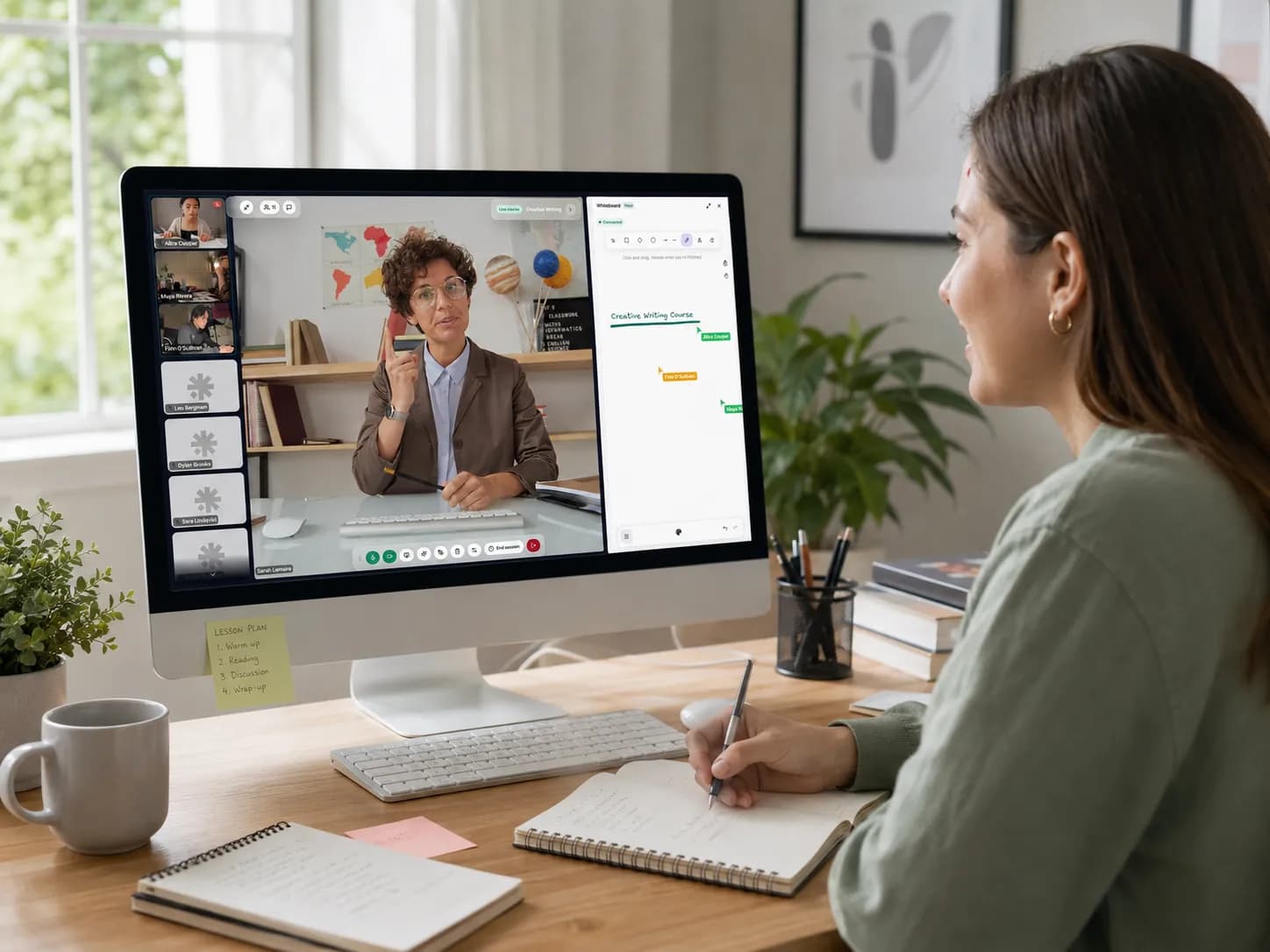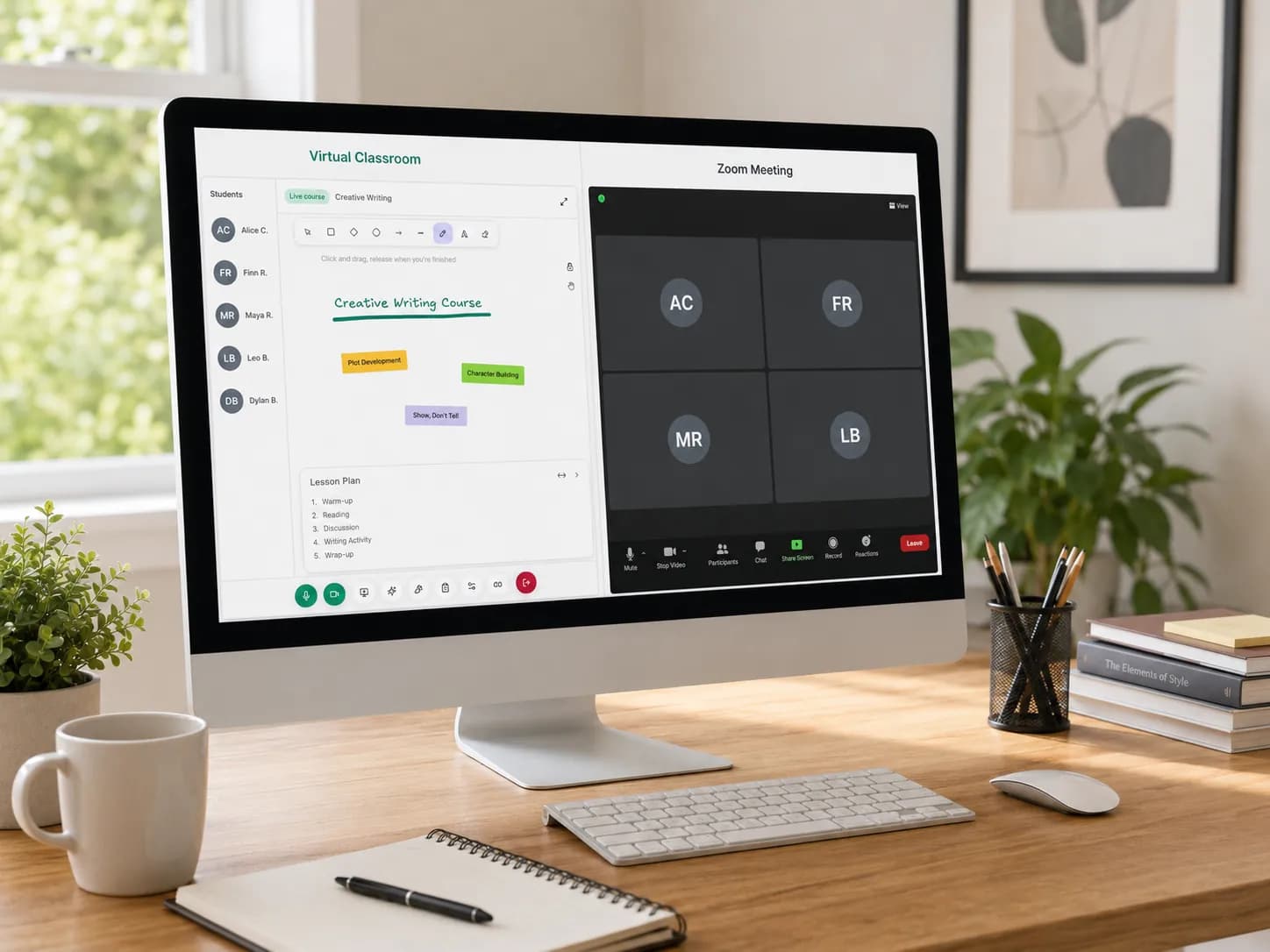
Online tutoring has become normal.
Students are used to joining lessons from home. Parents are used to receiving links. Tutors are used to teaching with a camera, microphone, screen sharing, and digital resources.
For many tutors, Zoom was the easiest starting point.
It is familiar, reliable, and widely understood. Most students know how to join a Zoom call. Most parents have heard of it. For a tutor starting online lessons quickly, that matters.
But as a tutoring business grows, many tutors begin to ask a different question:
Is Zoom enough for online tutoring?
The answer depends on what you need.
If you only need to speak to a student online, Zoom can work well.
But if you need to manage lessons, schedules, students, homework, files, recordings, attendance, payments, and progress over time, a simple video meeting may not be enough.
That is where the difference between Zoom and a virtual classroom for tutors becomes important.
Zoom Is a Meeting Tool. Tutoring Is a Learning Workflow.
Zoom is excellent at what it was designed to do: help people meet online.
It gives tutors a way to speak to students, share a screen, use a camera, create breakout rooms, annotate, record sessions, and use whiteboard-style collaboration.
For live communication, that is useful.
But tutoring is not only live communication.
A tutoring session usually has three parts:
- Before the lesson. The tutor schedules the class, prepares resources, sends the meeting link, checks previous notes, and confirms the student is ready.
- During the lesson. The tutor teaches, explains, shares materials, writes notes, corrects mistakes, answers questions, and keeps the student engaged.
- After the lesson. The tutor sends homework, updates progress, shares recordings, communicates with parents, tracks attendance, and plans the next session.
Zoom mainly supports the middle part: the live meeting.
A virtual classroom for tutors should support the full workflow.
That is the real difference.
What Is a Virtual Classroom for Online Tutoring?
A virtual classroom for online tutoring is not just a video call.
It is a structured online space where tutors can teach, organise learning materials, manage student information, track sessions, and support learning before, during, and after the lesson.
A good virtual classroom may include:
- Live video lessons
- Screen sharing
- Whiteboard tools
- File sharing
- Homework management
- Lesson recordings
- Student notes
- Attendance tracking
- Time tracking
- Scheduling
- Course organisation
- Progress tracking
- Parent or student communication
This matters because tutors do not only need to "meet" students.
They need to manage a learning relationship over time.
A one-off video call is simple.
A tutoring business with ten, twenty, or fifty students is different.
That is when tutors often realise that their real problem is not video quality. Their real problem is organisation.
Why Tutors Start With Zoom
Many tutors start with Zoom for very practical reasons.
It is easy to understand. Students already know it. Parents trust it. The tutor does not need to explain much. A lesson can be started quickly with a meeting link.
For new tutors, this simplicity is valuable. There is no need to build a complicated system before getting the first students.
Zoom can be a good starting point when:
- You teach only a few students
- You do not need structured homework management
- You handle scheduling manually
- You are comfortable using separate tools for files and communication
- You do not need detailed student progress tracking
- You mainly teach one-to-one lessons
- You are still testing your online tutoring offer
In other words, Zoom is useful when the tutoring operation is still simple.
But simplicity can disappear quickly.
Where Zoom Starts to Feel Limited for Tutors
The limitations usually do not appear in the first lesson. They appear after several weeks or months.
At first, the tutor sends a Zoom link manually. Then the tutor adds a Google Calendar event. Then a student asks for homework through WhatsApp. Another student sends work by email. A parent asks what was covered last week. The tutor saves resources in Google Drive. Attendance is tracked in a spreadsheet. Lesson notes are written in a document. Invoices are created separately. Recordings are stored somewhere else.
Suddenly, the tutor is not just teaching. They are managing an improvised system made from many disconnected tools.
Zoom may still work perfectly as a video call. But the tutoring workflow around Zoom becomes messy.
This is the moment when many tutors start searching for virtual classroom software, an online tutoring platform, tutor scheduling software, tutoring timetable management software, or a Zoom alternative for online tutoring.
They are not necessarily unhappy with Zoom as a meeting tool. They are frustrated with everything they have to manage around it. We covered this exact feeling in our guide on why virtual classrooms frustrate tutors.
Virtual Classroom vs Zoom: The Core Difference
The simplest way to understand the difference is this:
Zoom helps you run the call. A virtual classroom helps you run the lesson.
That difference sounds small, but for tutors it is huge.
A call is temporary. A lesson is part of a wider learning journey.
A call starts and ends. A tutoring relationship continues across weeks or months.
A call contains conversation. A lesson contains goals, resources, progress, homework, attendance, feedback, and follow-up.
This is why tutors should not only ask "Can I teach with this tool?" They should also ask "Can I manage my tutoring business with this setup?"
Comparison: Zoom vs a Virtual Classroom for Tutors
| Feature | Zoom | Virtual classroom for tutors |
|---|---|---|
| Live video lessons | Yes | Yes |
| Screen sharing | Yes | Usually yes |
| Whiteboard tools | Yes | Usually designed around teaching |
| Scheduling | Basic meeting scheduling | Often connected to lessons, students, and courses |
| Student profiles | No dedicated tutoring profiles | Usually included or supported |
| Homework management | Not built as a core tutoring workflow | Often included |
| File organisation | Possible, but external or separate | Usually linked to lessons or students |
| Attendance tracking | Mostly manual or external | Often easier to connect to sessions |
| Time tracking | Not tutor-specific | Can support billable lesson time |
| Lesson history | Recordings and meeting history may exist | Usually organised around students and courses |
| Progress tracking | Not built for tutoring | Often part of student management |
| Best for | Meetings and live communication | Teaching workflows and tutoring operations |
The point is not that one is always better than the other. The point is that they solve different problems.
The Hidden Problem: Tool Switching
The biggest issue tutors face is not always the quality of the video call. It is the number of tools they need to keep open.
A tutor might use Zoom for live lessons, WhatsApp for messages, Google Drive for files, Google Calendar for scheduling, Excel for attendance, Notion or Docs for lesson notes, email for parents, and a separate invoice tool for payments.
Each tool may be fine individually. But switching between them creates friction.
The tutor has to remember where everything lives. The student may not know where to find resources. The parent may ask for updates that require searching through notes. The tutor may waste time after every lesson copying information from one place to another.
This is not just annoying. It can reduce the quality of the tutoring experience.
Students do not only pay for knowledge. They pay for structure, clarity, and consistency. When the tutor's system is scattered, the learning experience can feel scattered too.
Why This Matters More as You Grow
For one or two students, manual organisation may be acceptable. For ten students, it becomes tiring. For twenty students, it becomes risky. For a tutoring centre, it becomes a serious operational problem.
The more students you teach, the more important it becomes to manage who has a lesson today, which student attended, how long the lesson lasted, what was covered, what homework was assigned, which files were shared, which sessions were recorded, which students need follow-up, and which lessons need rescheduling.
This is where a virtual classroom connected to an online tutoring platform can become valuable. It reduces the gap between teaching and administration.
Instead of asking tutors to manage everything manually, the system keeps the learning workflow organised.
When Zoom Is Enough for Online Tutoring
Zoom may be enough if your tutoring setup is simple.
For example, Zoom can work well if:
- You teach a small number of students
- You only need live video calls
- You do not assign much homework
- You do not need detailed student records
- You are not managing a team of tutors
- You are comfortable using other tools for scheduling and files
- Your students are already organised
In this case, there is no need to overcomplicate your setup. A tutor should not buy tools just for the sake of tools.
The right question is not "Is Zoom good or bad?" The better question is "Is my current system helping me teach better, or is it creating admin work?"
If Zoom plus a few simple tools is working for you, that is fine. But if your tutoring business is becoming harder to manage, it may be time to rethink the setup.
When Tutors Should Consider a Virtual Classroom Instead of Zoom
A tutor should consider a dedicated virtual classroom or online tutoring platform when the admin work starts affecting the teaching experience.
Here are common signs.
1. You Keep Sending Links Manually
If every lesson requires manually sending or resending a meeting link, your process is fragile. Students may lose the link. Parents may ask for it again. You may send the wrong link. Recurring lessons may become confusing.
A better system connects the scheduled lesson with the online classroom automatically, or makes the lesson location easy to find.
2. Your Timetable Lives in a Spreadsheet
Many tutors start with a spreadsheet. That is normal. But spreadsheets are not ideal for running an active tutoring timetable. They do not automatically connect to students, courses, lesson rooms, attendance, recordings, or homework.
If your timetable is becoming difficult to maintain, you may need manage your tutoring timetable that is connected to the rest of your tutoring workflow. Our guide on how to create a tutoring timetable walks through the whole process.
3. Homework Gets Lost in Messages
If students receive homework through WhatsApp, email, PDFs, screenshots, and random links, the process becomes hard to follow. Students forget what to do. Parents ask where the homework is. Tutors spend time resending materials.
A virtual classroom for tutors should make homework and resources easier to organise. The student should know where to find what they need. The tutor should know what was assigned.
4. You Cannot Easily Track Student Progress
Tutoring is personal. A tutor needs to remember what each student struggles with, what they improved, what was covered last time, and what should happen next.
If progress notes are scattered across notebooks, documents, chats, and memory, the tutor eventually loses clarity. A strong online tutoring platform should help connect notes and progress to the student record. That makes each lesson feel more prepared and professional.
5. Recordings Are Hard to Manage
Recordings can be very useful. Students can review difficult explanations. Parents can see what happened. Tutors can revisit lessons.
But recordings need organisation. If recordings are stored separately, named manually, or difficult to find later, they become another admin problem. A better virtual classroom setup should connect recordings to the right lesson or course.
6. Attendance and Time Tracking Are Manual
Tutors often need attendance records for billing, parent updates, package tracking, or internal organisation. If attendance and time tracking are manual, mistakes happen. A student may attend late. A session may run longer than planned. A package may have remaining hours that need tracking.
For tutors charging by the hour, tutor time tracking software can make the business side clearer. For tutoring centres, it can make reporting and operations more reliable.
7. Your Student Experience Feels Less Professional Than Your Teaching
This one is important. A tutor can be excellent at teaching but still look disorganised because of the tools around them.
Students and parents notice when links are hard to find, homework is unclear, lessons are not structured, follow-up is inconsistent, materials are scattered, and progress is not visible.
A better virtual classroom does not replace good teaching. It helps good teaching look and feel more professional.
Is a Virtual Classroom a Zoom Alternative?
Sometimes yes, sometimes no.
A virtual classroom can be a Zoom alternative if it includes live video lessons and teaching tools. But the better way to think about it is this: a virtual classroom is not only an alternative to Zoom. It is an alternative to the entire messy workflow around Zoom.
It replaces or reduces the need for a separate meeting tool, a separate timetable spreadsheet, a separate homework system, a separate file folder, a separate attendance tracker, a separate lesson notes document, and a separate recording organisation process.
That is why tutors searching for a Zoom alternative for online tutoring are often not only looking for video. They are looking for a smoother teaching system.
What Tutors Should Look for in a Virtual Classroom Platform
Choosing a virtual classroom is not just about choosing the tool with the most features. The best platform is the one that removes friction from your day. Here are the key areas to evaluate.
1. Ease of Use
A virtual classroom should be simple for both tutor and student. If students need long instructions just to join a lesson, adoption becomes harder.
The best setup feels obvious. The tutor should be able to start a lesson quickly. The student should know where to go. Parents should not need to become technical support.
2. Teaching Tools
A tutor may need more than video. Useful teaching tools can include screen sharing, whiteboard, file uploads, annotations, shared documents, lesson materials, recording, chat, and student interaction tools.
The right tools depend on the subject. A maths tutor may need a whiteboard. A language tutor may need conversation notes, documents, and audio practice. A programming tutor may need screen sharing and file examples.
A good virtual classroom should support real teaching, not only talking. You can see what that looks like in practice on our live classroom feature page.
3. Scheduling and Timetable Management
Scheduling is one of the most important parts of tutoring operations. Look for a system that helps manage one-to-one lessons, group lessons, recurring sessions, rescheduling, upcoming classes, tutor availability, and student attendance.
For tutoring centres, scheduling becomes even more important because multiple tutors and students may need to be coordinated. This is where a virtual classroom connected to tutor scheduling software becomes much more powerful than a standalone meeting link.
4. Student Management
A tutor should be able to understand each student at a glance. Useful student management features may include student profiles, course enrolment, notes, progress history, homework records, attendance, and session history.
This helps tutors prepare better lessons and provide a more consistent experience.
5. Homework and Resources
Homework should not disappear inside old chat messages. Resources should be easy to find.
A good online classroom setup should allow tutors to keep files, assignments, and materials connected to the right lesson or student. This helps students stay organised and reduces repeated admin work.
6. Recordings and Lesson History
Recordings are more useful when they are connected to the learning context. A recording titled "Lesson 14" is less useful than a recording connected to a specific student, course, date, and topic.
Tutors should look for a setup that makes lesson history easy to access.
7. Attendance and Time Tracking
If you bill by the hour, sell packages, or manage several students, time tracking matters. Attendance tracking also helps tutors understand consistency and follow up with students or parents.
This is especially important for tutoring centres and professional tutors who want clearer records.
8. Professional Student Experience
A strong virtual classroom should make the tutor look organised. That does not mean the platform should be complicated. It means the student journey should feel clear: here is your lesson, here are your resources, here is your homework, here is your recording, and here is what we are working on next.
That kind of clarity builds trust.
Virtual Classroom vs Zoom: Which One Should You Choose?
There is no universal answer.
Choose Zoom if:
- You only need video calls
- You are just starting out
- You have a small number of students
- Your current process is simple
- You do not need integrated homework, attendance, or progress tracking
Choose a virtual classroom or online tutoring platform if:
- You are tired of switching between tools
- You want lessons, students, files, and schedules in one place
- You need better tutor timetable management
- You assign homework regularly
- You want organised lesson recordings
- You track attendance or teaching time
- You want a more professional student experience
- You manage group lessons or a tutoring centre
The decision is not about choosing the most famous tool. It is about choosing the tool that fits the way you teach. If you are weighing several options side by side, our roundup of the best tools for online tutors in 2026 compares the trade-offs.
The Real Question: Are You Managing Lessons or Managing Chaos?
Many tutors do not realise how much time they lose to admin. A few minutes here. A missed message there. A file sent twice. A timetable update. A link resent. A recording renamed. A parent update written manually.
One task does not feel like much. But together, they create a heavy workload. This is why tutors often feel busy even when they are not teaching.
The goal of a virtual classroom is not to add more technology to your life. The goal is to reduce unnecessary admin so you can focus on teaching. A good online tutoring platform should make the tutor feel more in control, not more overwhelmed.
How Teamlilit Fits Into This
Teamlilit is built for tutors who want more structure than a simple meeting link.
Instead of managing online lessons across video calls, spreadsheets, file folders, and messaging apps, Teamlilit helps tutors bring the tutoring workflow into one place. Tutors can manage online classes, students, schedules, files, recordings, homework, and learning follow-up more clearly.
It is designed for tutors who want their virtual classroom to be connected to the rest of their teaching business. That matters because online tutoring is not only about running a call. It is about creating a consistent learning experience.
If your current setup feels scattered, Teamlilit can help you move towards a more organised way of teaching online. For a closer look at the live class itself, see our virtual classroom for tutors.
Final Thoughts
Zoom is useful. It is familiar, reliable, and practical for online meetings. For many tutors, it is a good starting point.
But online tutoring is more than a meeting. Tutors need to schedule lessons, organise students, share resources, assign homework, track progress, manage attendance, record sessions, and communicate clearly. When all of that happens across disconnected tools, the tutor's workload increases.
A virtual classroom for tutors should make online teaching feel simpler, not heavier.
So the question is not "Is Zoom bad for tutoring?" The better question is "Has my tutoring business outgrown a basic meeting tool?"
If the answer is yes, it may be time to consider a virtual classroom or online tutoring platform designed around the full tutoring workflow. Because students do not only remember the call. They remember the learning experience. And tutors deserve tools that help them deliver that experience with less friction.
Frequently asked questions
Is Zoom good for online tutoring?
Yes, Zoom can work well for online tutoring, especially for simple one-to-one video lessons. It is familiar, easy to join, and useful for live communication. However, tutors who need scheduling, homework, attendance, time tracking, recordings, and student progress management may eventually need a more complete virtual classroom or online tutoring platform.
What is the difference between Zoom and a virtual classroom?
Zoom is mainly a video meeting tool. A virtual classroom for tutors is usually designed to support the wider teaching workflow, including live lessons, files, homework, student progress, attendance, recordings, and scheduling.
Do tutors need a virtual classroom?
Not every tutor needs a virtual classroom immediately. A tutor with only a few students may be fine using Zoom and simple tools. But tutors with more students, recurring lessons, homework, recordings, and admin tasks may benefit from a more organised virtual classroom setup.
What is the best Zoom alternative for online tutoring?
The best Zoom alternative for online tutoring depends on your needs. If you only need video calls, many meeting tools can work. If you need lesson scheduling, student management, homework, recordings, attendance, and tutoring workflows, look for an online tutoring platform built specifically for tutors.
Can a virtual classroom help reduce tutor admin work?
Yes. A good virtual classroom can reduce admin work by connecting lessons, schedules, students, resources, homework, recordings, and attendance in one place. This helps tutors avoid switching between too many disconnected tools.
Should tutoring centres use Zoom or virtual classroom software?
Tutoring centres may need more than Zoom because they often manage multiple tutors, students, timetables, courses, attendance records, and lesson histories. A virtual classroom connected to tutoring centre software can make operations easier to manage.
What features should tutors look for in online classroom software?
Tutors should look for live video, screen sharing, whiteboard tools, file sharing, homework support, student profiles, scheduling, attendance tracking, time tracking, recordings, and progress notes. The most important feature is not having everything possible, but having the right tools connected in one simple workflow.