Ask a group of tutors where their unpaid hours go and the answer is rarely teaching. It is preparation: rebuilding lesson outlines, rewriting practice questions, drafting parent updates and tidying records, week after week, for every student on the roster.
That prep time is the most common unbillable workflow in tutoring. Which is why the feature Anthropic shipped in late July 2026 deserves more attention than the headline it arrived under.
What Anthropic actually launched
In late July 2026, Anthropic added a feature called Record a skill to the Claude desktop app. Search Engine Journal covered it under the headline "Claude can now watch a video and learn your job", and that framing spread quickly.
The reality is more specific, and for tutors more useful. You open the + menu in the Claude desktop app (the feature sits inside its Cowork workspace), choose Record a skill, and record your screen while you work through a task, explaining what you are doing as you go. Claude turns the recording and your narration into a skill it can run again on request. At launch it is available on Claude's paid Pro, Max and Team plans.
Three clarifications before the workflows, because the headline invites wrong assumptions:
- It learns from your screen recording, not from the internet's videos. You cannot point it at a YouTube masterclass and receive a lesson plan. What it captures is your own workflow: where you click, what you type and the reasoning you narrate.
- It automates process, not judgement. Claude can repeat the steps of your prep routine. It does not know your students, and it cannot verify that a generated question is accurate or appropriate. That part stays your job.
- It is not part of your tutoring platform. This is a standalone Anthropic feature. Nothing in your scheduling or student records is connected to it unless you deliberately put content in front of it.
If the pattern sounds familiar, OpenAI shipped a similar screen-recording feature for ChatGPT in June. Coverage notes that OpenAI's version is currently Mac-only and unavailable in parts of Europe and the UK, which may make Claude's release the more accessible version of the idea for many UK and European tutors.
Why a prep recorder matters for billable hours
The economics are blunt. Prep is real work, but almost nobody bills for it. Every hour you spend rebuilding a worksheet is an hour you cannot teach, and it never appears on an invoice.
Most tutors cannot charge their way out of that, because the market expects preparation to be included in the lesson price. The realistic lever is reducing the hours prep takes while keeping the quality. If a recorded skill turns a 45-minute weekly routine into a 10-minute review-and-personalise pass, that time goes back into teaching, marketing or your evening. Our guide on how to track billable hours covers the measuring side. This article is about shrinking the unbillable side.
Workflow 1: teach Claude your weekly lesson prep routine
This is the flagship use, because it targets the most repeated task in a tutor's week.
Step 1: pick one routine, not your whole job
Choose a prep routine you repeat with minor variations, for example the weekly outline for a continuing GCSE maths student. Recorded skills work best on tasks with a stable shape and changing inputs.
Step 2: record it once, narrating your decisions
Open Record a skill and prep one lesson exactly as you normally would. The narration is the important part. Do not just describe clicks; state your rules out loud:
I always start with a five-minute retrieval task built from last week's mistakes. Then one worked example, then four practice questions that get harder, then a two-minute recap the student can reread before the next session. The whole plan fits on one page.
You are effectively dictating your quality standards. The clearer the rules, the better the skill.
Step 3: run the skill with an anonymous context card
The following week, run the skill and give it the new inputs: the topic, the level and a short anonymous description of where the student is. The context-card habit from our new Gemini models for tutors guide applies unchanged here: subject, level, objective, the misconception you observed, preferred question format, and no names, schools or personal details.
Step 4: review, personalise, file
Read every line. Fix anything wrong or generic, add one detail from your own teaching (last week's actual error, a familiar analogy), then store the finished plan with your lesson notes so it stays attached to the student and the session rather than living in an AI chat.
Workflow 2: turn post-lesson notes into parent updates
Parent updates are short, repetitive and easy to postpone, which makes them ideal recording material.
Record yourself writing one good update: open your anonymised note for the session, pull out what was covered, what improved and what comes next, and write the three-sentence message in your usual warm tone. Narrate the rules you follow, such as always leading with a positive observation and always naming one concrete next step.
From then on, the skill drafts each update from that lesson's anonymised notes, and you spend one minute reviewing instead of ten composing. Two cautions:
- Keep names and identifying details out of anything you show Claude. Draft around placeholders and add the personal details afterwards, inside your own records.
- Read every draft before it goes anywhere near a parent. One wrong claim in a parent message costs more trust than the ten minutes you saved.
Workflow 3: practice sheets in your house style
Generic AI worksheets fail for a predictable reason: the model does not know your standards. A recorded skill closes part of that gap, because your standards are exactly what you narrate.
Record yourself building one practice sheet from your own materials: how you order questions from scaffolded to independent, how you write the answer key, how you flag the deliberate challenge question at the end. Then reuse the skill topic by topic.
Keep the checking discipline that applies to any AI-generated resource: solve every question yourself, confirm the answer key matches, and check that the difficulty rises for the right reason. A polished-looking sheet with one wrong answer is worse than no sheet.
Workflow 4: the admin you redo every week
Prep is not the only repeated workflow worth recording. Consider the admin you rebuild from scratch:
- Record tidy-ups. The end-of-day pass where scribbled session notes become structured lesson records.
- Policy messages. The message you send when a late cancellation needs charging. Record how you write one calm, factual version that references your cancellation policy, and let the skill draft the next one so the wording stays consistent instead of emotional.
- Month-end billing prep. The summary you assemble before you invoice tutoring students: which lessons happened, which no-shows are chargeable and which packages ran out.
None of this is glamorous, which is precisely why the drafting of it is worth automating.
What if you actually want AI to work from a video?
If the headline drew you here because you want to hand AI an existing video, use the tool built for that instead.
- To summarise lessons and research quickly, NotebookLM accepts documents and YouTube links as sources and produces grounded summaries you can check against the original.
- To go the other direction and turn study notes into engaging videos for revision, NotebookLM's video overviews handle that.
The division of labour is clean: NotebookLM works from material you give it, and Claude's Record a skill works from workflows you demonstrate.
Before you hit record: privacy and accuracy
A screen recording captures everything on the screen, and for tutors that can include student names, parent emails and progress records. Treat the recording like a document you are handing to a third party.
- Close student records, inboxes and messaging apps before recording.
- Demonstrate the workflow with an anonymised example, not a real student's file.
- Never record a live lesson, a student's face or a named piece of work into an external AI tool.
- Review every output for accuracy before a student or parent sees it.
- Add personal details only afterwards, inside your own controlled records, and store the final version there.
Tutors working with UK students can borrow the principle the Department for Education applies to generative AI in schools: generate generic material externally, then personalise it inside a controlled environment. If you work for a school, agency or centre, its AI and data-protection policies take priority.
Where Teamlilit fits into the workflow
Teamlilit does not integrate with Claude's Record a skill, and this guide is not claiming otherwise. The combination is the point.
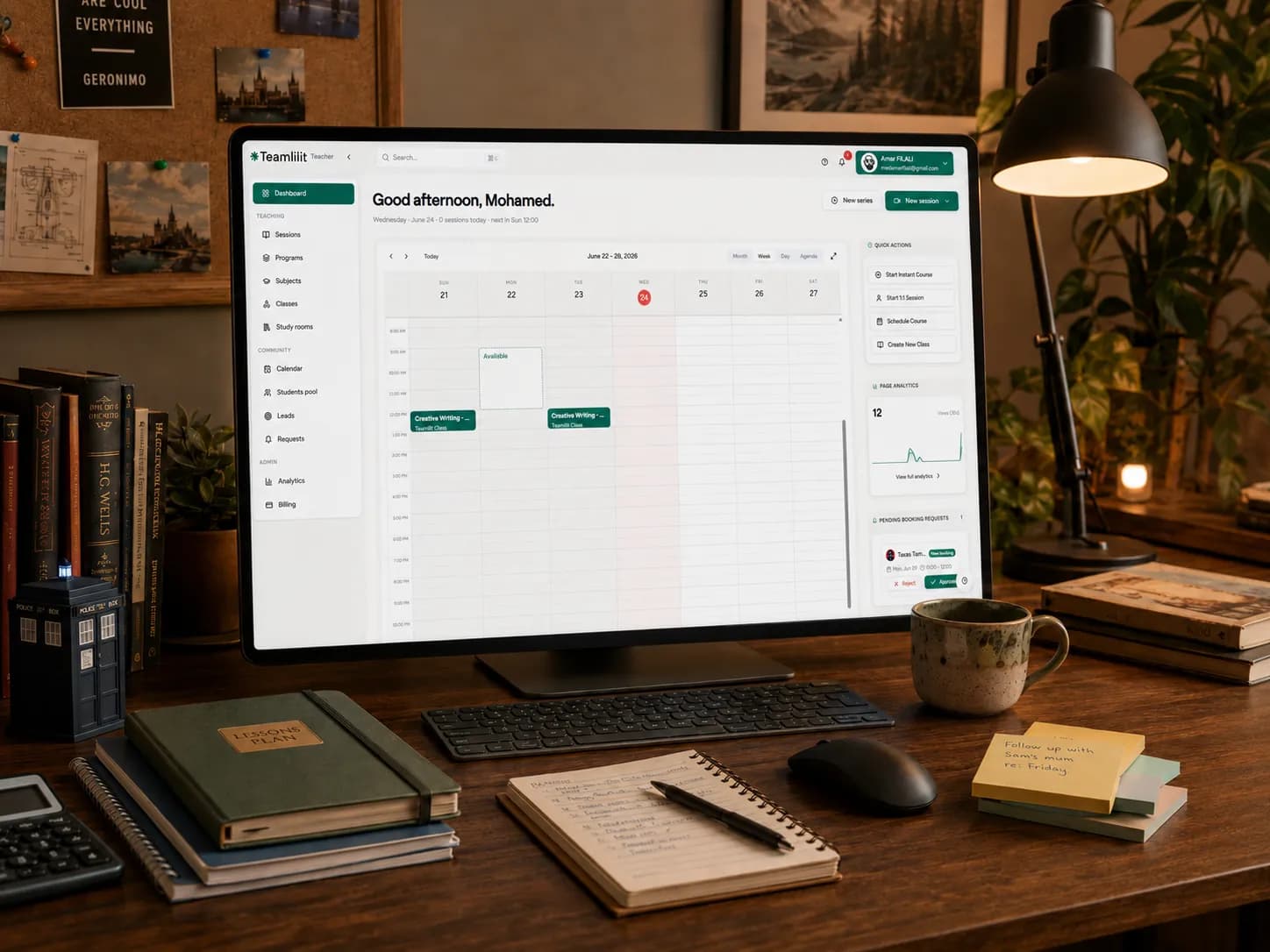
Claude drafts fast because it learned your routine. Teamlilit is where the reviewed result becomes part of a professional teaching operation: the plan sits on the right lesson, the practice sheet is shared with the right student, attendance and lesson time are recorded, and the session ends up on a clean invoice. That whole cycle is what our tutoring management software handles, and its AI lesson summaries can give you the anonymised starting material your next recorded skill runs on.
Create with AI. Review like a teacher. Manage and bill in one system. The model will change again next quarter; the system around it is what compounds.
A 15-minute test you can run today
- Minutes 1 to 3: pick one routine. The weekly outline for one continuing student is the safest start.
- Minutes 4 to 10: record it once. Close student records first, then work through the routine with an anonymised example, narrating your rules as you go.
- Minutes 11 to 13: run the skill. Give it next week's topic and a fresh anonymous context card.
- Minutes 14 to 15: review and file. Correct the draft like a marker, personalise one detail, and store it with the lesson record.
If the draft saves you even twenty minutes next week, the recording paid for itself on day one. If it does not, you lost fifteen minutes and learned the feature is not ready for your subject yet. Both are useful answers.
Frequently asked questions
Is Claude's video feature built into Teamlilit?
No. Record a skill is part of Anthropic's Claude desktop app and is completely separate from Teamlilit. The workflow in this guide is a combination: create draft materials with Claude, review them carefully, then use Teamlilit to store, deliver and bill the lessons they support. Teamlilit does not send your student records to Claude.
What can tutors actually create with Claude's new video feature?
Reusable skills for repeatable preparation and admin work: lesson outline drafts in your usual format, practice sheets in your house style, parent update drafts from anonymised lesson notes and tidy lesson records. You record yourself doing the task once, narrating as you go, and Claude turns the recording into a skill it can run again.
Can Claude watch a YouTube video and turn it into a lesson plan?
That is not what this feature does. Record a skill learns from a screen recording you make of your own workflow, not from arbitrary online videos. If you want AI that works from existing videos or study material, tools like NotebookLM are designed for that job, and the same review and privacy rules apply.
Do I need a paid Claude plan to use Record a skill?
Yes. At launch the feature is available through the Claude desktop app on the paid Pro, Max and Team plans. If you are not ready to pay for an AI subscription, prompt-based workflows with free tools can still save meaningful preparation time.
How do I keep AI-generated lesson materials accurate and personalised?
Treat every AI output as a first draft. Check facts, questions and answers yourself, adapt the difficulty to the student's level and goals, and add your own examples and teaching voice. Then store the final reviewed version with the lesson or student record, so the version you actually taught is the one on file.
The headline said Claude can watch a video and learn your job. The accurate version is narrower and better: it can learn the repetitive parts of your job that were never worth your evenings in the first place.
Record one routine. Review everything. Keep student data out of the recording, and keep the finished material where your teaching actually happens.
Start your free Teamlilit trial and keep lesson plans, resources, attendance and billing connected in one tutoring workspace.
Sources
- Anthropic's Claude Can Now Watch A Video And Learn Your Job - Search Engine Journal. Report on the Record a skill launch, plan availability and the comparison with OpenAI's Record and Replay.
- Anthropic Adds Screen-recorded Teaching Feature To Claude AI - Dataconomy. Details on how recorded workflows become reusable skills.
- Forget prompts: Claude can now learn your workflow by watching your screen - Android Authority. Coverage of the desktop app rollout and the + menu entry point.