TL;DR: A tutoring timetable turns scattered lessons into a balanced week instead of a Sunday-night reconstruction. List each student's goal, set session lengths that fit your energy, place high-focus subjects early, and protect buffer time. With Teamlilit's availability management, tutors publish bookable hours and adjust the week in seconds instead of wrestling with spreadsheets.
Most tutors don't have a timetable. They have a pile of WhatsApp messages, a Google Calendar with half the lessons missing, and a memory that works until it doesn't. Every Sunday night becomes a reconstruction project: who's coming this week, at what time, and did Sara's mum ever confirm the reschedule?
A real tutoring timetable fixes this, and building one takes about an hour. Here's how to do it properly, whether you're a solo tutor with five students or a centre coordinating ten groups across three tutors.
Step 1: Lock in your recurring sessions first
Recurring lessons are the skeleton of every tutoring timetable. Most of your students come at the same time every week, so stop recreating those sessions manually.
List every student or group with a fixed weekly slot and place them on the timetable first. These blocks shouldn't move, and you shouldn't have to think about them again. If you're using software, set them up as recurring sessions once; if you're on a spreadsheet, mark them as fixed and shade them differently from one-off bookings. Not sure which app should take the bookings in the first place? Our tutoring appointment app comparison ranks the options for solo tutors and small teams.
A common mistake is treating every week as a blank page. Tutors who rebuild their schedule weekly spend 2-3 hours on coordination that a recurring setup does in zero.
Step 2: Define your bookable hours and protect everything else
Decide when you're available for new lessons, and make that window explicit. Maybe it's Tuesday and Thursday 16:00 to 20:00 and Saturday mornings. Everything outside that window is closed: that's your time for lesson prep, admin, and your actual life.
This single decision eliminates most scheduling chaos, because chaos comes from being theoretically available all the time. When a parent asks "can you do Sunday at 21:30?", the answer stops being a negotiation and becomes a policy.
If your platform supports student self-booking, this is where it pays off: publish your bookable hours, and students fill them without a single back-and-forth message. The timetable fills itself, but only inside the boundaries you set.
Step 3: Add buffer time between sessions
Back-to-back lessons look efficient on paper and fail in practice. A lesson runs five minutes over, a student joins late, you need two minutes to pull up the next group's materials, and suddenly you're 15 minutes behind for the rest of the evening.
Build 10-15 minute buffers between sessions. For online tutoring, buffers also absorb the small technical frictions: checking the classroom is ready, reviewing your notes from the student's last session, loading the worksheet.
Step 4: Put group sessions at anchor times
Group classes are the hardest blocks to move; five families have organised around that slot. Treat them as anchors: fixed, prominent, and scheduled at the times that work for the majority (typically right after school or early evening).
Then arrange your flexible 1:1 sessions around them. Never do it the other way around; rescheduling a group is ten conversations, rescheduling a 1:1 is one.
Exam-prep cohorts are the classic case of anchored groups. If you tutor for grammar school entrance exams, our 11+ exam season playbook maps the whole 90-day run-up, mock exam Saturdays included, onto exactly this kind of timetable.
Step 5: Decide your reschedule policy before you need it
Reschedules are where timetables die. Without a policy, every cancellation turns into a negotiation, and your week dissolves into exceptions.
Decide now:
- How much notice does a student need to give? (24 hours is standard)
- Do late cancellations get a make-up lesson, or is the session counted?
- Where do make-up lessons go: a dedicated weekly slot, or your bookable hours?
Write it down, tell every student once, and apply it the same way every time. A reschedule policy isn't strictness; it's what makes the rest of the timetable trustworthy.
Step 6: Track what actually happened, not just what was planned
A timetable tells you what should happen. Attendance and time tracking tell you what did. Per student, you want to know: how many sessions they've attended, how many they've missed, and how much lesson time they've received.
This matters for three reasons: parents ask ("how many lessons has he actually had this month?"), billing depends on it if you sell hour packages, and patterns of absence are the earliest signal that a student is about to drop out. Knowing the hours is half the billing question; what each hour should cost is the other half, and our guide to online tutoring rates 2026 benchmarks that by region and level. For the billing side itself, packages, invoices, and payment tracking, see our guide to tutor billing and CRM.
If you're tracking this in a notebook, it works until you have more than a handful of students. Past that point, you want attendance recorded automatically when sessions happen. That is exactly what software that tracks hours per student does: every session records attendance and per-student lesson time as it runs, so the billing numbers are already there when you need them. Once they are, turning them into a bill is the next step: our guide on how to create professional invoices walks through the required elements, numbering, and payment terms.
Step 7: Review the timetable monthly, not weekly
Weekly tinkering is how timetables stay fragile. Instead, do a monthly review: which slots consistently no-show? Which evenings are overloaded? Is a group outgrowing its time? Adjust once a month, communicate the changes once, and let the timetable run. If certain slots keep emptying out, our guide on how to reduce last-minute cancellations covers the reminders, policies, and upfront-payment habits that keep them filled.
What each timetable entry should contain
The seven steps decide the shape of the week. What goes inside each block decides whether the timetable is still useful in three months. A slot that says "17:00 Maths" sends you back to your messages to work out who it's for.
Every entry should carry:
- Student or group name. "Sarah" or "GCSE Maths Group A", never just the subject.
- Subject and level. "A-Level Physics" prepares you differently from "KS2 Maths".
- Start and end time, so duration is visible without arithmetic.
- Lesson type. Online, in-person, 1:1, or group.
- Hourly rate. Per-student rates vary (£25 for KS3, £40 for A-Level prep), and the rate on the slot is what makes the week's income readable at a glance.
- Status. Confirmed, rescheduled, cancelled, or no-show.
Rate and status are the two most commonly left off, and they're the two that turn a timetable into something you can bill and forecast from. A week with rates attached tells you what it's worth before you teach it. A week with statuses tells you what actually happened after.
This is also the point where a static grid starts to strain: you can maintain status by hand in a spreadsheet, but nothing updates it for you when a lesson moves.
Free tutoring timetable example
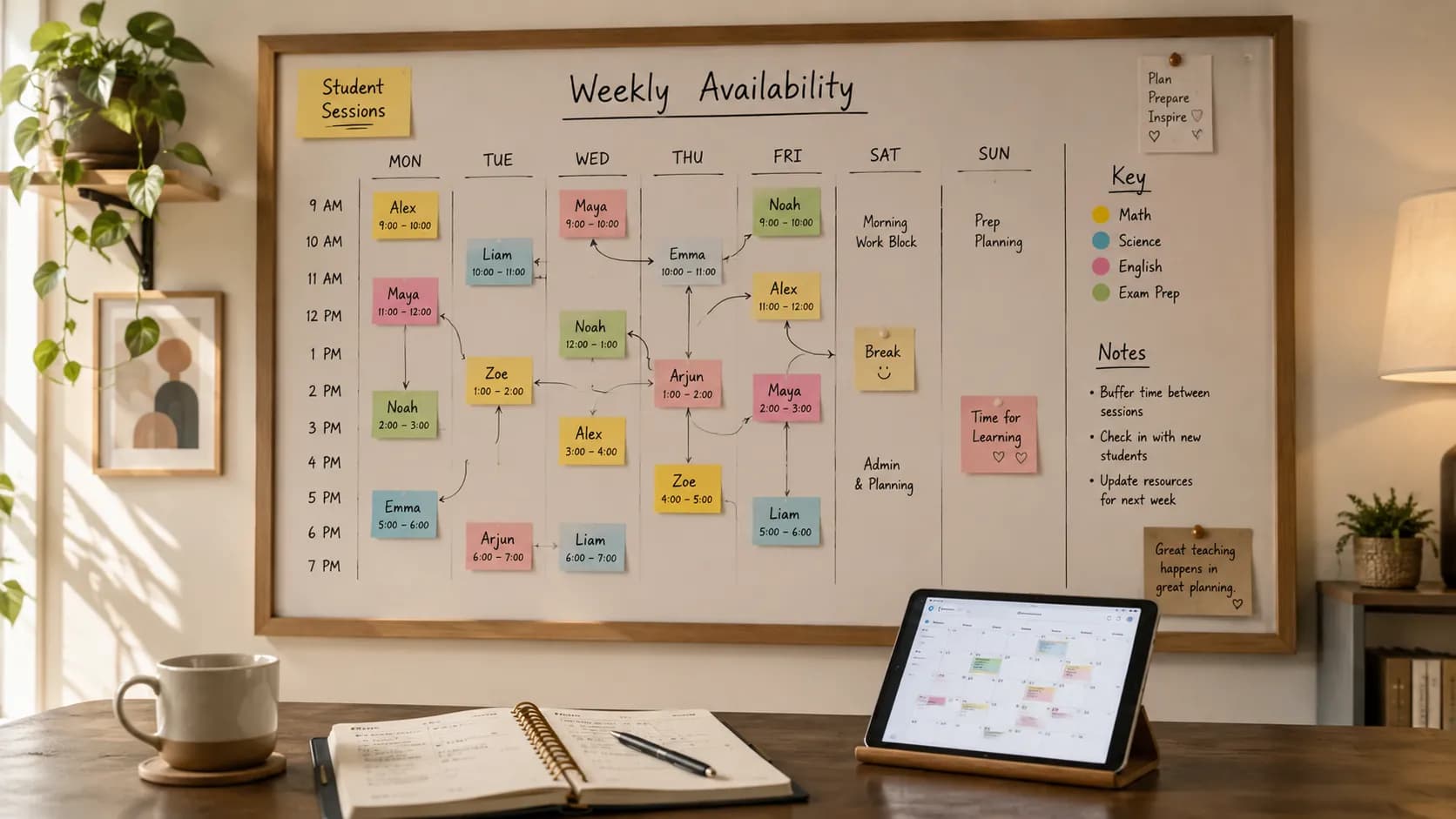
Theory is easier to follow with a real week in front of you. Here's a filled-in example for a part-time tutor running 1:1 lessons and one group, with recurring sessions as the skeleton and a couple of open slots for self-booking.
| Time | Mon | Tue | Wed | Thu | Sat |
|---|---|---|---|---|---|
| 16:00 | - | Emma (Maths, 1:1) | - | Liam (English, 1:1) | GCSE group (Maths) |
| 16:15 buffer | |||||
| 17:00 | - | Open slot | - | Open slot | Aisha (Maths, 1:1) |
| 17:15 buffer | |||||
| 18:00 | Sofia (Physics, 1:1) | IELTS group | - | IELTS group | - |
| 19:00 | Open slot | - | - | - | - |
A few things to notice in this tutoring timetable example: recurring 1:1s and the two groups are fixed and never move, buffers sit between every back-to-back block, and only a handful of slots are left open for new bookings. Tuesday and Thursday evenings are the "bookable hours"; Monday and Saturday are mostly locked. The whole week was built once and now repeats.
Weekly tutoring timetable template
Want to build your own? Start from this blank weekly tutoring timetable template. Copy it into a spreadsheet, or use it as the plan you then set up as recurring sessions in your scheduling tool.
| Time | Mon | Tue | Wed | Thu | Fri | Sat | Sun |
|---|---|---|---|---|---|---|---|
| 15:00 | |||||||
| 16:00 | |||||||
| 17:00 | |||||||
| 18:00 | |||||||
| 19:00 | |||||||
| 20:00 |
How to use the template:
- Fill recurring sessions first in one colour. These are your fixed weekly lessons and groups.
- Shade your bookable hours in a second colour. These are the only slots students can book into.
- Block everything else so it reads as closed: prep, admin, and time off.
- Leave 10-15 minutes between blocks as buffer rows, exactly like the example above.
When an Excel timetable template is still enough
A spreadsheet version of this grid is genuinely fine for a while. Excel or Google Sheets holds a small roster, exports to PDF for printing, and costs nothing. It works while you have a handful of students, your times rarely change, and you don't need reminders, self-booking, or attendance records.
What Excel can't do is react. If a student cancels, the sheet doesn't tell anyone. If a parent wants a new slot, it doesn't show your live availability. If someone misses a lesson, the no-show only exists if you remember to type it in. The grid stores information; it doesn't run the week.
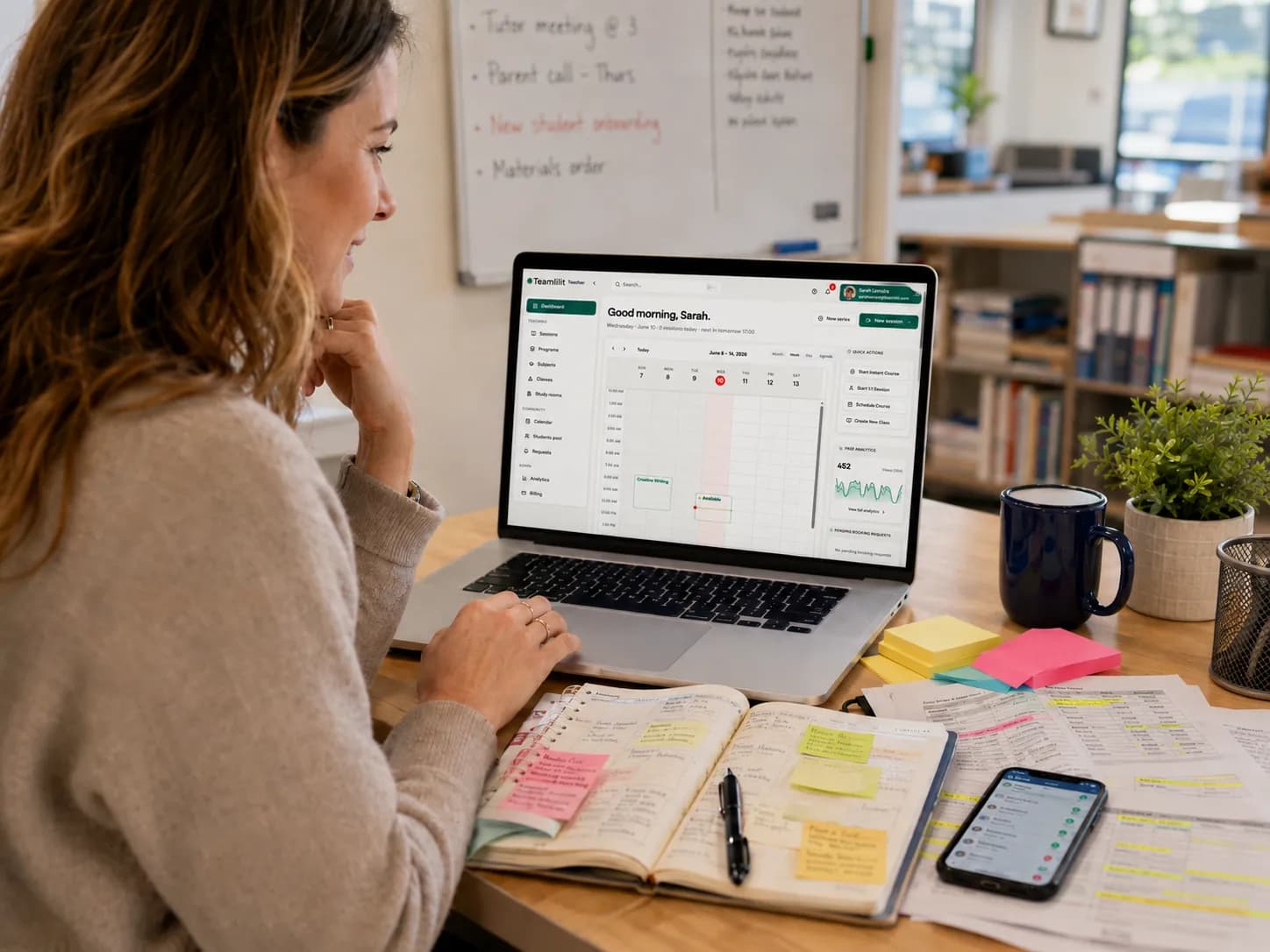
Once your timetable exists, the next step is keeping it running. If you now need recurring lessons, attendance, student self-booking and reschedules to stay connected, tutor timetable software can run the week you have planned. Set up your standing lessons in Teamlilit once, with the right students assigned; each lesson keeps its attendance, taught hours and reschedule history together, ready for invoicing.
If you're weighing the paid options against each other first, our UK comparison of the best tutor timetable software compares them, ours included.
How to schedule multiple students
One student is a calendar entry. Twenty students is a system. The jump from a handful of learners to a full roster is where most timetables break, so schedule the many the same way you'd schedule a centre:
- Group the students who can be grouped. Learners at the same level working toward the same goal (a GCSE cohort, an IELTS class) should share one recurring group session instead of five separate 1:1s. One block, five students, one place on the timetable.
- Stagger 1:1s around fixed anchors. Place your groups first, then slot individual lessons into the gaps, always with buffers. Don't let two 1:1s butt against each other with no breathing room.
- Use self-booking to absorb the volume. With twenty students, manually placing every lesson is the bottleneck. Publish your availability and let students book themselves in; your job becomes approving exceptions, not arranging every slot.
- Keep one source of truth. The fastest way to double-book across many students is to track some lessons in your head and some in an app. Everything lives on one timetable, or the system fails.
Past roughly ten students, a booking system stops being a nice-to-have: recurring groups, self-booking, and per-student attendance are what let you scale the roster without scaling the admin.
How tuition centres manage tutor timetables
A solo tutor manages one timetable. A tuition centre manages many at once, and the coordination is a different problem: who teaches which group, when, in which room, without two tutors landing on the same slot or a student being booked into two places.
Here's what a centre's Monday looks like when it's written down properly, with the tutor and the room on every block:
| Time | Tutor | Class | Where |
|---|---|---|---|
| 16:00 | Amina | GCSE Maths Group 1 | Room 1 |
| 16:00 | James | A-Level Physics (1:1) | Online |
| 17:15 | Amina | GCSE Maths Group 2 | Room 1 |
| 17:45 | Lina | 11+ English | Room 2 |
| 18:30 | Sara | IELTS Speaking | Online |
Read across a row and you can see the clash risk immediately: Amina teaches back to back in Room 1, so the 17:15 group can't start until the 16:00 group has cleared it, and that's why the second block starts at quarter past rather than on the hour. A solo tutor's timetable only has to avoid double-booking a person. A centre's has to avoid double-booking a person and a room.
Centres that run smoothly do three things:
- One shared timetable for the whole centre. Every tutor's schedule sits in the same view, so the coordinator can see the entire week at a glance and nothing double-books.
- Per-tutor visibility, central oversight. Each tutor sees only their own lessons and bookings, while admins see everything: who's teaching, how full each group is, and where the gaps are.
- Recurring term timetables. A centre's week is mostly fixed for the term. Build it once as recurring sessions and every tutor's schedule is already laid out, instead of being rebuilt weekly across three or four people.
This is exactly what a tutoring centre needs from its scheduling setup: the timetable scales from one tutor to a team without turning the coordinator's week into a spreadsheet-merging job.
Spreadsheet vs. dedicated tutoring software
A spreadsheet or Google Calendar can hold steps 1-4. Where they break is everything after: they can't enforce your bookable hours, students can't book themselves in, reschedules are manual edits, and attendance lives in a separate file that drifts out of date. We break this trade-off down in detail in spreadsheet vs tutor scheduling software, and if you want the in-between options too, our five tutor scheduling tools comparison ranks calendars, spreadsheets, booking apps, and dedicated software by how well each prevents double-booking.
Dedicated software handles the full loop: recurring sessions you set once, self-booking inside your published availability, automatic attendance and time tracking per student, and, in Teamlilit's case, the live classroom attached to every session. The timetable isn't just a plan, it's where the teaching actually happens.
For a solo tutor, the switch saves a couple of hours a week. For a tutoring centre running multiple tutors' timetables, it's the difference between a coordinator role and a setting. If you are still assembling your setup, our roundup of the best online tutoring tools compares the video, scheduling, and payment options tutors actually use.
Tutoring timetable mistakes to avoid
Most broken timetables fail for the same handful of reasons. Avoid these and the structure above holds up:
- Treating every week as a blank page. If you rebuild the schedule from scratch each week, you'll burn hours and forget lessons. Set recurring sessions once and let them repeat.
- Being "available all the time." Open-ended availability invites the Sunday-at-9pm requests. Publish bookable hours and close everything else.
- No buffer between lessons. Back-to-back blocks look efficient and collapse the moment one runs over. Always leave 10-15 minutes.
- Scheduling 1:1s before groups. Groups are the hardest to move. Anchor them first, then flex individual lessons around them, never the reverse.
- No reschedule policy. Without written notice and make-up rules, every cancellation becomes a negotiation and the week dissolves into exceptions.
- Tracking attendance separately, or not at all. A timetable that doesn't record what actually happened can't help with billing, parent updates, or spotting drop-out risk.
- Outgrowing the spreadsheet and ignoring it. When weekly edits, booking messages and separate attendance records become regular work, look for software that keeps those tasks together.
Frequently asked questions
How many tutoring hours per week is realistic?
Most full-time tutors sustain 20 to 25 teaching hours per week once preparation, marking and admin are counted. Beyond that, quality and energy usually start to slip.
Should I use a spreadsheet or software for my tutoring timetable?
A spreadsheet works up to roughly 8 to 10 students. Past that point, reschedules, group lessons and reminders multiply faster than a spreadsheet can absorb, which is when dedicated scheduling becomes worth it.
How much buffer time should I leave between lessons?
10 to 15 minutes between lessons, and a longer break every two to three lessons. Buffers absorb overruns, notes and the mental reset that keeps the last lesson of the day as good as the first.
Is there a free tutoring timetable template I can use?
Yes. The blank weekly template above is free to copy into a spreadsheet: fill recurring sessions first, shade your bookable hours, block everything else, and leave buffer rows between blocks. A template is a good starting plan. When you need bookings and attendance connected to that plan, software can run your recurring tutoring lessons from the same timetable.
How do I schedule lots of students without double-booking?
Group the students who can share a class, anchor those groups first, then slot 1:1s into the gaps with buffers. Keep everything on one timetable rather than splitting it across your head and an app, and let students self-book the open slots so you're approving exceptions instead of placing every lesson by hand.
What should a tutor timetable include?
Each entry should carry the student or group name, the subject and level, start and end time, the lesson type (online, in-person, 1:1 or group), the hourly rate, and a status such as confirmed, rescheduled, cancelled or no-show. Rate and status are the two most often left off, and they're the two that make the timetable useful for billing and forecasting.
Can I export my tutor timetable as a PDF or Excel file?
Yes. The free tutor timetable template is an interactive builder that exports your weekly schedule as a printable PDF or an Excel file, free and with no signup. Export is a snapshot of the plan, so it won't update itself when a lesson moves.
The one-hour timetable setup, summarised
- Place all recurring sessions, the fixed skeleton
- Publish your bookable hours, close everything else
- Add 10-15 minute buffers
- Anchor group sessions, flex 1:1s around them
- Write a reschedule policy and apply it uniformly
- Track attendance and hours per student automatically
- Review monthly, not weekly
Set it up once, and Sunday nights go back to being Sunday nights.
Ready to move your timetable off the spreadsheet? Start a free 14-day trial. No credit card required.