At the beginning, lesson notes feel easy. You teach a student, you remember what you covered, you know what homework you gave, you know what the student struggled with, and you know what to do next time.
Then a few weeks pass. Now you have six students, maybe ten, maybe twenty. Some are weekly, some are fortnightly, some cancel, some reschedule, some parents ask for updates, and one student returns after three weeks away. Suddenly, memory is not enough.
You remember the general idea, but not the exact detail. Was this the student who struggled with fractions or simultaneous equations? Did you already send the homework? Was the last lesson cancelled or completed? Did the parent ask for exam practice? Did you promise to review the mock paper next time? Has the student actually improved, or does it just feel like they have?
That is where tutor lesson notes become important. Not long reports, not formal school paperwork, not admin for the sake of admin. Just a simple record of what happened, what changed, and what should happen next. Good tutoring lesson notes help you teach better, communicate better, bill more clearly, and track student progress without relying on scattered messages, memory, or a messy notebook.
Why lesson notes matter for private tutors
Lesson notes matter because tutoring is not just a single lesson. It is a sequence. A student does not improve because one lesson went well. They improve because each lesson builds on the previous one. That is hard to manage if every session disappears into memory.
Without lesson notes, a tutor can easily fall into the same traps. You repeat material without realising it, you forget what homework was set, you miss patterns in the student's mistakes, you cannot show parents what has changed, you struggle to restart after a break, you waste the first five minutes asking "where did we get to last time?", and you undercharge or overcharge because attendance and lesson history are unclear.
For one or two students, this might be manageable. For a growing tutoring business, it becomes fragile. Lesson notes protect continuity. They give you a clean memory of each student's learning journey.
They also make you look more professional. A parent does not always see what happens inside a lesson. They see the communication around it. When you can say, "last week we focused on algebraic fractions, this week your child made fewer sign errors, and next week we will practise exam-style questions," you sound organised because you are organised. That is the real value of private tutor lesson notes: they turn teaching into visible progress.
What tutors should write after each lesson
The biggest mistake tutors make with lesson notes is trying to write too much. A lesson note is not a diary, not a full transcript, not a formal school report, and not a place to write emotional opinions about the student or parent. A good tutoring lesson note should be short, factual, and useful for the next lesson.
1. Date and lesson status
Start with the basics. Record the date of the lesson and whether it was attended, cancelled in time, late cancelled, rescheduled, a no-show, an unpaid trial, an extra session, or a package lesson. This matters because lesson notes often connect to attendance and payment. If a parent asks "did we pay for last Tuesday?" or "was that lesson cancelled?", you want one clear record, not a search through WhatsApp messages and calendar events.
2. Topic covered
Write the main focus of the lesson, for example "GCSE maths: expanding and factorising quadratics" or "French: past tense speaking practice". Keep this simple. You do not need to write everything, just enough to remind yourself what the lesson was about.
3. What went well
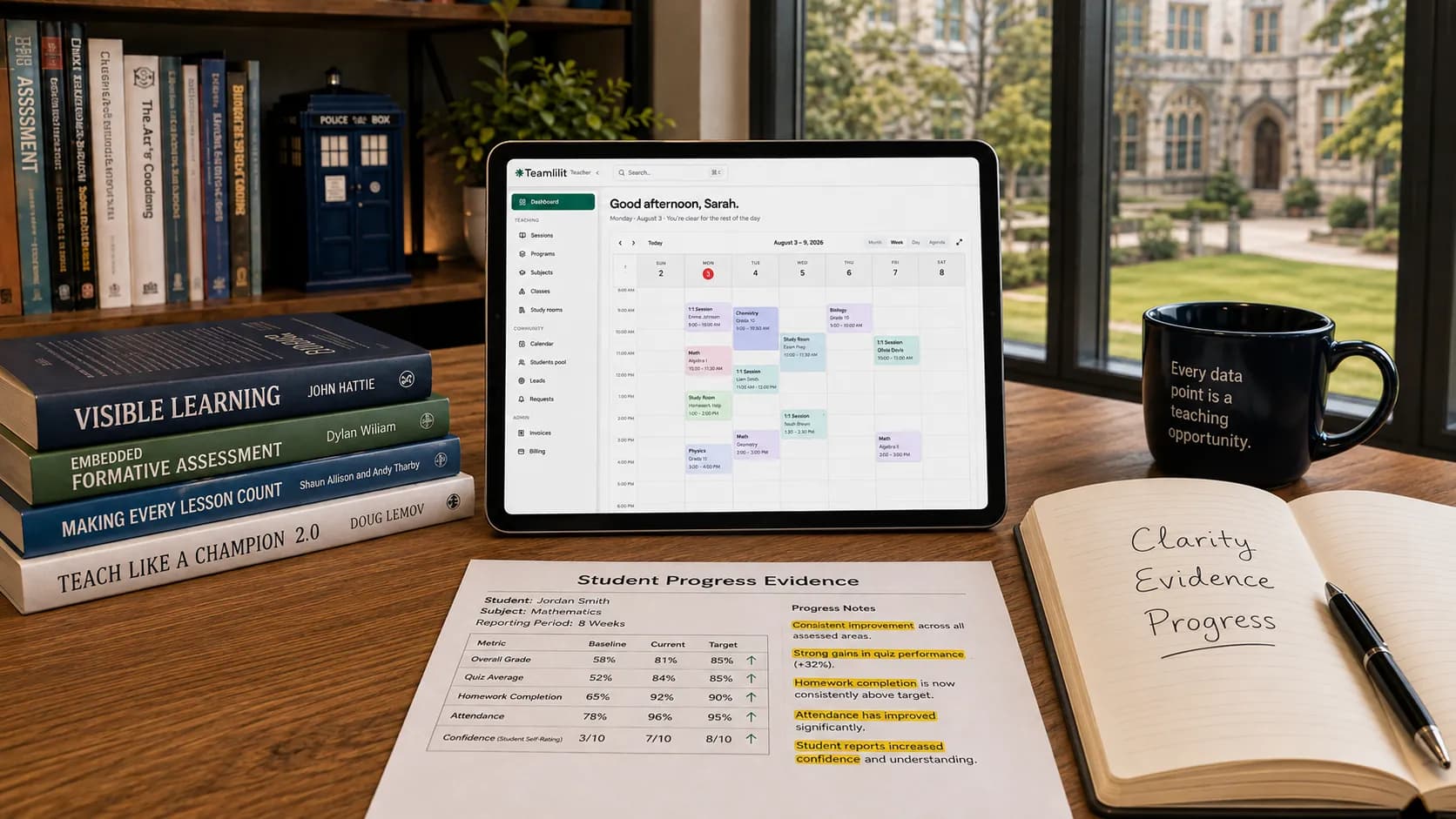
This is the progress part. Write one or two things the student did better than before: "solved linear equations with fewer prompts", "remembered the structure for comparison paragraphs", "completed exam questions faster than last week". This is useful for parent updates because parents want to know the lessons are working, and it is useful for you, because progress is easy to miss when it happens gradually. Written with the condition attached ("independently", "without a prompt"), these lines become the evidence you need when a report card grade has not moved but the student clearly has.
4. What needs more practice
This is the teaching part. Write the specific weakness, not a vague judgement. Avoid "bad at algebra", "weak student", or "still confused". Write "needs more practice collecting like terms before solving equations" or "understands the concept but rushes the final simplification". Good student progress notes for tutors should be specific enough to guide the next lesson. This matters even more when a student has a specific learning difficulty: our guide on supporting students with dyslexia and maths difficulties shows why recording the exact slip, such as an axis mix-up or a dropped sign, is more useful than any label.
5. Homework or independent work
If you set homework, record what was assigned, where it was shared, when it is due, and whether it should be checked next lesson. For example: "Homework: complete questions 1 to 8 from the algebra worksheet, shared by email, review question 6 next lesson." This avoids the classic problem where the tutor says "did I give you homework?" and the student says "I think so."
6. Next lesson focus
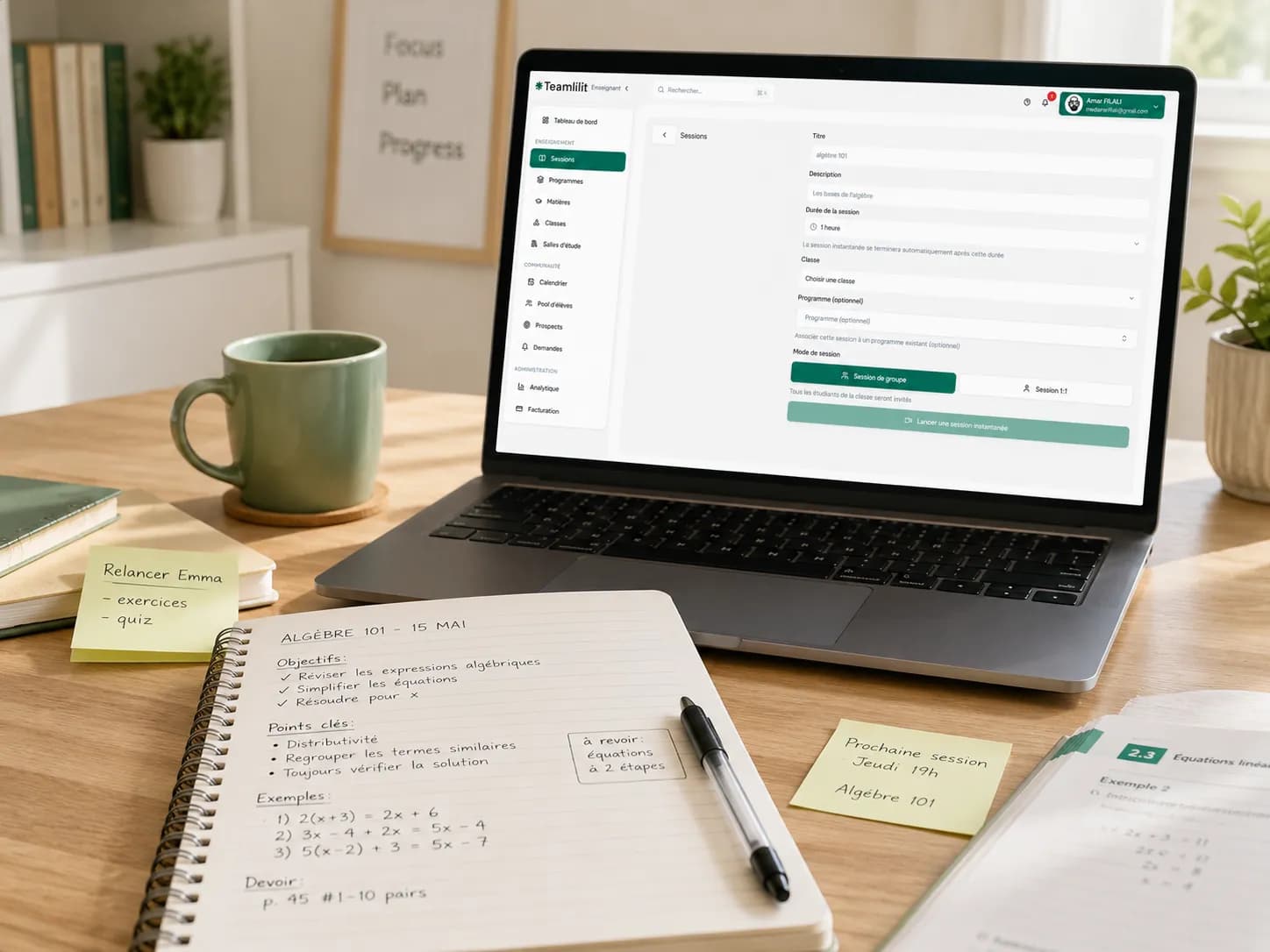
This is one of the most valuable parts of tutor lesson notes. Before the next lesson, you should be able to open the student's history and know exactly where to start: "start with a five-minute recap on factorising, then move to exam questions" or "begin with mixed fractions because the student still confuses numerator and denominator." This makes your lessons feel more prepared, even when your schedule is full.
7. Parent update needed
Not every lesson needs a long parent update, but some do. Mark whether one is needed when the student made strong progress, homework was not completed repeatedly, the student seemed unusually tired or distracted, the lesson plan changed, an exam is coming up, the parent asked for regular updates, or there was a cancellation or attendance issue. A simple yes or no field helps you avoid forgetting.
8. Billing or attendance note
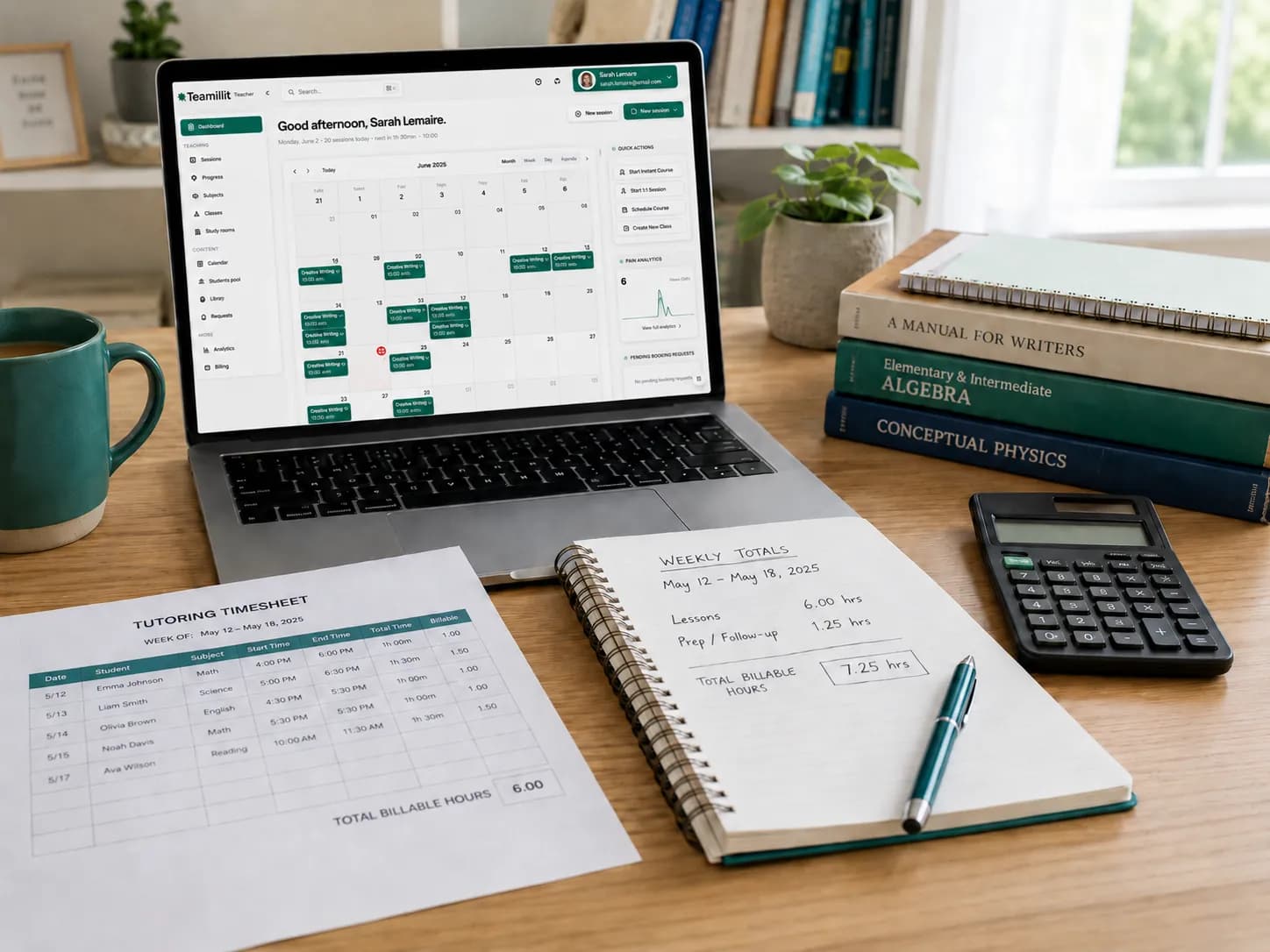
Finally, add a billing note if needed: "billable: yes", "package lesson 3 of 10", "cancelled with enough notice, not billable", "late cancellation, billable under policy", or "trial lesson, free". This is where lesson notes connect naturally to attendance and billable hours. For a bigger system, you can connect this with a tutoring attendance sheet template or a tutoring hours tracker, or move to software that records lesson time for you, capturing attendance alongside it so the billable status is never a guess.
Simple lesson notes format
Here is a simple tutoring lesson notes template you can use after every session.
| Field | What to write |
|---|---|
| Student name | Who the lesson was with |
| Date | The lesson date |
| Subject | Subject and level |
| Attendance status | Attended, cancelled, rescheduled, no-show |
| Billable | Yes or no |
| Topic covered | The main focus of the lesson |
| What went well | One or two signs of progress |
| Needs more practice | A specific weakness, not a label |
| Homework set | What was assigned and where |
| Next lesson focus | Where to start next time |
| Parent update | Not needed, short update, or detailed update |
Example 1: GCSE maths tutor lesson note
- Student name: Amelia
- Date: 14 September
- Subject: GCSE Maths, 60 minutes
- Attendance: Attended, billable
- Topic covered: Solving simultaneous equations
- What went well: Amelia understood the substitution method and solved two questions independently.
- Needs more practice: She still makes sign errors when rearranging equations.
- Homework set: Complete questions 4 to 10 from the simultaneous equations worksheet.
- Next lesson focus: Start with sign practice, then move to exam-style simultaneous equations.
- Parent update: Short update.
Example parent update from that note: "Hi, Amelia worked on simultaneous equations today. She understood the substitution method well and solved a few questions independently. The main thing to practise now is avoiding sign errors when rearranging equations. I have set questions 4 to 10 for homework, and next lesson we will start with a short sign practice before moving into exam-style questions." That message is easy to write because the lesson note already contains the ingredients.
Example 2: English tutor lesson note
- Student name: Yusuf
- Date: 21 September
- Subject: English Literature, 90 minutes
- Attendance: Attended, billable
- Topic covered: Macbeth character analysis
- What went well: Yusuf selected relevant quotes and explained Macbeth's ambition more clearly than last week.
- Needs more practice: Paragraphs need stronger links back to the question.
- Homework set: Rewrite one paragraph using point, evidence, analysis, link.
- Next lesson focus: Review rewritten paragraph and practise timed planning.
- Parent update: Not needed.
Example 3: Language tutor lesson note
- Student name: Clara
- Date: 3 October
- Subject: French, 60 minutes
- Attendance: Attended, billable
- Topic covered: Past tense conversation practice
- What went well: Clara used more full sentences and corrected herself twice without prompting.
- Needs more practice: Still mixes avoir and être verbs.
- Homework set: Record a short voice note about last weekend using five past-tense verbs.
- Next lesson focus: Quick être verb recap, then speaking practice.
- Parent update: Short update.
This format works because it is simple enough to repeat. If your lesson notes template is too long, you will stop using it.
Lesson notes vs student records
Lesson notes and student records are connected, but they are not the same thing. A student record is the full profile of the student: name, year group or level, subject, exam board, parent contact details, learning goals, regular lesson time, payment arrangement, attendance history, lesson notes, progress summaries, and important parent communication. Lesson notes are one part of that record; they describe what happened in each lesson.
So the relationship looks like this:
| Layer | What it holds |
|---|---|
| Student record | The full file for the learner |
| Lesson notes | The lesson-by-lesson history inside the file |
| Progress notes | The pattern you see across multiple lesson notes |
| Parent updates | The version of the notes you choose to share |
| Attendance records | Whether the lesson happened |
| Billing records | Whether the lesson should be charged |
This separation matters. Do not mix everything into one messy note. A lesson note should not become an invoice, a safeguarding file, a parent complaint log, and a teaching plan all at once. Keep the structure clean: a student profile for stable details, lesson notes for what happened in each lesson, attendance for completed or missed lessons, billing records for payment, and safeguarding records separately where relevant. For a wider view, read what student records private tutors should keep.
How lesson notes help with parent updates
Parents do not always need a long report. In many cases, a short update is enough: "Today we covered fractions. She understood equivalent fractions well, but still needs practice converting mixed numbers. I've set a short worksheet for homework, and we'll review it next lesson." That builds trust and shows the lesson had a purpose.
But writing updates from scratch after every lesson can become exhausting. This is why lesson notes are so useful: a good note can be turned into a parent update in less than a minute. Use this structure: what we covered, what went well, what needs practice, and homework or next step. Our free tutoring lesson notes template does exactly this: fill in one form and it generates the lesson note, a parent-friendly update, a next-lesson plan, and a progress entry.
Lesson notes also help when a parent asks a bigger question, like "how is she doing overall?" Without notes, you might give a vague answer: "she's improving." With notes, you can say: "Over the last four lessons, we moved from basic factorising to exam-style quadratic questions. She now recognises the correct method faster, but still loses marks through sign errors and incomplete working. That is what we are focusing on next." That is a much stronger answer, and it sounds professional because it is based on a record, not memory. When it is time to write that up formally, a reusable progress report template for tutors turns a few lesson notes into a clean summary you can send every half-term, and if the sticking point is the wording rather than the structure, our worked progress report examples show ten situations written out sentence by sentence. The same record-first habit is what lets you serve students from different curricula without building separate systems; we cover that full workflow in how tutors can adapt their teaching for diverse student backgrounds.
How lesson notes connect to attendance and billable hours
Lesson notes are not only about teaching. They also connect to business admin. A tutoring lesson usually has three sides: the teaching side (what was covered), the attendance side (did the lesson happen), and the billing side (should it be charged). If these are kept in different places, admin becomes messy: the lesson topic in a notebook, attendance in Google Calendar, the cancellation message in WhatsApp, the invoice in a spreadsheet, and payment in a banking app. This works until there is a question, and then you have to reconstruct the truth from five places.
A better structure keeps the teaching record, attendance record, and billing status connected:
| Field | Value |
|---|---|
| Lesson date | 12 March |
| Attendance | Attended, 60 minutes |
| Billable | Yes |
| Topic | Percentages and reverse percentages |
| Notes | Understands percentage increase, needs more practice with reverse percentage questions |
| Homework | Questions 5 to 12 |
| Invoice status | Pending |
This is especially useful when you offer prepaid lesson packages, monthly invoices, sibling lessons, group lessons, trial lessons, cancellation policies, rescheduled sessions, or extra exam preparation. If a parent pays for 10 lessons, you need to know which were used. If a lesson was cancelled late, you need to know whether it is billable. If a student attended 7 lessons this month, your invoice should match the record. That is why lesson notes should not live completely separate from attendance and billable hours. They do not have to be the same document, but they should connect. You can support this with a tutoring attendance sheet template and a tutoring hours tracker.
Spreadsheet, notebook, Notion, or tutor software?
There is no single best way to keep tutoring lesson notes. The right system depends on your stage. A tutor with three students does not need the same system as a tutor with 40 students, multiple parents, online lessons, invoices, attendance tracking, and lesson packages. Here is the honest comparison.
| Option | Good for | Where it breaks |
|---|---|---|
| Notebook | A handful of students, fast handwritten planning, no setup | Hard to search, easy to lose, hard to back up, no link to attendance or invoices |
| Spreadsheet | Flexible tracking of students, dates, attendance, and payments | Notes get too long for cells, parent updates stay manual, nothing connects automatically |
| Notion or docs | Long structured notes, one page per student, templates | Attendance and billing need a separate system; you end up maintaining a mini product |
| Tutor software | Notes linked to sessions, attendance, billable hours, and parent updates | A paid tool, so it suits regular tutoring rather than the occasional lesson |
A notebook is fine for very small tutoring work but becomes limiting when you need a student's history quickly. Spreadsheets are good until they become the place where everything is technically stored but nothing is easy to use: the information exists, but the workflow is still manual. Notion is useful if you enjoy building your own system, but the more admin you add, the more you are maintaining a mini product instead of just teaching.
Keep the notebook or document while it gives you the history you need. When you are copying the same note into a parent message, checking attendance elsewhere and hunting for homework before the next lesson, connect lesson notes to the student's timetable, attendance and history. Teamlilit keeps those records together, so the note you write after teaching is available when you plan, update the parent or review the lesson for billing.
How Teamlilit helps tutors keep lesson history organised
Teamlilit helps tutors keep lesson history connected around each student. Instead of spreading the student journey across a notebook, a spreadsheet, WhatsApp messages, calendar events, and invoice files, Teamlilit is built around the actual tutoring workflow:
student profile → lesson notes → progress → attendance → billable hours → parent updates
Each part depends on the others. The student profile tells you who the learner is, the lesson notes tell you what happened, the progress history shows what is changing, the attendance record confirms whether the lesson took place, the billable hours show what should be charged, and the parent update turns the lesson into clear communication. For tutors, this means less "where did I put that note?" and more "what does this student need next?".
Teamlilit is especially useful when you teach several students every week, want one place for student history, send parent updates, track attendance, charge by lesson or by hour, manage lesson packages, or want clearer records without building your own spreadsheet system. The real value is not only storing notes. It is keeping the tutoring story connected. A lesson note by itself says what happened today; a connected lesson history shows how the student is progressing over time. That is the difference.
Free student profile template
If you are not ready to use tutor software yet, start with a simple student profile. A student profile gives every learner one organised place for their details, parent or guardian details, subject and level, learning goals, exam information, lesson notes, homework, attendance, payment notes, and parent communication. You can use Teamlilit's free student profile template for tutors to organise the basics.
A good student profile should answer: who is this student, what are they working towards, what level are they at, what did we cover last lesson, what should we do next lesson, what homework was set, has attendance been consistent, and are there any parent updates or admin notes? This gives you a clean starting point, and when your tutoring business grows you can move from a template to a connected system. For more detail, read how to organise private tutoring students.
Final checklist: how to keep tutoring notes
Use this checklist after each lesson:
- Record the lesson date
- Mark attendance status
- Write the main topic covered
- Write one thing that went well
- Write one thing that needs more practice
- Record homework or next steps
- Add the next lesson focus
- Mark whether a parent update is needed
- Connect the lesson to billable hours if relevant
- Keep notes factual and professional
- Avoid unnecessary personal details
- Review old records regularly
- Keep financial records separate from lesson notes
- Keep safeguarding records separate from normal lesson notes
- Use one student profile per learner
The best tutoring notes are not the longest notes. They are the notes you can actually use.
FAQ
What are tutor lesson notes?
Tutor lesson notes are short records written after a tutoring session. They usually include the lesson date, topic covered, what went well, what the student needs to practise, homework set, and the next lesson focus. They help tutors track student progress and prepare future lessons.
Should private tutors keep lesson notes?
Yes. Private tutors should keep lesson notes because they help with continuity, lesson planning, parent updates, attendance questions, and student progress tracking. They do not need to be long. A few clear lines after each lesson are usually enough.
What should be included in tutoring lesson notes?
Tutoring lesson notes should include the student name, date, attendance status, topic covered, what went well, what needs more practice, homework set, next lesson focus, and any parent update or billing note needed.
How detailed should lesson notes for tutors be?
Lesson notes for tutors should be detailed enough to help with the next lesson, but not so detailed that they become a burden. Aim for five to eight short fields rather than a long report. The best format is one you can complete consistently after every lesson.
What is the best format for private tutor lesson notes?
A simple private tutor lesson notes format is: date, attendance, topic, progress, difficulty, homework, next focus, parent update, and billable status. This keeps the teaching, communication, and admin parts connected.
How do lesson notes help track student progress?
Lesson notes help track student progress by showing patterns over time. One note shows what happened in one lesson. Several notes show what the student has improved, what they still struggle with, and what should be prioritised next.
Can tutors use lesson notes for parent updates?
Yes. Tutor lesson notes are one of the easiest ways to write parent updates. A simple parent update can be created from four parts: what was covered, what went well, what needs practice, and what happens next.
Are lesson notes the same as student records?
No. Lesson notes are one part of a student record. A student record may include the student profile, parent contact details, learning goals, attendance, lesson notes, payment records, and progress summaries. Lesson notes only describe what happened in each lesson.
Should tutors keep lesson notes in a spreadsheet?
A spreadsheet can work for simple tutor lesson notes, especially with a small number of students. But as the business grows, spreadsheets can become hard to manage because lesson notes, attendance, parent updates, and billable hours often need to connect.
Is a notebook enough for tutoring lesson notes?
A notebook can be enough for a small number of students, but it becomes harder to search, back up, and connect with attendance or invoices. If you tutor regularly, a digital system is usually easier to manage.
Can Notion be used for tutoring lesson notes?
Yes. Notion can work well for lesson notes because you can create one page per student and use templates. However, attendance, billing, invoices, and parent updates may still need separate tracking unless you build a more complex system.
What should tutors avoid writing in lesson notes?
Tutors should avoid emotional opinions, personal judgements, jokes, gossip, unrelated family details, and unnecessary sensitive information. Lesson notes should be factual, professional, and useful for teaching.
How long should tutors keep lesson notes?
There is no single answer for every tutor or every type of note. A sensible approach is to keep lesson notes while tuition is active, review them when tuition ends, keep only what still has a clear purpose, and delete or archive old notes that are no longer needed. Financial records should be kept separately according to tax record-keeping rules.
Do lesson notes connect to billable hours?
Yes. Lesson notes often connect naturally to billable hours because each note usually belongs to a completed, cancelled, rescheduled, or missed lesson. Recording attendance and billable status alongside lesson notes helps avoid payment confusion.
What is the simplest tutoring lesson notes template?
The simplest tutoring lesson notes template is: student, date, attendance, topic covered, what went well, needs practice, homework, next lesson, parent update, and billable. This is enough for most private tutors.
How can Teamlilit help with lesson notes?
Teamlilit helps tutors keep lesson notes connected to student profiles, attendance, billable hours, and parent updates. Instead of keeping student history across notebooks, spreadsheets, messages, and invoice files, tutors can keep the learning journey organised around each student.