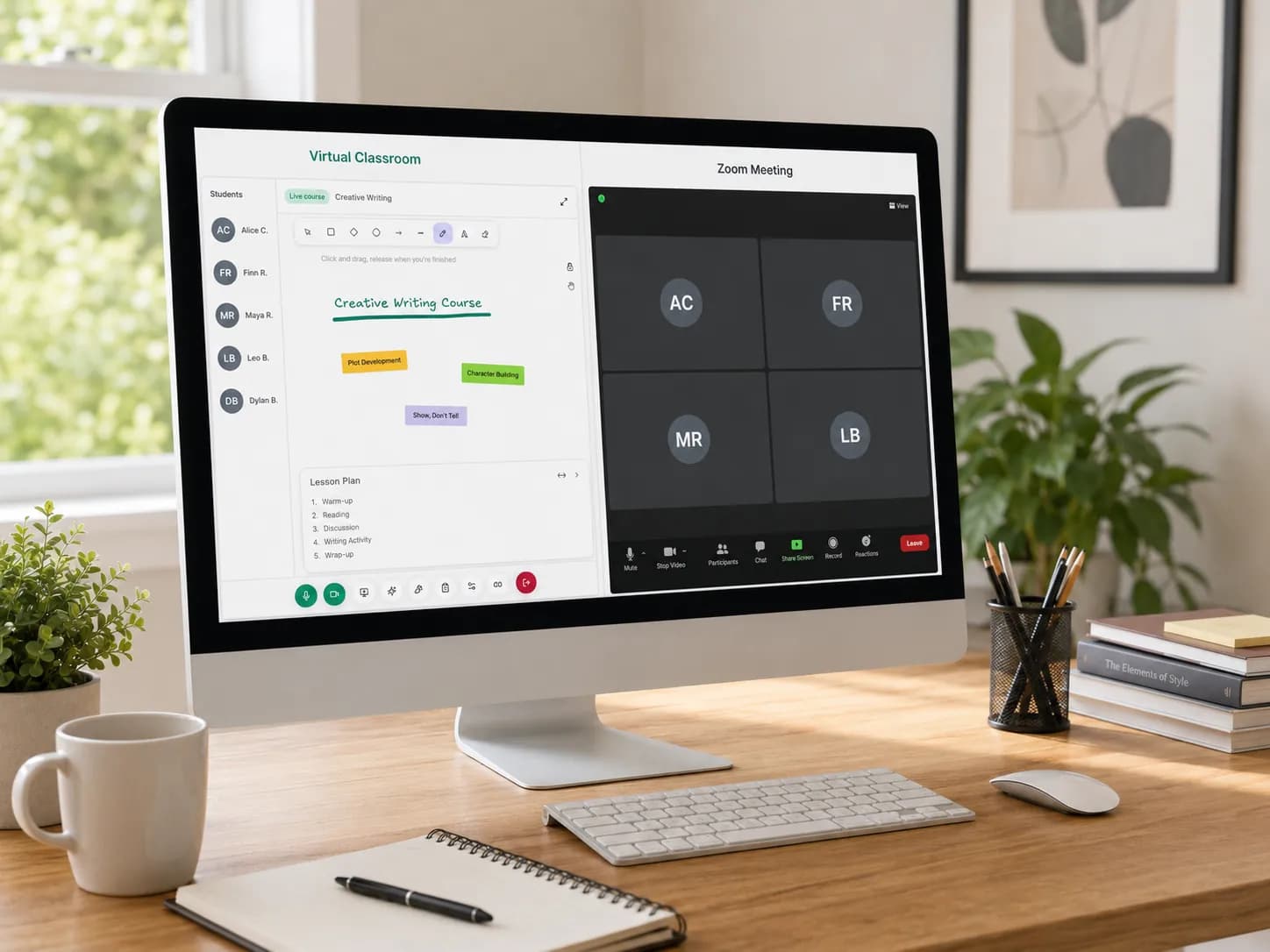
Online tutoring has never been short on tools. A tutor can launch live classes with a meeting app, share files with cloud storage, chat through messaging apps, track attendance in a spreadsheet, and keep homework in another system. On paper, that sounds flexible. In practice, it often creates a fragmented virtual classroom that asks tutors to behave like administrators, support agents and operations managers before they can even start teaching. Research on digital teaching workload from bodies like the OECD repeatedly finds that planning, continuous communication, platform switching, technical demands and monitoring can intensify stress when the workflow is spread across disconnected tools.
That is why the real problem is not online teaching itself. The real problem is that most tutors do not have a virtual classroom for tutors. They have a collection of apps. One handles video. Another handles reminders. Another stores lesson files. Another tracks who attended. Another holds notes about student progress. Even large education platforms are often strongest in only one part of the journey, whether that is the live lesson, assignment management or business operations.
The frustration starts before the lesson begins
Scheduling eats time before teaching starts
A tutoring session rarely begins when the camera turns on. Before class, tutors have already confirmed times, sent links, checked previous notes, found the right file, and worked out whether the student is joining a private session or a group session. When this process lives across email, chat and spreadsheets, the tutor pays a tax in context switching.
The cleanest way out is to set availability once, let students book against confirmed slots, and connect each lesson to the tutoring schedule it came from. If you are still coordinating times by message, our guide on how to create a tutoring timetable shows how to turn that back-and-forth into clear, bookable slots.
Student context is usually scattered
What makes a live class effective is not just the whiteboard or the camera. It is the context around the student: what happened last time, which resources were used, whether the student missed the previous class, how many hours have already been delivered, and what should happen next. When that history is buried in notes and spreadsheets, the tutor enters class with less clarity and leaves with more admin.
This is exactly what a real student management layer solves. Pair it with automatic attendance tracking and time tracking, and the record of what happened is built as you teach, not reconstructed afterwards.
Generic meeting tools solve the call, not the tutoring business
Video on its own is not a tutoring system
Zoom-style tools are excellent at delivering a meeting. That is not the same thing as supporting a tutoring workflow. A tutor still needs to know which student is joining, what the objective of the session is, where the materials are, how attendance is captured, how follow-up is sent, and how the next lesson is booked.
This is the difference between a meeting and a real classroom. If your frustration comes from everything around the call rather than the call itself, the answer is not a different video app but a Zoom alternative built for tutoring, where the lesson is connected to the rest of your work. Our guide on virtual classroom vs Zoom for online tutoring compares the two approaches in detail.
LMS and school tools are not always built for tutors
Platforms like Microsoft Teams for Education, Google Classroom and Moodle can cover assignments, communication and learning resources, and they solve real education problems. But independent tutors and small tutoring businesses often need something more specific: a scheduling layer, a student management layer, a live teaching layer and a simple operational workflow in one place. The issue is not that those tools are bad. It is that tutors frequently need a tighter fit between lesson delivery and day-to-day business operations.
What a better virtual classroom for tutors should include
A good virtual classroom for tutors should reduce decisions, not create more of them. Our full guide on the virtual classroom for tutors breaks down every feature to look for. At a minimum, it should make the live lesson reliable and easy to join. That means browser-based access, clear participation controls, screen sharing, whiteboard collaboration, and in-session chat, the core building blocks Moodle and most education platforms agree on. It should also connect the class to student records, so that attendance, join and leave times, and session history are not rebuilt by hand after the fact.
A better online tutoring platform should also solve the layers around the lesson. Tutors need scheduling that students can actually use, profiles that show progress and session history, and practical follow-up. For some businesses, that means recurring classes and groups. For others, it means language levels, exam dates or target-band tracking. That kind of topical depth, rather than a generic meeting link, is what turns a tool into a system.
The post-lesson workflow matters as much as the lesson itself
Most tutors do not lose time inside the actual teaching hour. They lose it after class, when they update notes, confirm who attended, send the recap, plan homework and prepare the next session. This is where an all-in-one workflow compounds its value. AI session summaries are especially useful here, because they extend the story from "a better classroom" to "a better cleanup after every lesson." If a platform can transcribe a session, draft a summary and help prepare exercises, it is not just hosting the class. It is helping finish it properly.
How to fix the chaos without adding more tools
The obvious mistake is to respond to tutor frustration by adding another app. What tutors actually need is fewer handoffs. The fix is to reduce the number of systems between booking and follow-up. In practice, that means bringing the schedule, the live classroom, student records and attendance into one workflow.
A tutor-first platform also changes the student experience. Students do not care which tool did the scheduling and which tool held the notes. They care that the process feels professional: simple booking, one place to join, fewer missed messages, and continuity from one session to the next. Owning that experience positions you as the brand and the operator, not a participant inside someone else's tool stack. If you are still comparing options, our roundup of the best tools for online tutors shows where an all-in-one platform fits next to specialist apps.
What Teamlilit can do right now
If your current setup still looks like a meeting app for class, a chat app for reminders, a spreadsheet for attendance, and scattered docs for follow-up, Teamlilit can replace that with a connected system. It provides the built-in virtual classroom, the scheduling layer, the student profiles, the attendance and time tracking, and the post-lesson workflow in one place. It also supports group teaching, language-school and exam-prep use cases, and AI-assisted session wrap-ups.
So if you want to run online tutoring without acting as your own scheduler, attendance clerk, note taker and tech support team, the next step is simple: move from a stack of tools to a tutoring platform designed around the real flow of teaching.
Frequently asked questions
What is a virtual classroom for tutors?
A virtual classroom for tutors is an online teaching environment that combines live tools such as video, whiteboard, screen sharing and chat with the workflow tutors need around the lesson: scheduling, attendance, student records and follow-up.
Why do virtual classrooms frustrate tutors?
Tutors usually get frustrated when the live class is disconnected from scheduling, student records, attendance, homework, notes and follow-up, which forces them to work across too many apps before and after every lesson.
Which features matter most in tutoring software?
The most useful features are a reliable live classroom, scheduling, student profiles, attendance tracking, file sharing, structured communication and a simple post-session follow-up.
Can Teamlilit replace Zoom for tutoring?
Yes. Teamlilit offers a built-in classroom with HD video, screen sharing, whiteboard, chat and automatic attendance tracking, connected to your schedule and student records rather than sitting on its own.
Does Teamlilit support one-to-one and group tutoring?
Yes. Teamlilit supports private lessons and group classes, with scheduling, attendance and student records connected to the live class.
How does attendance tracking work in Teamlilit?
When students join a live session, Teamlilit records join and leave times automatically and saves that record inside each student's history.
When should a tutor move from spreadsheets to tutoring software?
The right time is usually when scheduling, no-shows, attendance and student follow-up start taking attention away from teaching. At that point a tutor-first platform saves time and reduces friction.