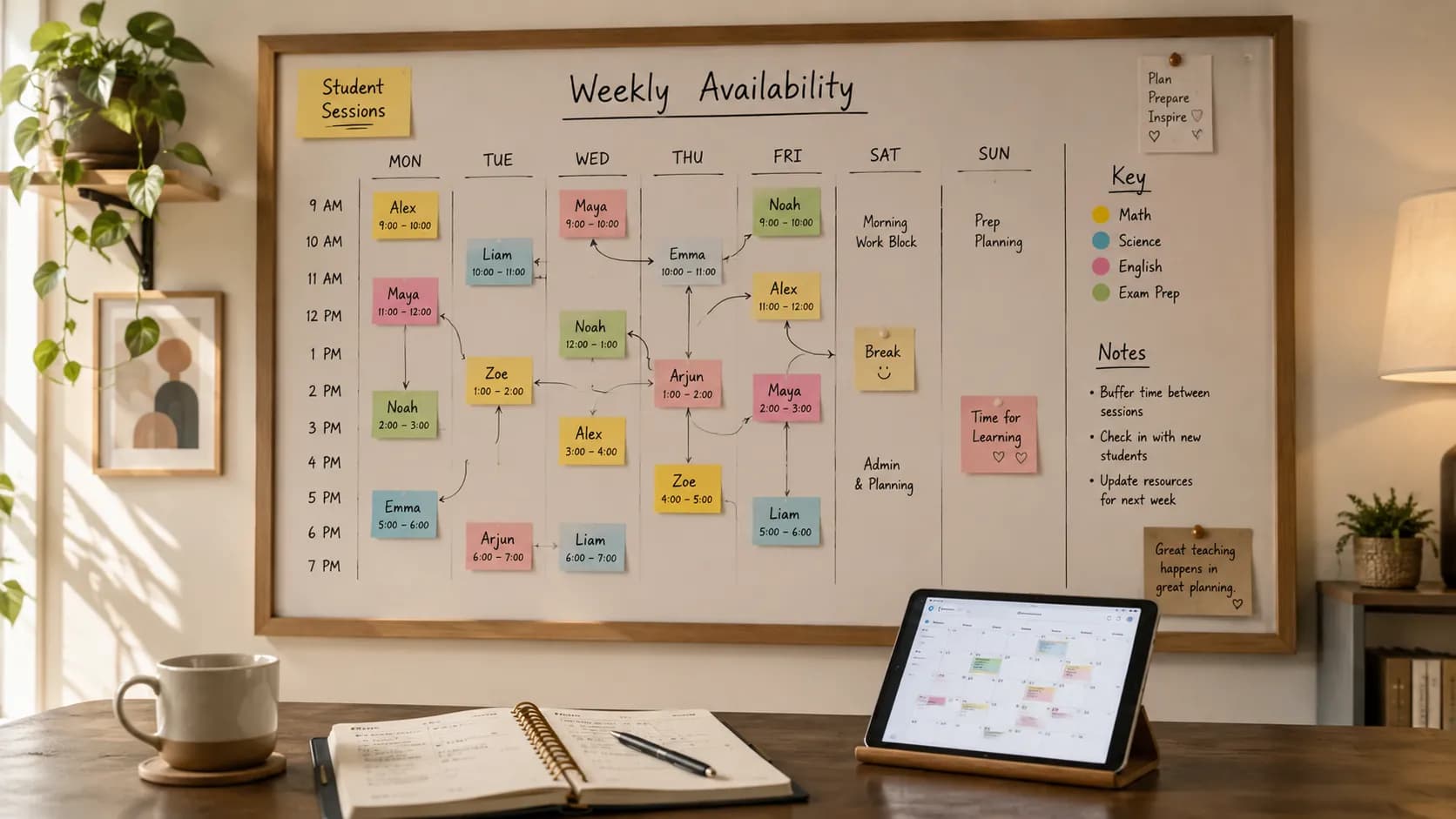
UK tutoring runs on a rhythm that generic scheduling apps have never heard of: term-time weeks that repeat until half-term breaks them, after-school slots that fill by 4pm, Saturday GCSE groups, and parents who expect a register, an update, and a correct invoice at the end of the block. Timetable software that was designed around one-off appointments fights that rhythm. Software built for teaching weeks rides it.
This is an honest comparison, not a sales pitch. Teamlilit is our product and it is on the list, so we hold it to the same standard as everyone else: what each option does well, where it breaks down, and who should pick it. Check current pricing and features on each vendor's site before you commit; tools change faster than roundups do.
Quick answer: A solo tutor with a stable week can genuinely run on a calendar or a free tutor timetable template. Once reschedules, registers, and invoicing pile up, software that can manage your tutoring timetable saves more time than it costs. For UK tuition centres, multi-tutor views and family billing are the features that separate the options.
What UK tutors actually need from timetable software
Before the list, the checklist. A tool earns a place on a UK tutor's shortlist if it can handle:
- Term-time recurring lessons: build the week once in September and it holds until half-term, without weekly rebuilding
- After-school and weekend blocks: the 3:30pm to 8pm weekday crunch and the Saturday morning groups, with buffers between sessions
- Groups with named students: the Year 6 SATs group is six specific children, not a block labelled "group"
- Attendance on the slot: a register that fills itself, because parents ask and invoices depend on it
- £ invoicing that reads the timetable: taught lessons becoming itemised invoices, with sibling discounts and VAT where it applies
- Multi-tutor views (centres): one shared timetable, per-tutor weeks, no double-booked tutors
Keep count of how many boxes each option ticks for your situation. Most tutors need four of the six; centres need all six.
The shortlist at a glance
| Best for | Timetable strength | The catch | |
|---|---|---|---|
| Teamlilit | Solo tutors to multi-tutor centres | Term-time recurring lessons with students assigned, attendance and hours on every slot | Newer name; check the feature pages against your workflow |
| TutorCruncher | UK agencies managing many tutors | Agency-grade admin and billing around the schedule | Built for agencies; heavier than a solo tutor needs |
| TutorBird | Solo tutors and small studios | Straightforward lesson scheduling and billing | Less UK-specific framing; check how it fits term-time patterns |
| Teachworks | Established centres and agencies | Scheduling with staff management around it | Admin-oriented; setup effort before the timetable pays off |
| Calendar + spreadsheet | Brand-new tutors, stable weeks | Free and familiar | Shows the week but records nothing; every change is manual |
| Booking links (Calendly etc.) | Tutors who only need slot-picking | Strong for the booking moment | Not a timetable: no groups, registers, or invoicing |
Teamlilit
Teamlilit treats the timetable as the centre of the tutoring business: every slot knows its students, its attendance, and its taught hours, and the same record feeds invoicing. Since it is our product, here are the verified specifics rather than adjectives.
- Term-time weeks, built once. Recurring 1:1 lessons and group classes repeat weekly or on a custom interval with the right students already assigned, which is exactly the UK term shape. Day, week, and month views show the whole schedule, and sessions sync one-way to Google Calendar so your teaching blocks appear alongside everything else.
- A register that fills itself. Attendance is recorded on each session with join and leave times, and per-student hours accumulate for parent updates and billing.
- Booking without losing control. An opt-in public booking page lets students book inside your published availability; requests outside it wait for your approval. A cancellation window is enforced on the server, not just displayed. The booking side is a separate discipline with its own page: tutor booking software.
- From timetable to £ invoice. Attended lessons become itemised invoice lines you review before sending, with per-student rates, sibling discounts, consolidated family invoices, and VAT fields built in. The full money side lives on the tutor billing software page.
- Centres on the Academy plan get one shared timetable across tutors and rooms, per-tutor views, and admin oversight of who teaches which group and when.
The honest catch: Teamlilit is a newer name than the incumbents below, and the Google Calendar sync is one-way by design (Teamlilit to Google), so Teamlilit stays the single source of truth. If you want a tool that follows edits made inside Google Calendar, that is the limit to know about.
If your template already gives you a workable week, use it as the starting point when evaluating Teamlilit's tutor timetable software. Check how you would set up your recurring lessons, let students book open slots, handle a reschedule and use the attendance record for invoicing. Those are the steps the software needs to take off your hands.
TutorCruncher
TutorCruncher is a London-built platform aimed squarely at tutoring agencies: many tutors, many clients, and an office in between. Its strength is the business machinery around the schedule, particularly agency-style billing, tutor payment handling, and client pipelines.
Where it fits: if you run an agency model where the company owns the client relationship and pays tutors, TutorCruncher's admin depth is the draw, and being UK-based means the billing assumptions feel local.
The catch: that same depth is more machine than a solo tutor or small centre needs, and the timetable itself is one module among many rather than the heart of the product. Solo tutors usually find the setup heavier than their week justifies.
TutorBird
TutorBird targets independent tutors and small studios with a tidy scheduling-plus-billing package: lessons, students, invoices, and reminders in one place.
Where it fits: a solo tutor who has outgrown the spreadsheet and wants a simple, established tool for lessons and billing without an agency layer.
The catch: it is built for a North American rhythm first, so check how comfortably it models UK patterns like term-time blocks and half-term breaks before committing. As with any tool in this list, the test is whether September-to-Christmas fits without workarounds.
Teachworks
Teachworks serves established centres and agencies, with scheduling wrapped in staff management: multiple calendars, employee roles, and integrations for payroll-style workflows.
Where it fits: a centre that already has staff processes and wants software shaped around them, with scheduling as one part of a bigger admin system.
The catch: it is admin-first, so there is configuration work before the timetable starts paying you back, and smaller operations can find themselves maintaining a system rather than a schedule.
The free stack: calendar plus spreadsheet
Do not let a software roundup talk you out of a free setup that works. A colour-coded Google Calendar and a spreadsheet grid genuinely cover a small, stable week, and our free tutor timetable template gives you the grid ready-made: students, subjects, and hourly rates in, PDF or Excel out, no signup.
The catch: the free stack shows your week but records nothing. It cannot take a booking, mark a register, count billable hours, or notice that Thursday's lesson moved. Our comparison of tutor timetable software vs spreadsheet maps exactly where the sheet stops paying off; the short version is that it breaks at roughly ten students or the first busy half-term, whichever comes first.
Booking links: the near-miss
Calendly and similar booking tools deserve a mention because so many tutors try them first. They solve one moment brilliantly, letting a student pick an open slot, and leave everything after that moment untouched: no groups, no registers, no £ invoices, no term structure. If your only problem is the "what times do you have?" thread, they work; our Calendly for tutoring comparison covers that route honestly. A booking link is a front door, not a timetable.
How to choose, by stage
- Under ten students, stable week: stay free. Calendar plus the timetable template, and spend the money on teaching materials instead.
- Growing roster, weekly changes, invoicing by memory: this is the timetable-software sweet spot. Prioritise term-time recurring lessons, attendance on the slot, and invoices that read the timetable. This is the stage tutoring timetable management software is built for, and TutorBird is the established alternative to weigh.
- Multi-tutor centre or agency: everything above plus one shared timetable, per-tutor views, and family billing. Compare Teamlilit's Academy plan against TutorCruncher and Teachworks, and pick based on whether you want a timetable-first or admin-first system.
- Agency model with employed office staff: TutorCruncher and Teachworks are shaped for you; timetable-first tools will feel light on the client-pipeline side.
If Teamlilit is on your shortlist
You've read our own entry with its catch attached, so here is the practical bit rather than another pitch.
What the trial actually tests. Fourteen days is one and a bit teaching weeks, which is exactly enough to answer the only question that matters: does the admin disappear? Rebuild next week as recurring lessons with your real students, teach it, and then look at whether the register filled itself, whether the hours are right, and whether the invoice draft matches what you taught. If any of those still needs your hand, the tool has failed its own test.
What it costs. List pricing starts at €29 per month for a solo tutor, with Academy covering multi-tutor centres; UK customers are billed in local currency at checkout. No card is required to start, and there's no free tier past the trial, so you're judging the actual product rather than a feature-limited version of it. Current figures are on the pricing page, which is the number to trust if this article ages.
Where to look first, depending on what's breaking:
| What's costing you time | Start here |
|---|---|
| Rebuilding the same week repeatedly | Run recurring tutoring sessions |
| Chasing who attended | Connect your timetable to attendance |
| Invoices that don't match taught hours | Tutor billing software |
| Booking back-and-forth with parents | Manage tutor availability |
| Coordinating several tutors | Tutoring centre software |
Frequently asked questions
What is the best timetable software for UK tutors?
It depends on your stage. A solo tutor with a stable week can run on a calendar or a free timetable template. Once term-time recurring lessons, reschedules, attendance registers, and invoicing need to stay connected, software that can manage your tutoring timetable earns its keep. For UK tuition centres, the deciding features are multi-tutor views, per-class registers, and family billing.
Is there free tutor timetable software?
Yes, in two forms. Google Calendar plus a spreadsheet is the classic free stack, and interactive timetable templates let you build a weekly plan and export it as PDF or Excel with no signup. The free options show your week; what they cannot do is take bookings, mark attendance, or turn taught hours into invoices.
What is the difference between timetable software and booking software?
Timetable software manages the structure of your teaching week: recurring lessons, groups, term-time blocks, and who is in each slot. Booking software manages how outsiders fill that week: published availability, self-booking, and approval rules. Some tools do one, some do both; the important thing is that a booked slot and a planned slot end up on the same schedule.
Do UK tuition centres need different timetable software than solo tutors?
The core is the same, but centres need three extras: one shared timetable across every tutor so nothing double-books, per-tutor views so staff see only their own week, and admin oversight of who teaches which group. Family billing with sibling discounts and consolidated invoices also matters far more at centre scale. See tutoring centre software for how that looks in practice.
The bottom line
Match the tool to the term, not the feature list. If your week survives on a calendar, keep the calendar. The day it stops surviving, pick software where the timetable is the centre of the product rather than a side module: build the week once, let the register and the hours record themselves, and let the invoice read the timetable instead of your memory. That is the standard our own tutoring timetable management software is built to, and the standard you should hold every option on this page to, ours included.
Ready to test that standard against your own term? Start a 14-day free trial. No credit card required.