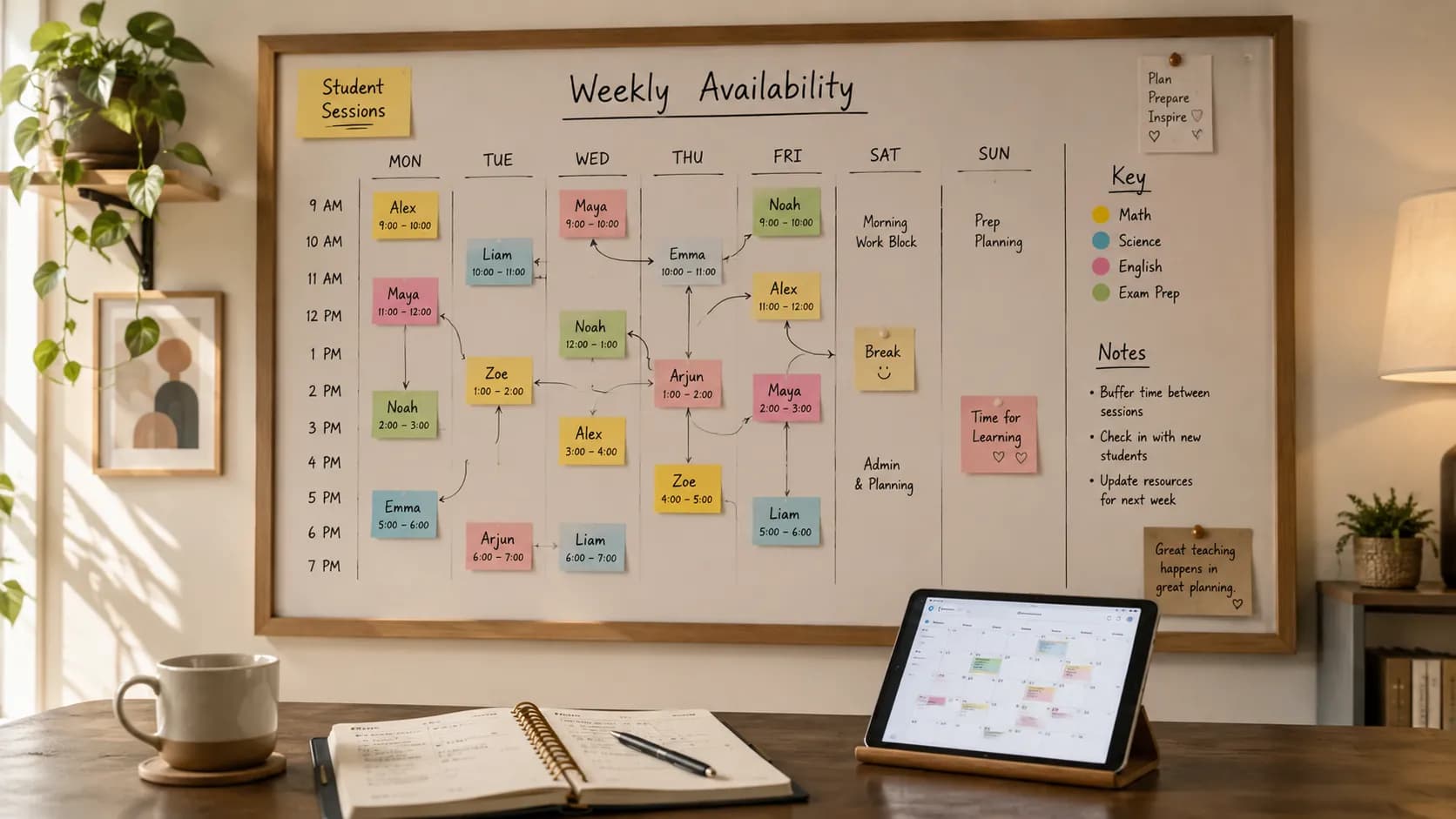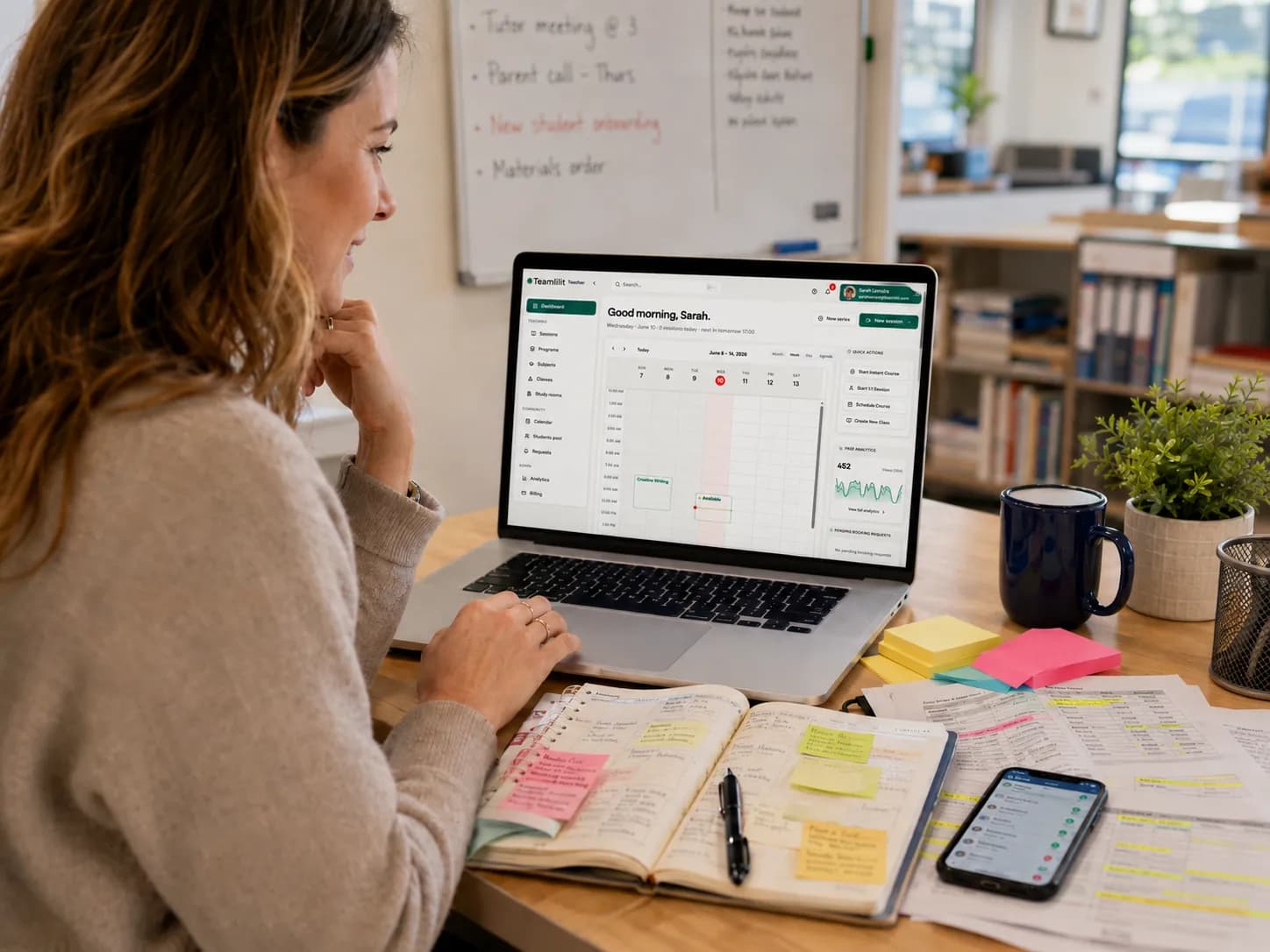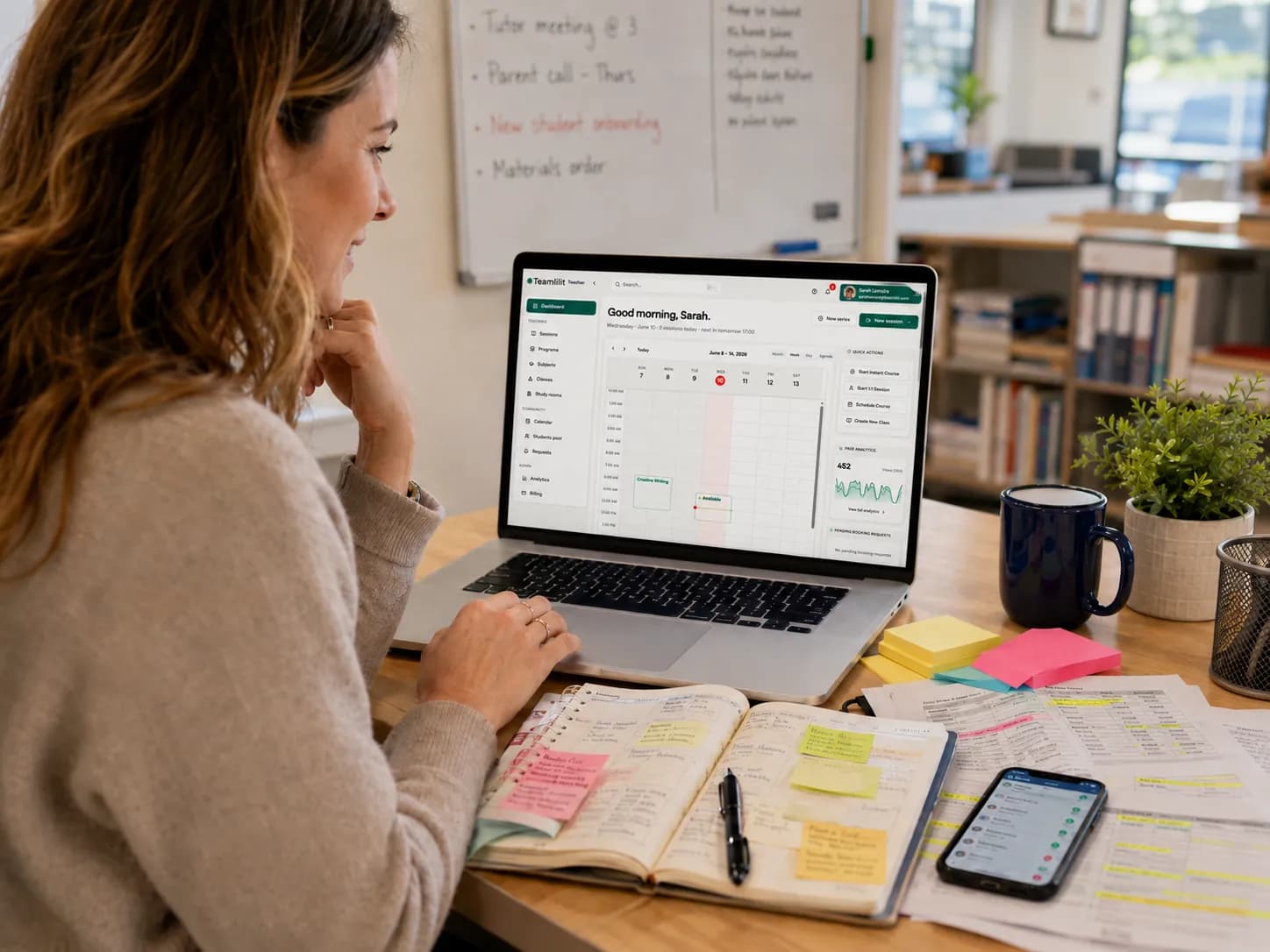
Managing tutoring lessons sounds simple when you only have one or two students. You agree on a time, send a message, and add it to your calendar.
But once you start teaching several students every week, things get messy quickly.
One student wants Monday evenings. Another can only study after school on Wednesday. A parent asks to move a GCSE maths lesson. A group class changes time. Someone forgets to attend. You update your calendar, then your spreadsheet, then your WhatsApp messages, and suddenly your tutoring schedule is spread across five different places.
That is why every private tutor, online tutor, and small tuition centre needs a clear tutor timetable.
In this guide, you will learn how to create a tutor timetable, what to include in your weekly schedule, when to use a free tutor timetable template, and when it makes sense to move from a simple template to proper tutor scheduling software.
You can also use our free tutor timetable template to build your weekly tutoring schedule, check for clashes, calculate weekly hours, and export your timetable as a printable PDF or Excel file.
What is a tutor timetable?
A tutor timetable is a weekly schedule that shows when your tutoring lessons happen, who you are teaching, what subject or course each lesson covers, and how much time you are spending with each student.
A simple tutor timetable usually includes:
- The student's name
- The subject or course
- The day of the week
- The start and end time
- The lesson duration
- The hourly rate
- The lesson type, such as online, in-person, one-to-one, or group
- Notes about the session
- Attendance or payment status, if needed
For a private tutor, the timetable helps avoid double bookings and forgotten lessons.
For a tuition centre, the timetable becomes even more important because you may need to coordinate multiple tutors, students, groups, subjects, and rooms or online sessions.
A tutor timetable is not just a calendar. A normal calendar tells you when something happens. A good tutoring timetable helps you understand your teaching workload, your weekly income, your busy hours, your recurring sessions, and your available spaces for new students.
Why tutors need a weekly timetable
Most tutors start with messages and memory. That works for a short time, but it does not scale.
The problem usually starts when you have different types of lessons:
- Weekly recurring lessons
- Trial lessons
- Group classes
- Exam preparation sessions
- Rescheduled lessons
- Cancelled lessons
- Online lessons
- In-person lessons
- Student catch-up sessions
Without a clear tutoring timetable, you can easily lose track of what is confirmed, what is pending, and what has changed.
A weekly tutor timetable helps you:
- See all your lessons in one place
- Avoid lesson clashes
- Plan around school hours and exam periods
- Track how many hours you teach every week
- Estimate your weekly tutoring income
- Share your availability with students or parents
- Keep your tutoring business more professional
This is especially useful for UK tutors working around after-school hours, GCSE preparation, A-Level tutoring, 11+ lessons, language lessons, and weekend sessions.
Free tutor timetable template vs tutor scheduling software
A free tutor timetable template is a good starting point. It helps you organise your week quickly without paying for software.
A tutor timetable template is useful when:
- You are just starting as a private tutor
- You have a small number of students
- Your schedule does not change often
- You want a printable tutor timetable PDF
- You want an Excel tutor timetable template that you can edit
- You want to understand your weekly teaching hours and income
But a template has limits.
Once students start rescheduling, cancelling, booking themselves, joining group sessions, or asking for reminders, a static template becomes harder to manage.
That is where tutor scheduling software becomes more useful.
Tutor scheduling software can help you manage:
- Recurring tutoring sessions
- Student self-booking
- Tutor availability
- Calendar changes
- Lesson reminders
- Attendance tracking
- No-shows and cancellations
- Student records
- Group sessions
- Online classroom links
A free weekly tutor timetable template is perfect for planning. Tutor scheduling software is better for running the schedule every week.
What should a tutor timetable include?
A good tutoring timetable should not be complicated, but it should include enough information to help you manage your week clearly.
Here are the most important parts.
1. Student name
Every lesson should show the student's name. This sounds obvious, but many tutors only write the subject or time, then later need to check messages to remember who the lesson is for.
Example:
Monday, 17:00 | Sarah | GCSE MathsFor group sessions, write the group name instead:
Tuesday, 18:30 | GCSE Maths Group A2. Subject or course
Add the subject clearly. This helps you prepare the right materials before the lesson.
Examples:
GCSE Maths
A-Level Physics
Business English
French Conversation
IELTS Speaking
11+ Preparation
KS2 Maths
If you teach multiple subjects, this becomes very important. You do not want to prepare an English lesson when the student is expecting maths.
3. Day and time
Your tutor schedule template should clearly show the day, start time, and end time.
Example:
Wednesday, 16:30 to 17:30Avoid vague notes like:
Wednesday eveningThat creates confusion later.
4. Duration
Add the lesson duration. Most tutoring sessions are 30, 45, 60, 90, or 120 minutes.
Tracking lesson duration helps you calculate:
- Weekly teaching hours
- Monthly income
- Tutor workload
- Student progress time
- Available free slots
For example, five students does not always mean five hours. Some students may have 90-minute sessions, while others may only need 30 minutes.
5. Hourly rate
If you charge different students different prices, add the hourly rate to your private tutor timetable template.
Example:
Sarah | GCSE Maths | £30/hour
Adam | A-Level Chemistry | £45/hour
IELTS Group | £20/student/hour
This helps you estimate your weekly earnings without opening another spreadsheet.
If you share the timetable with students or parents, use a student view without rates.
6. Lesson type
Mark whether the lesson is:
- Online
- In-person
- Group
- One-to-one
- Trial lesson
- Catch-up session
This helps you prepare properly. For online lessons, you may need the classroom link, notes, files, or whiteboard ready. For in-person lessons, you may need travel time.
7. Status
A useful tutoring timetable can also include the lesson status:
- Confirmed
- Pending
- Cancelled
- Rescheduled
- Completed
- Missed
- Paid
- Unpaid
This is where a simple template starts to reach its limit. You can track status manually in an Excel tutor timetable template, but if you have many students, tutor timetable software becomes easier.
Tutor timetable example for a private tutor
Here is a simple weekly timetable example for a private tutor.
Monday
16:30 to 17:30 | Sarah | GCSE Maths | Online | £30/hour
18:00 to 19:00 | Daniel | A-Level Physics | Online | £40/hour

Tuesday
17:00 to 18:00 | Emma | English Literature | Online | £35/hour
18:30 to 19:30 | GCSE Maths Group A | Group | £20/student/hour

Wednesday
16:00 to 17:00 | Adam | 11+ Preparation | Online | £30/hour
17:30 to 18:30 | Sofia | French Conversation | Online | £25/hour

Thursday
18:00 to 19:30 | James | A-Level Chemistry | Online | £45/hour

Saturday
10:00 to 11:00 | IELTS Speaking Group | Group | £20/student/hour
11:30 to 12:30 | Olivia | GCSE Biology | Online | £35/hour
This type of timetable gives you a quick view of your teaching week. You can see your busy days, free spaces, and total expected hours.
If you use a free tutor timetable template, you should be able to export this as a printable tutor timetable PDF or edit it as a spreadsheet.
Tutor timetable example for a tuition centre
A tuition centre timetable is more complex because you may manage multiple tutors and student groups.
Example:
Monday
16:00 to 17:00 | Tutor: Amina | GCSE Maths Group 1 | Room 1 / Online
16:00 to 17:00 | Tutor: James | A-Level Physics | Online
17:15 to 18:15 | Tutor: Amina | GCSE Maths Group 2 | Room 1 / Online
18:30 to 19:30 | Tutor: Sara | IELTS Speaking | Online

Tuesday
16:30 to 17:30 | Tutor: James | A-Level Chemistry | Online
17:45 to 18:45 | Tutor: Lina | 11+ English | Room 2 / Online
19:00 to 20:00 | Tutor: Sara | Business English | Online
For a tuition centre, the timetable should show:
- Which tutor is teaching
- Which students or groups are attending
- Which subject is being taught
- Whether the lesson is online or in-person
- Whether there are room or tutor clashes
- Whether the session is recurring
- Whether attendance has been tracked
This is where tuition centre scheduling software becomes much more useful than a basic spreadsheet.
A spreadsheet can show the timetable, but it does not automatically manage changes, bookings, reminders, attendance, or tutor availability.
How to create your own tutor timetable
Here is a simple process you can follow. For the longer version, see our guide on how to create a tutoring timetable that survives reschedules and busy weeks.
Step 1: List all your students
Start by writing down every student you currently teach.
For each student, include:
- Name
- Subject
- Level
- Preferred day
- Preferred time
- Lesson duration
- Online or in-person
- Hourly rate
- Recurring or one-off
Example:
Name: Sarah
Subject: GCSE Maths
Duration: 60 minutes
Preferred time: Monday after 16:00
Rate: £30/hour
Lesson type: Online
Frequency: Weekly
This gives you the raw material for your timetable.
Step 2: Mark your available teaching hours
Do not start by filling lessons randomly. First, define when you are actually available.
For example:
Monday to Friday: 16:00 to 20:00
Saturday: 09:00 to 13:00
Sunday: Not available
This matters because tutoring often happens outside school hours. If you teach UK students, your busiest times may be after 15:30 on weekdays and on Saturday mornings.
Your timetable should protect your free time too. If you do not define boundaries, students and parents will slowly fill every possible space.
Step 3: Add fixed recurring lessons first
Recurring weekly lessons should be added before flexible or trial sessions.
For example:
Sarah: every Monday at 16:30
Daniel: every Monday at 18:00
Emma: every Tuesday at 17:00
This helps you build a stable weekly tutoring timetable.
Once recurring lessons are placed, you can use the remaining empty spaces for trial lessons, catch-up sessions, or new students.
Step 4: Check for clashes
Lesson clashes are one of the main reasons tutors need a timetable.
A clash happens when:
- Two students are booked at the same time
- A group lesson overlaps with a one-to-one lesson
- A lesson overlaps with your unavailable time
- You forget travel time between in-person sessions
- A rescheduled lesson overlaps with a fixed recurring session
If you use an Excel tutor timetable template, you may need to check this manually.
If you use our free tutor timetable template, the tool can help you spot clashes while building your schedule.
Step 5: Calculate weekly hours and earnings
A good tutor timetable should help you understand your business, not just your availability.
Calculate:
- Total lessons per week
- Total teaching hours
- Expected weekly income
- Most profitable subjects
- Busy days
- Empty slots
- Group lesson income
Example:
Weekly teaching hours: 14
Estimated weekly income: £490
Busiest day: Monday
Available slots: Wednesday 18:30, Friday 17:00, Saturday 12:00
This helps you decide whether you can accept new students, increase your rates, or create group lessons.
Step 6: Create a student-friendly version
Your full timetable may contain private information such as rates, other students' names, notes, or payment status.
If you need to share a schedule with students or parents, create a clean student view.
A student view should only show:
- The student's lesson time
- The subject
- The tutor name, if relevant
- The online lesson link, if relevant
- Any preparation note
Avoid sharing your full business timetable unless necessary.
This is why a printable tutor timetable PDF and a student-friendly view are useful.
Free weekly tutor timetable template
If you want a quick way to organise your week, use a free weekly tutor timetable template.
A good template should let you:
- Add students and subjects
- Add lesson days and times
- Set hourly rates
- Check weekly teaching hours
- Estimate earnings
- Detect schedule clashes
- Export to PDF
- Export to Excel
- Print the timetable
- Create a student view
Our free tutor timetable template was built for private tutors, online tutors, and small tuition centres that want a simple way to plan their week before moving to full tutoring scheduling software.
You can use it to create a weekly tutoring timetable, check your workload, and download your schedule as a printable tutor timetable PDF.
Excel tutor timetable template: when is it enough?
An Excel tutor timetable template can be enough if your tutoring business is still simple.
Excel works well when:
- You have a small number of students
- You are comfortable updating cells manually
- Your lesson times rarely change
- You do not need automatic reminders
- You do not need student self-booking
- You do not need attendance tracking
- You do not manage multiple tutors
The problem is that Excel does not manage your tutoring workflow. It only stores information.
If a student cancels, Excel does not notify anyone. If a parent wants to book a new time, Excel does not show your live availability. If a student misses a session, Excel does not track no-shows unless you update it manually.
So Excel is fine for planning, but it becomes weaker when your tutoring business grows. For the full trade-off, including the point where the grid starts costing you more time than it saves, see our comparison of tutor timetable software vs a spreadsheet.
Tutor schedule template: common mistakes to avoid
A tutor schedule template is useful, but only if you keep it clean and realistic.
Here are common mistakes.
Mistake 1: Not leaving gaps between lessons
Back-to-back lessons look efficient, but they can become exhausting.
Try leaving 10 to 15 minutes between lessons when possible. This gives you time to:
- Finish notes
- Prepare the next lesson
- Send homework
- Take a short break
- Handle technical issues
Mistake 2: Mixing confirmed and unconfirmed lessons
Do not treat every requested lesson as confirmed.
Use a clear status:
Confirmed
Pending
Cancelled
Rescheduled
Completed
This avoids confusion when students or parents ask for changes.
Mistake 3: Forgetting recurring sessions
Most tutoring is recurring. If a student studies every Tuesday at 17:00, your timetable should make that obvious.
Recurring lessons are one of the biggest reasons to move from a static tutoring timetable template to tutor scheduling software.
Mistake 4: Not tracking cancellations and no-shows
Missed lessons affect your income.
Even if you use a simple template, track:
- Cancelled lessons
- Late cancellations
- No-shows
- Rescheduled sessions
- Unpaid missed sessions
This helps you protect your time and set clearer rules with students or parents. Dedicated attendance tracking for tutors records who showed up automatically, so you are not reconstructing this from memory.
Mistake 5: Using too many tools
Many tutors use:
- WhatsApp for communication
- Google Calendar for lesson times
- Excel for payments
- Notes apps for lesson notes
- Zoom or Meet for online classes
- PDFs for homework
This works for a while, but it creates scattered information.
A better system keeps the timetable connected to student records, attendance, lesson history, and online sessions. Our tutor scheduling tools comparison ranks these setups, from Google Calendar and spreadsheets to booking apps and dedicated software, by how well each one prevents double-booking.
When to move from a template to tutor scheduling software
A free tutor timetable template is a great starting point. But if your schedule is becoming hard to maintain, it may be time to use tutor scheduling software.
You should consider tutoring scheduling software when:
- You teach many students every week
- You manage recurring lessons
- Students often reschedule
- You want students to book available slots
- You teach group sessions
- You need attendance tracking
- You want lesson history in one place
- You manage multiple tutors
- You run a tuition centre or small academy
- You are tired of updating WhatsApp, Excel, and your calendar separately
Teamlilit's tutor timetable software is built for online tutors and tuition centres that need more than a basic calendar.
Instead of only showing appointments, Teamlilit connects your timetable with students, courses, attendance, online lessons, AI lesson summaries, and session follow-ups.
That means your schedule becomes part of your tutoring workflow, not just a list of times.
Tutor timetable software vs a normal calendar
A normal calendar is useful, but tutoring has specific needs.
A calendar can show:
- Lesson time
- Date
- Reminder
- Meeting link
But tutor timetable software can manage:
- Students
- Subjects
- Groups
- Recurring lessons
- Tutor availability
- Attendance
- Missed sessions
- No-shows
- Student records
- Lesson notes
- Online classroom access
- Follow-up materials
That is the difference.
Tutoring is not just appointments. It is a repeatable teaching business.
Tuition centre scheduling software: why centres need more than a template
A private tutor can often survive with a simple tutor schedule template for a while.
A tuition centre usually cannot.
A centre needs to manage:
- Multiple tutors
- Multiple students
- Group lessons
- Subject levels
- Rooms or online classrooms
- Tutor availability
- Student attendance
- Parent communication
- Recurring weekly lessons
- Cancellations and catch-up sessions
For this, a spreadsheet becomes fragile.
Tuition centre scheduling software gives the business a shared system instead of one person trying to manually update everything.
This is especially important for online and hybrid tuition centres where lessons, records, and communication happen digitally.
How Teamlilit helps after you create your timetable
A free tutor timetable template helps you plan your week.
Teamlilit helps you run it.
With Teamlilit, tutors and tuition centres can manage:
- Scheduling
- Recurring lessons
- Student records
- Group sessions
- Online classes
- Attendance tracking
- Lesson materials
- AI session summaries
- Exercises and follow-up texts
So the template is a good first step. But when your tutoring schedule becomes active and changes every week, Teamlilit helps keep everything connected.
Instead of manually updating a timetable, sending reminders, checking attendance, and writing follow-up notes separately, you can manage the tutoring workflow in one place.
Final thoughts
A clear tutor timetable helps you teach with less stress.
Whether you use a printable tutor timetable PDF, an Excel tutor timetable template, or a dedicated tutoring scheduling software platform, the goal is the same: know who you are teaching, when the lesson happens, what the lesson is for, and how your week is structured.
Start simple.
Use a free tutor timetable template to organise your current students, avoid clashes, calculate weekly hours, and see your available spaces.
Then, when your tutoring business grows, move to tutor timetable software that can manage recurring lessons, student self-booking, attendance, reminders, and online sessions properly.
A good timetable does more than organise your week.
It makes your tutoring business easier to run.