Teamlilit makes one of the tools on this list. We wrote this comparison ourselves, nobody paid to be included, and every fact about another product links to that company's own page, read on 24 October 2026.
Google Classroom is good at one job: putting a frame around homework and materials. Many private tutors adopted it for exactly that, then found themselves running the lessons in one app, the homework in Classroom, the bookings in a calendar and the invoices in a spreadsheet. This page compares five tools a tutor can move to, and says plainly when Classroom is still the better choice.
The short answer
In alphabetical order, with who each one suits:
- Lessonspace: tutors who want a live online lesson space and already handle bookings, homework and billing elsewhere.
- Microsoft Teams for Education: tutors who work through a school, college or other institution that gives them an education email address.
- MoodleCloud: tutors who build self-paced courses that students work through on their own.
- Teamlilit: private tutors and small academies who want the live lesson, homework, a parent view and invoices from attended lessons in one tool.
- Wise: tutoring businesses that run lessons on Zoom and want scheduling, payments and homework around it.
Is Google Classroom enough for a private tutor?
For a school, Classroom is a strong choice. Google describes it as a tool that "helps educators create engaging learning experiences they can personalize, manage, and measure", and Google Workspace for Education Fundamentals is available at no charge for all qualifying institutions, with Education Plus as a paid edition. Google Workspace for Education editions
Classroom is not only for schools. Google's FAQ lists "individuals over 13 years of age with personal Google Accounts" among the people who can use it, and its account help page says of the personal account: "You're likely to use it with Classroom outside of a school setting, such as a tutoring center or homeschool." Classroom FAQ, About Classroom user accounts
That is the account most private tutors would use, and Google lists what it gives up. Two points matter to a tutor:
- Parents. With a personal account, "teachers can't invite guardians to sign up for email summaries." On any account, "due to privacy laws, parents and guardians can't access Classroom or student assignments." For a tutor whose paying customer is the parent, that leaves the parent outside the tool.
- Price. The Google pages we read state the no-charge terms for qualifying institutions. They state no price for personal accounts, so this page does not claim one.
The other gap is the business around the lessons. Google presents Classroom as part of Google Workspace for Education, for creating, distributing and organising class work, with "embedded chat and meeting tools". Booking paid lessons, recording attendance for billing and sending invoices are not part of what Google describes. If you only need homework and materials, and your students and their parents are happy with that, Classroom may still be the simplest answer.
Google Classroom alternatives compared
Every price and fact below was read on the vendor's own page on 24 October 2026. "Not stated" means the page we read does not say, not that the product lacks it.
What each one is, and what it costs
| Product | What it is | Price from | Trial |
|---|---|---|---|
| Google Classroom (for reference) | Part of Google Workspace for Education | No charge for qualifying institutions; no price stated for personal accounts | Not stated |
| Lessonspace | Online lesson space | US$9 a month with 10 hours included, then 1.95 an hour | Free trial, length not stated |
| Microsoft Teams for Education | Communication and class app for institutions | Free with a valid, active institution email address | Not stated |
| MoodleCloud | Hosted Moodle course platform (LMS) | A$230 a year for 50 users, billed annually in AUD | Free Starter trial, no credit card |
| Teamlilit | Tutoring workspace: live lessons, booking, students and invoices | €29 a month (Solo, 1-on-1 lessons); Pro €69; Academy €119 | 14 days with all Pro features, no credit card |
| Wise | Tutor management software | Pay per session: the pricing calculator shows US$0.80 a session, US$160 a month for 200 sessions | Free sign-up, trial length not stated |
Lessons, homework, parents and languages
| Product | Live lessons | Homework | Parents | Interface languages |
|---|---|---|---|---|
| Google Classroom (for reference) | Embedded chat and meeting tools | Yes, the core of the product | No direct access; email summaries need a non-personal account | Not stated |
| Lessonspace | Hosted: lessons run in Lessonspace | Not stated | Not stated | Not stated |
| Microsoft Teams for Education | Built in | Assignments and class materials built in | Not stated | Not stated |
| MoodleCloud | Integrated video conferencing, up to 100 users | Courses and activities | Not stated | Not stated |
| Teamlilit | Hosted browser classroom | Assignments with due dates, including questions that mark themselves | Read-only parent link | English, French, Spanish, German |
| Wise | Zoom, bundled and integrated | Homework, assignments and learning resources | Built-in chat between tutors, students and parents | Not stated |
How we chose and checked
A product is on this page if a tutor uses it to run lessons, homework or the tutoring business, it publishes its price or its eligibility terms, and it is not a marketplace that supplies students. Every fact about another product comes from that company's own page, read and archived on 24 October 2026, never from a review site or an aggregator. Teamlilit's own facts come from the Teamlilit facts page. The products are listed alphabetically: nothing here is ranked, scored or crowned.
Lessonspace: a lesson space priced by the hour
Lessonspace is an online space for live lessons, not business software. Its pricing page sells teaching hours: Basic is US$9 a month with 10 hours included, then 1.95 an hour, described as "for part-time individual tutors just getting started", and Starter is US$29 a month with 30 hours, then 1.80 an hour. Larger plans run to US$199 a month with 200 hours. Sessions with more than four participants cost an extra US$0.25 per participant hour, and recordings are stored free for up to 90 days. Lessonspace pricing
It often sits beside other tools rather than replacing them: TutorBird lists Lessonspace among its integrations, next to Zoom. TutorBird pricing
Where it is weaker: the pricing page describes the lesson space only. Homework, parent access, bookings and invoices are not stated, so a tutor leaving Classroom for homework would still need somewhere else for it. The price also grows with teaching hours and group size.
Microsoft Teams for Education: the Microsoft alternative for institutions
If you are looking for a Microsoft alternative to Google Classroom, this is it. Microsoft calls Teams for Education "a powerful communication app for institutions", with "video collaboration, chat, assignments, class materials, and notes" built into the app, and says it is "free with a valid, active institution email address." Microsoft Teams for Education
Where it is weaker: the free version depends on "an eligible, active education email address". A tutor who teaches privately, with no school, college or other institution behind them, may not have one. The page we read describes nothing for booking or invoicing paid lessons.
MoodleCloud: a course platform with video built in
MoodleCloud is hosted Moodle: "a ready-to-use LMS solution designed for individuals, small teams, and growing organisations", with unlimited courses and activities and "integrated video conferencing (up to 100 users)". MoodleCloud
The Starter plan is A$230 a year for 50 users, and larger plans raise the user limit. "All plans are billed annually in Australian Dollars (AUD)", so the price you pay converts from Australian dollars and is due a year at a time. The Starter plan can be tried for free without a credit card. MoodleCloud plans
Where it is weaker: MoodleCloud is built for creating, delivering and selling courses. That suits a tutor turning their teaching into self-paced material; it is more than a tutor needs to set homework between live lessons. Booking and invoicing individual lessons are not part of what the page describes, and the annual billing in AUD means paying a year up front in another currency.
Teamlilit: the lesson, the homework and the invoice in one place
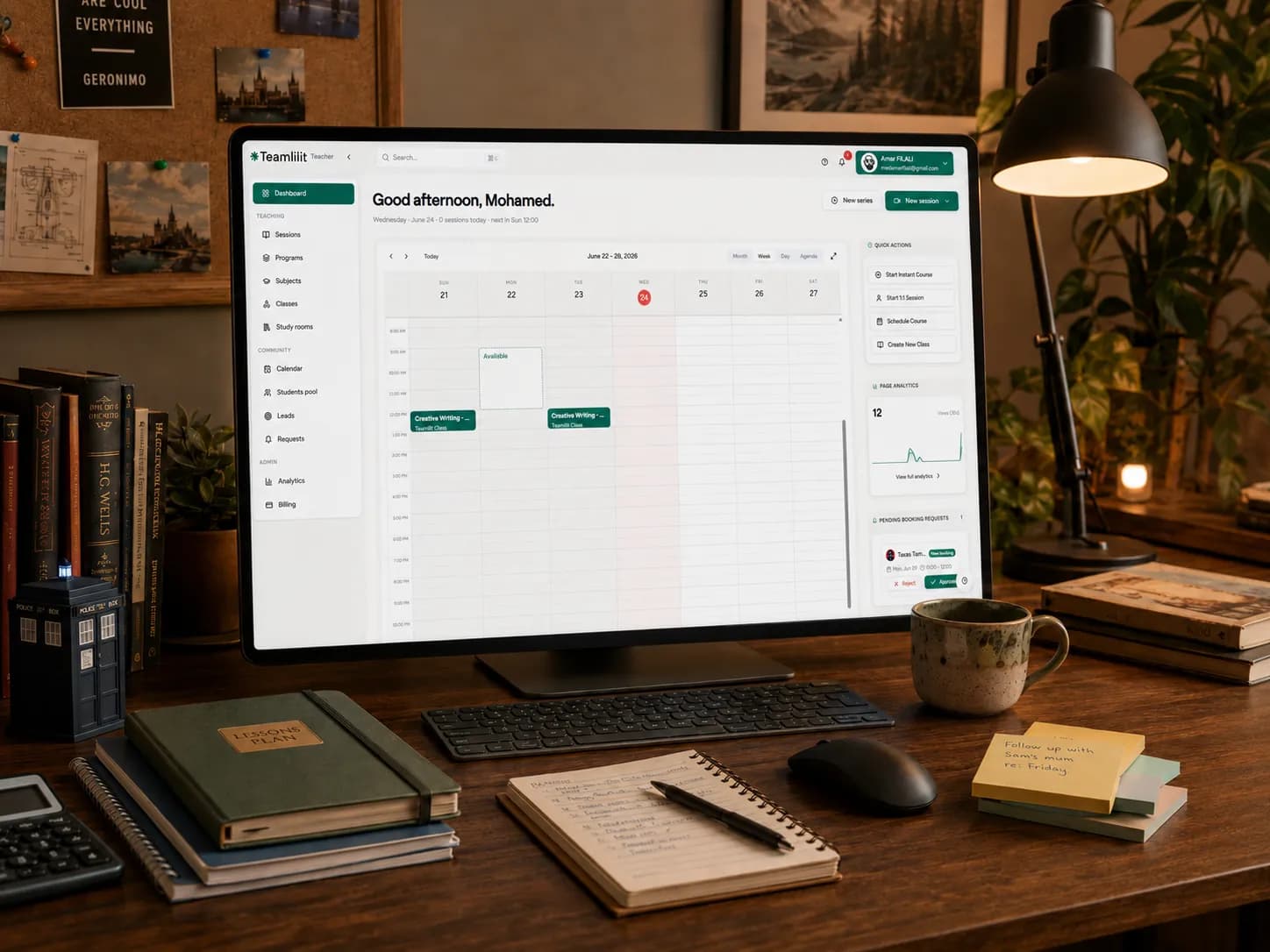
Teamlilit is the product we make. It puts the live lesson, the homework and the business around them in one browser workspace:
- The lesson. A browser classroom with HD video, screen sharing, a collaborative whiteboard and chat, so you do not need a separate video app such as Zoom. A student can join from a one-time link without an account. The classroom
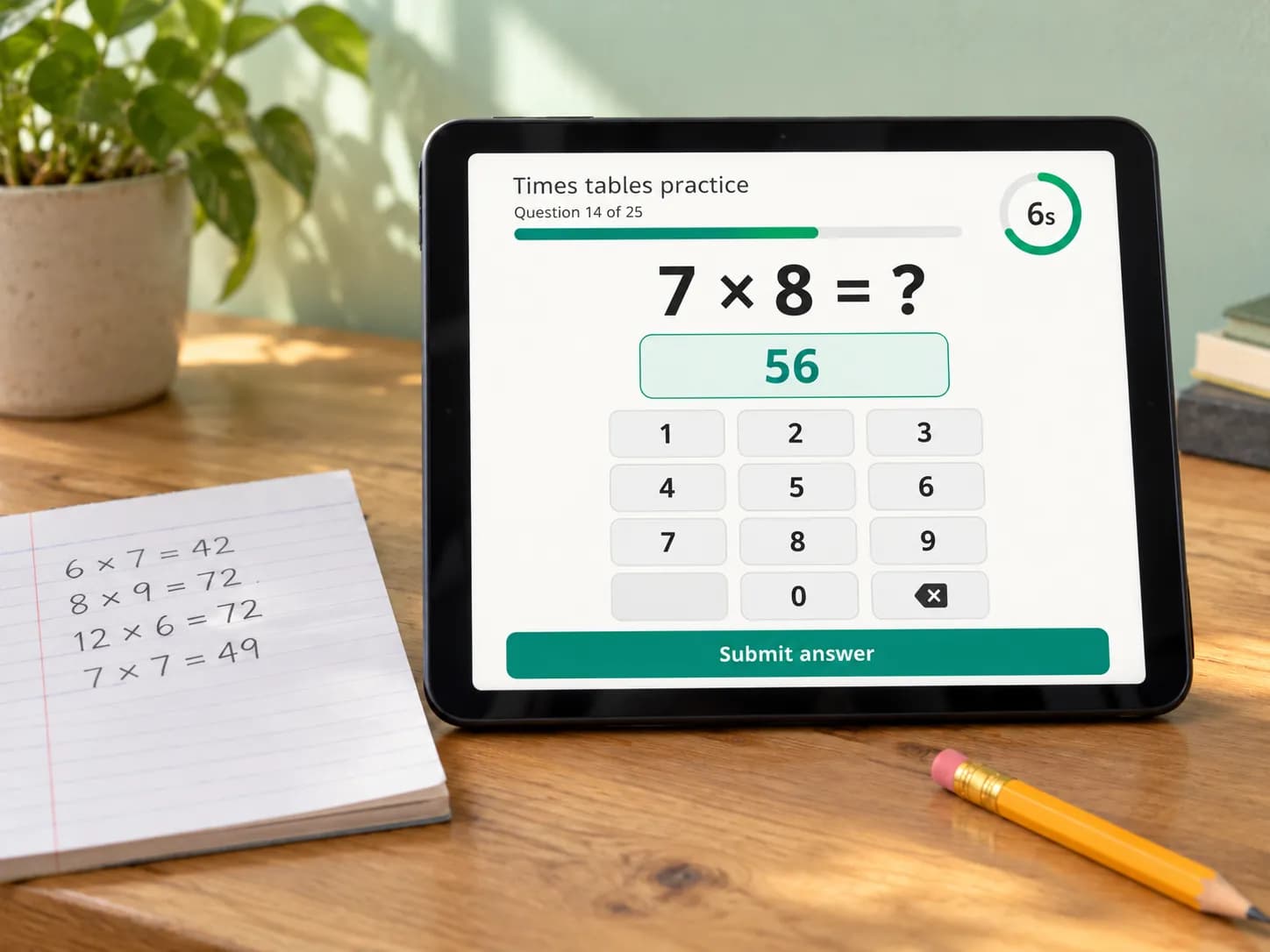
- Homework. Assignments with due dates, including questions that mark themselves. After each lesson you write a wrap-up with notes and exercises, and students receive it by e-mail. Teamlilit can draft the summary, notes and exercises from the lesson; you review and edit every draft before anyone sees it. Notes and exercises
- Parents. A read-only link shows a parent the lessons, attendance and invoices. Parents cannot book or pay through it.
- The business. A booking page for your availability, attendance recorded automatically from each student's join and leave times, and invoice lines generated from the lessons each student actually attended, at that student's rate. Invoicing
Price: Solo is €29 a month for 1-on-1 lessons; group classes need Pro (€69 a month, groups of up to 25) or Academy (€119 a month, four staff seats, classes of up to 100). These are list prices in euros; the amount and currency for your country are set at checkout. Every new tutor account starts with a 14-day trial with all Pro features, and no credit card is needed. Teamlilit is available in English, French, Spanish and German, and keeps data in the EU. Pricing
Where it is weaker: Teamlilit is not a course platform like Moodle, Canvas or Teachable; it is built around live 1-on-1 and group lessons, not self-paced recorded courses. It does not collect or process payments: parents pay you by your own method. Reminders go by e-mail and in the app, with no text messages, and the Google Calendar sync runs one way, from Teamlilit to Google. Unlike Classroom at a qualifying institution, it costs money from the first month after the trial.
Wise: tutor management with Zoom bundled
Wise describes itself as "tutor management software designed to streamline your tutoring business". Its lessons run on Zoom, which it includes: "Zoom included and fully integrated", with the licences bundled so there is no separate Zoom plan to buy. Around the lessons it lists homework, assignments and learning resources, built-in chat between tutors, students and parents, and online payments with automated invoicing, and it says it does not take a cut from your payments. Wise, Wise pricing
Price: the Pay Per Session plan charges for "sessions you conduct", and the calculator on the pricing page shows US$0.80 a session, or US$160 a month for 200 sessions. Pay Per Seat and Enterprise plans are listed beside it. Wise pricing
Where it is weaker: the classroom is Zoom, bundled rather than built in, so lessons follow Zoom's way of working. The cost rises with every session you teach, and the pricing page we read does not state a trial length or the interface languages.
Which one fits you?
What we left out, and why
- Marketplaces that supply students, such as Superprof or Preply. They find students; they do not replace a homework tool.
- Generic booking apps. They schedule appointments but hold no lessons or homework. Our comparison of tutoring appointment apps covers them.
- All-in-one tutoring business software without its own homework or classroom angle, such as TutorBird, Teachworks or TutorCruncher. They are compared on TutorBird alternatives and Teachworks alternatives.
- General video apps such as Zoom or Google Meet on their own. They hold the live lesson only; the best tools for online tutors guide covers them.
Frequently asked questions
Can a private tutor use Google Classroom?
Yes. Google's Classroom FAQ lists individuals over 13 with a personal Google Account among the people who can use Classroom, and its account help page names a tutoring center or homeschool as the typical case. A personal account has fewer features than a school account: the teacher cannot invite guardians to sign up for email summaries.
Is Google Classroom free for tutors?
Google says Google Workspace for Education Fundamentals, the edition that includes Classroom, is available at no charge for all qualifying institutions. The Google pages we read on 24 October 2026 state no price for using Classroom with a personal Google Account, so check your own case before you plan around it.
Is there a Microsoft alternative to Google Classroom?
Yes, Microsoft Teams for Education. Microsoft describes video collaboration, chat, assignments, class materials and notes built into one app, free with a valid, active institution email address. A private tutor who has no institution email address may not qualify for that free version.
Can parents see Google Classroom?
Not directly. Google's help page says that, due to privacy laws, parents and guardians cannot access Classroom or student assignments. They can get email summaries if the teacher allows it, but a teacher using a personal Google Account cannot invite guardians to those summaries.
What is the best Google Classroom alternative for a private tutor?
It depends on what Classroom was doing for you. For self-paced courses, a course platform such as MoodleCloud fits. For live lessons with a whiteboard, a lesson space such as Lessonspace fits. For live lessons, homework, a parent view and invoices in one tool, all-in-one tutoring software such as Teamlilit or Wise fits. If your institution gives you an education email address, Microsoft Teams for Education is the closest like-for-like swap.
Is Teamlilit a learning management system like Moodle?
No. Teamlilit is not a course platform like Moodle, Canvas or Teachable. It is built around live 1-on-1 and group lessons, with assignments, wrap-ups and invoices attached to those lessons, not around self-paced recorded courses.
Sources
- 1Google Classroom · Google for EducationWhat Classroom is for, with embedded chat and meeting tools. Read 24 October 2026.
- 2Compare Google Workspace for Education editions · Google for EducationEducation Fundamentals at no charge for all qualifying institutions; Education Plus is paid. Read 24 October 2026.
- 3Classroom FAQ · GoogleIndividuals over 13 with personal Google Accounts can use Classroom. Read 24 October 2026.
- 4About Classroom user accounts · GooglePersonal accounts outside a school setting, such as a tutoring center; guardian limits. Read 24 October 2026.
- 5Microsoft Teams for Education · MicrosoftVideo, chat, assignments and class materials; free with an eligible, active education email address. Read 24 October 2026.
- 6MoodleCloud · MoodleHosted LMS for individuals and small teams, integrated video for up to 100 users. Read 24 October 2026.
- 7MoodleCloud standard plans · MoodleCloudStarter A$230 a year for 50 users, billed annually in AUD; free Starter trial. Read 24 October 2026.
- 8Lessonspace pricing · LessonspacePlans by included teaching hours, extra participant hours, recording storage. Read 24 October 2026.
- 9TutorBird pricing · TutorBirdLessonspace and Zoom among the listed integrations. Read 24 October 2026.
- 10Wise · WiseTutor management software, online payments with automated invoicing. Read 24 October 2026.
- 11Wise pricing · WisePay per session, Zoom licences bundled, homework and assignments, chat with parents. Read 24 October 2026.
- 12Teamlilit facts · TeamlilitTeamlilit features, limits, plans and trial terms.
Changelog
- 24 October 2026: first published. Every vendor page above was read and archived on this date. The next full re-check is due on 22 January 2027.
If you work at one of these companies and something here is out of date, write to support@teamlilit.com. We correct verified errors within 5 working days and note the change here.